Getting Started with Paid Placements (For Sellers)
Last updated: October 8, 2026
Paid Placements allow brands to work directly with creators on sponsored content with clear pricing, defined deliverables, and built-in payment protection. Levanta streamlines the entire process. From proposal to posting to payment, so you can collaborate confidently without relying on DMs or off-platform contracts.
This article explains:
What Paid Placements are
How Rate Cards work
How to send proposals
What each status means
What are Paid Placements?
Paid Placements are sponsored content agreements where a brand pays a creator a fixed amount in exchange for specified, branded content. This can include social media posts, videos, newsletter features, blog posts, or other promotional methods agreed upon in advance.
Paid placements typically define:
The content type (e.g., Instagram Reel, TikTok video, newsletter feature)
The price
Any usage rights (permission to reuse the content)
Timelines for creation, content review, and posting
Levanta manages these agreements end-to-end so both parties have clarity and protection.
Payment Processing FeesPlease note that fees vary depending on the payment method used: • 10% fee for card-funded contracts Be sure to consider these fees when setting up and funding your contracts. |
What Is a Rate Card?
A Rate Card is a creator’s pricing menu for paid content. It shows:
The types of placements a creator offers
Their price for each placement
Separate pricing for usage rights, if applicable
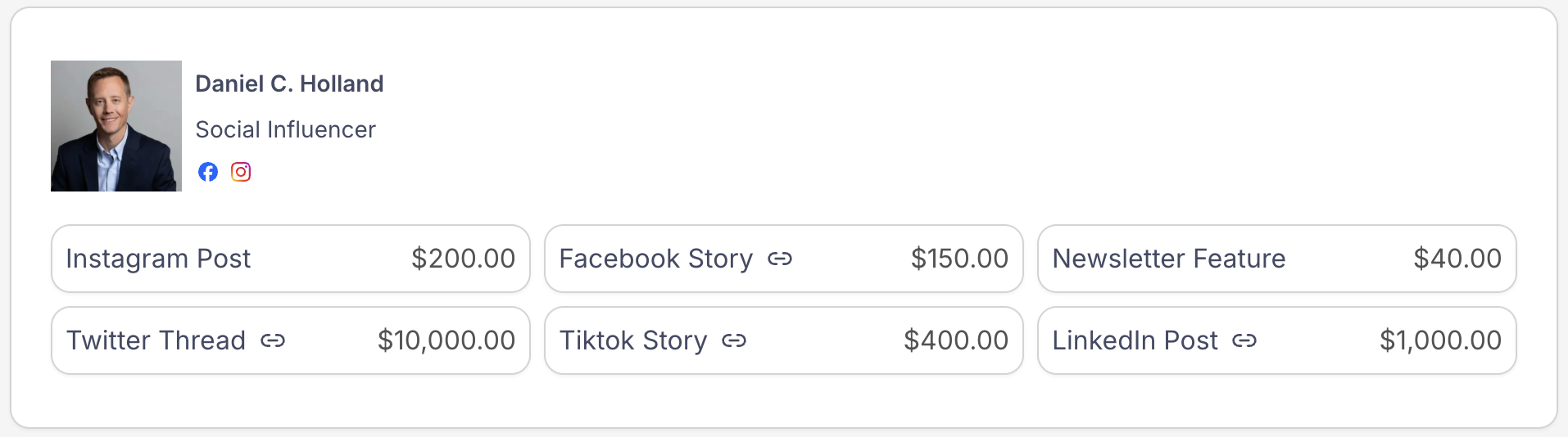
As a seller, you can browse creator rate cards to understand quickly:
What content formats do they offer
Their requested prices
Availability and pricing for content usage rights
Creators only list placements they actually offer, so anything you see on a rate card is available for a proposal.
How Sellers Use Paid Placements
Note: To send a Paid Placement proposal, your account must have a valid credit or debit card saved in your payment methods.
1. Create a New Proposal and Browse Creator Rate Cards
Once a creator has published their rate card, you can review:
Standard placements (organized by platform: Instagram, TikTok, YouTube, etc.)
Custom placements (such as newsletters, blogs, podcasts, or reviews)
Usage rights pricing
Pricing shown in rate cards is the creators' baseline rates and can be negotiated.
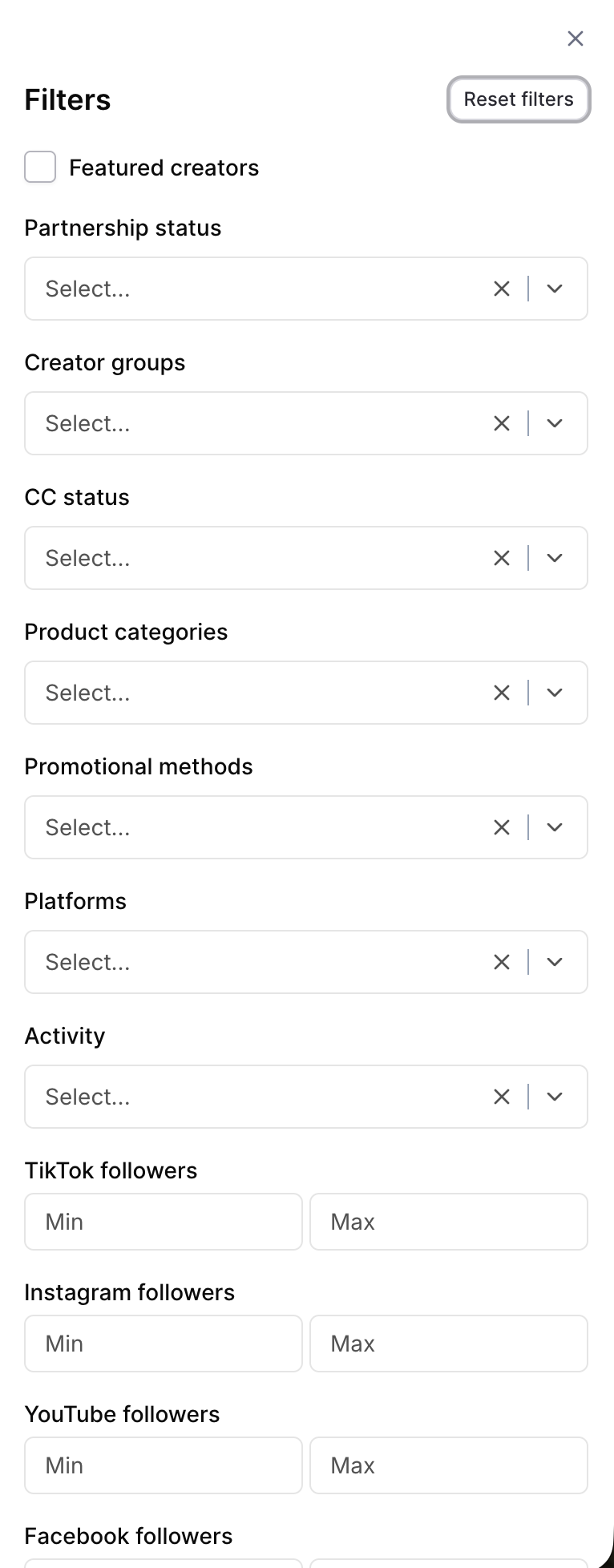
Additionally, you can filter and discover creators more efficiently by using creator groups, promotional methods, follower counts, and other available filters to find the best fit for your campaign goals.
2. Sending a Paid Placement Proposal
When you’re ready to work with a creator, send a proposal directly through Levanta. Your proposal includes:
Select Placements
Choose the type of placement you want for the selected creator. This lets the creator know exactly what medium they’ll be using to promote your products. The creator’s base rate for each placement will be displayed here for reference.
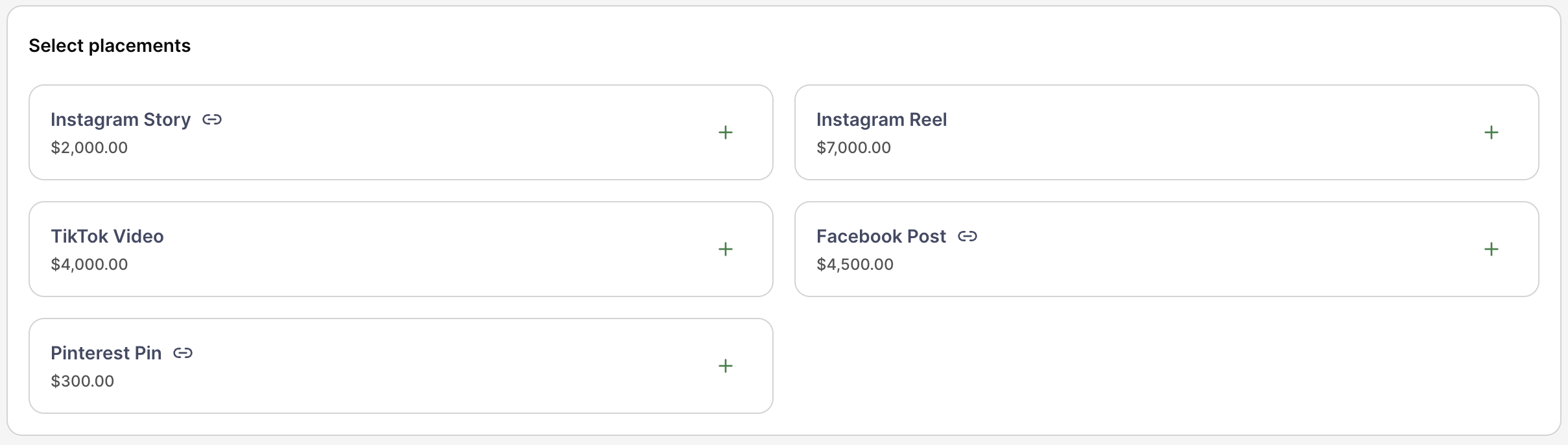
Note: The placements you see are based on what each creator offers or specializes in. Only the placements they’ve chosen to include in their rate card will be visible and available for selection.
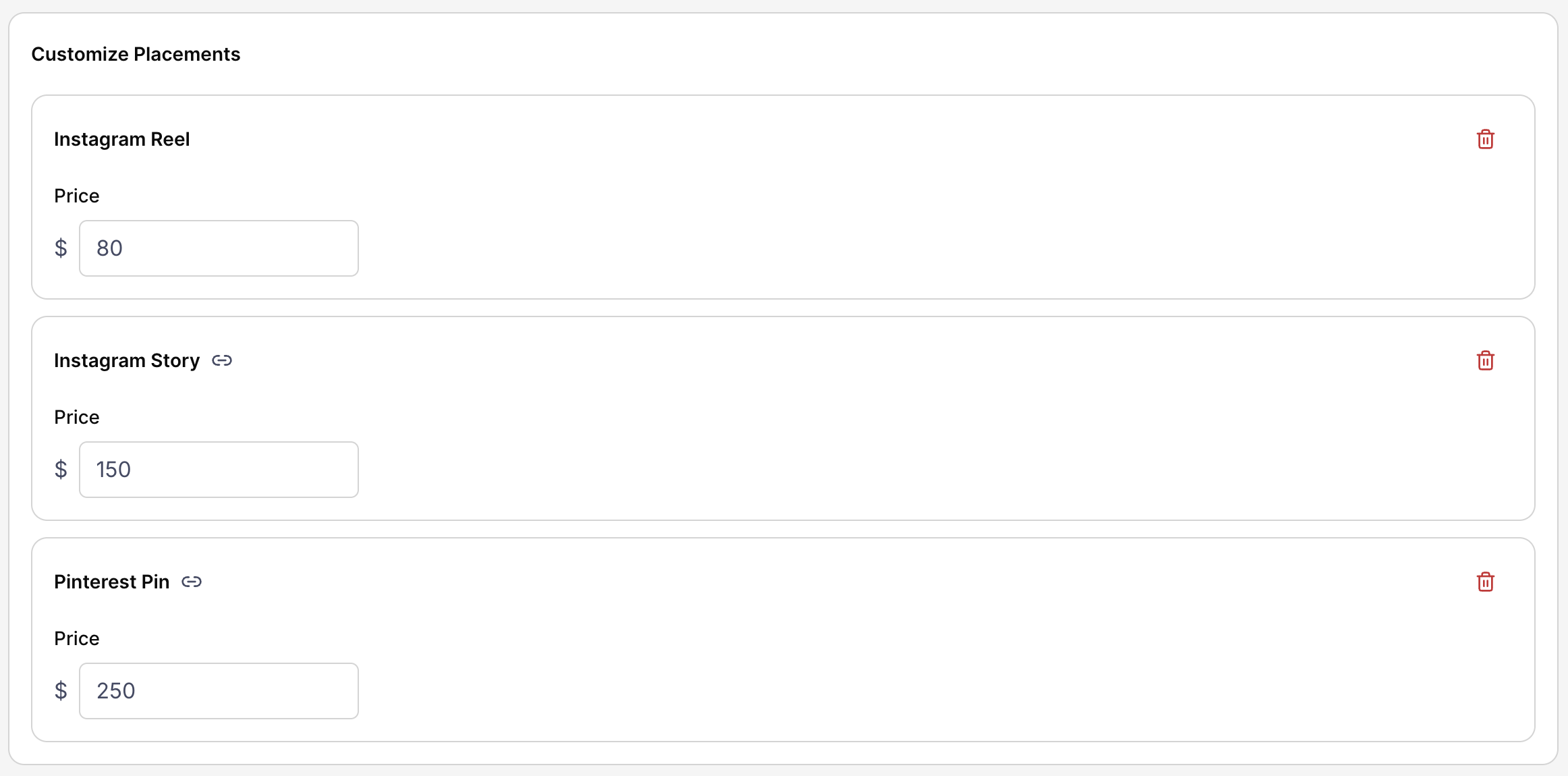
Customized Selected Placements
While creators set their initial rates through their rate cards, sellers can still negotiate pricing and terms to align with their campaign goals. This step allows you to adjust the pricing and propose an offer that better fits your budget and objectives.
Select Products to Promote
Choose the specific products you want the creator to promote. This allows you to align the placement with the products you’d like highlighted in the campaign.
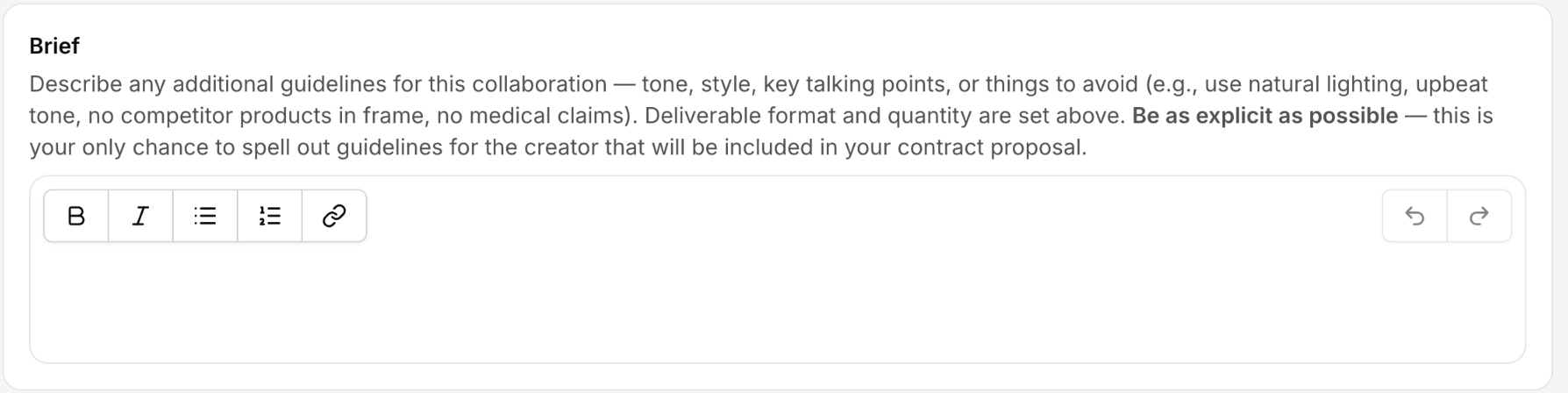
Content Guidelines
Provide clear direction for your creator by outlining any Do’s and Don’ts for the placement. This helps ensure the content aligns with your brand’s voice, messaging, and expectations.
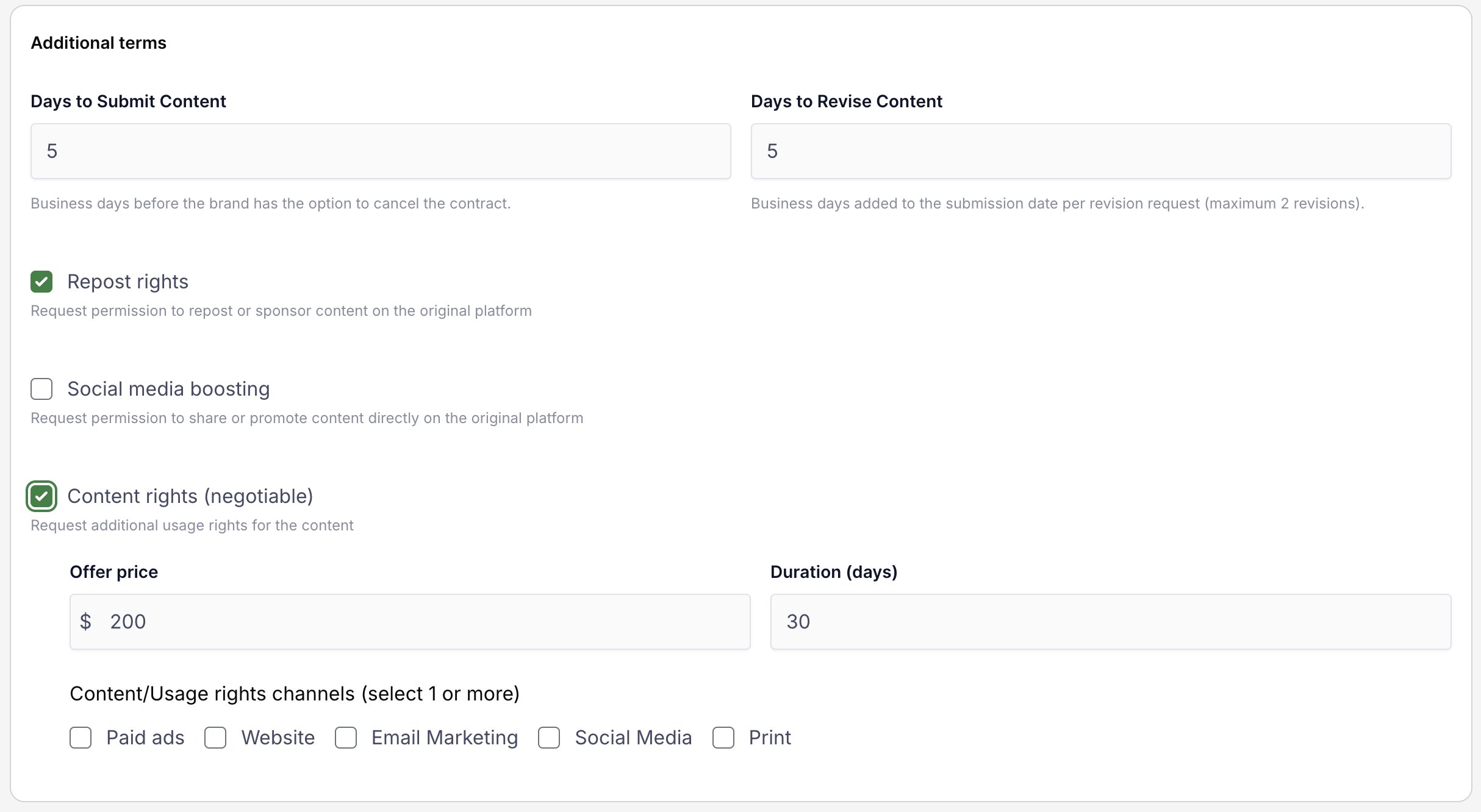
Additional Terms
Specify any additional terms for the placement, such as deadlines and the number of days allowed for the creator to apply revisions. You can also include:
Repost Rights – Request permission to repost or sponsor the content on the same platform it was originally placed.
Social Media Boosting – Request permission to promote or share the content directly on the platform where it was originally posted.
Content Rights – Request additional usage rights from the creator and negotiate a rate, allowing you to repurpose their content for other promotions or marketing efforts.
Title (Optional) -Add a title to your proposal to help distinguish it from other contracts and keep your campaigns organized.

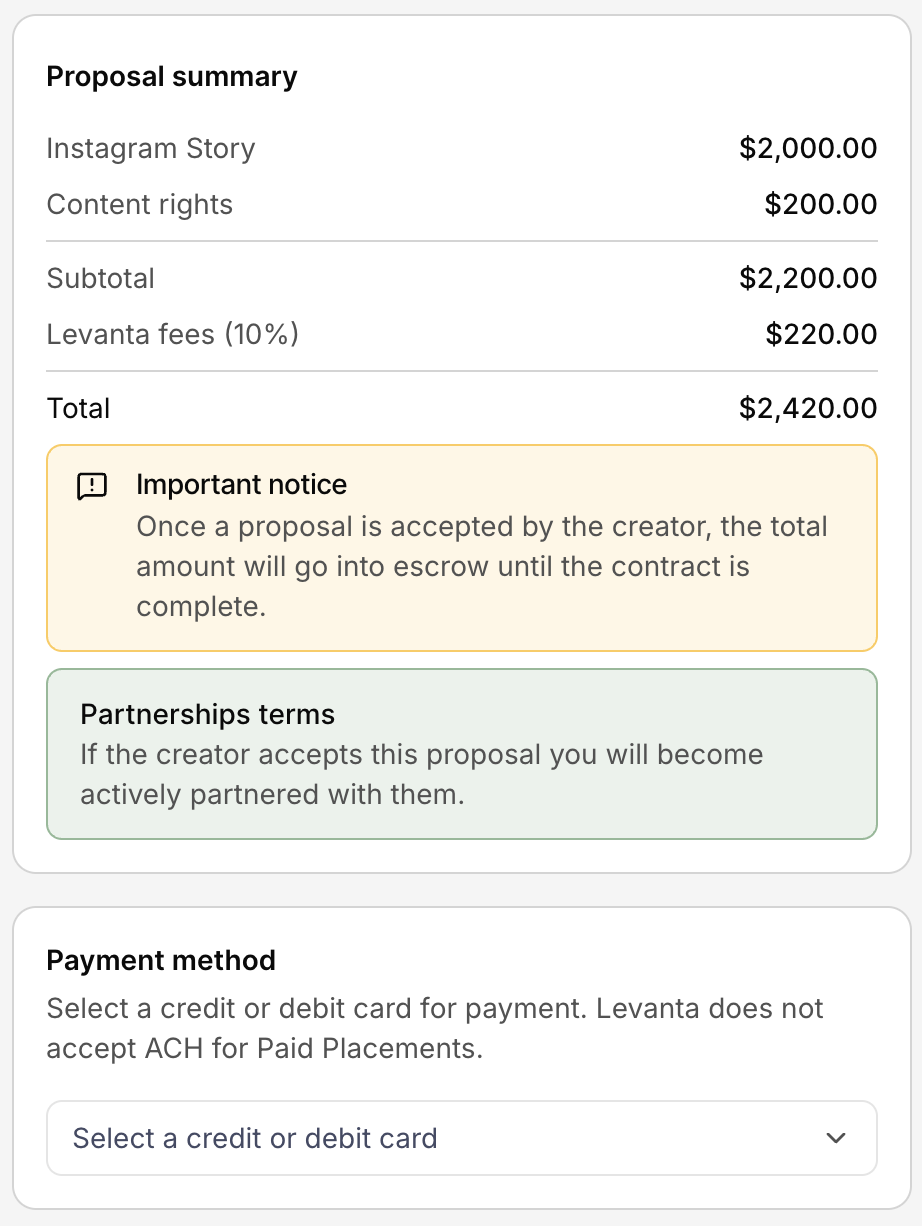
Proposal Summary
Displays the total cost of the proposal and allows you to select your preferred payment method.
Proposal Templates
If you send similar proposals regularly, templates let you reuse the details from a previous proposal instead of filling out the form from scratch each time.
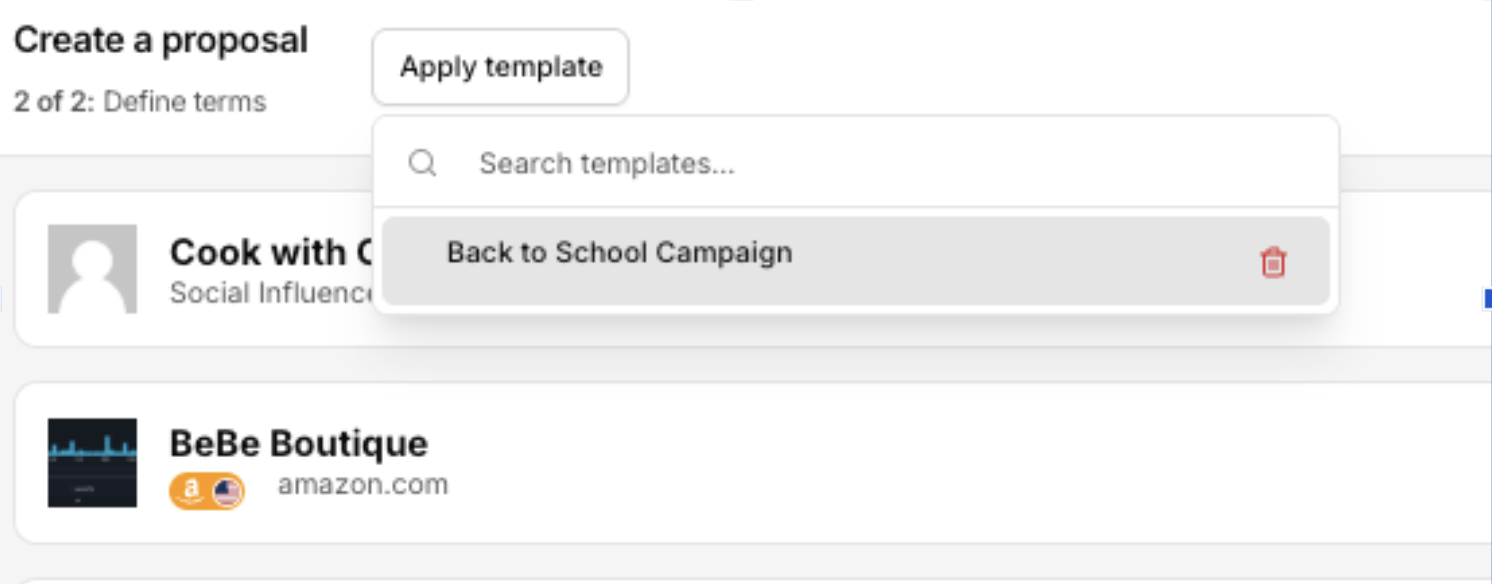
Applying a template
At the top of the proposal page, click Apply Template.
Select one of your previously saved templates.
The template will overwrite the current proposal with the saved information, so you can quickly recreate the setup of your earlier requests. If you've already entered details on the proposal page, applying a template will replace them.
Applying a template only fills in the proposal text. It does not submit your proposal or move you to the next step, and you can still edit any of the fields afterward before sending.
Saving a template
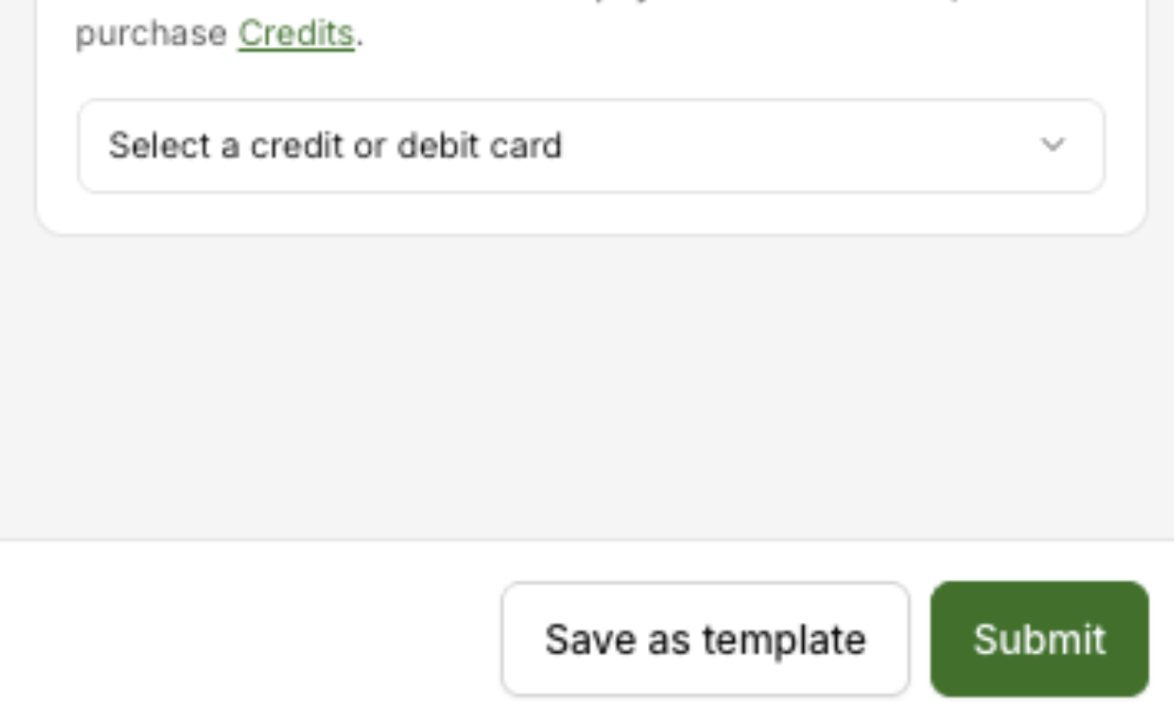
At any point while you're filling out a proposal, click Save as Template at the bottom of the proposal page to save your current fields. Your saved template will then be available to select the next time you click Apply Template.
3. Negotiate and Agree on Terms
Creators can:
Accept your proposal
Counter with different pricing, timelines, or usage terms
Decline the proposal
Negotiations happen directly in Levanta. Once both sides agree, the deal moves forward automatically.
4. Contract and Content Review
After a proposal is accepted, you’ll have a dedicated view to manage your contract.
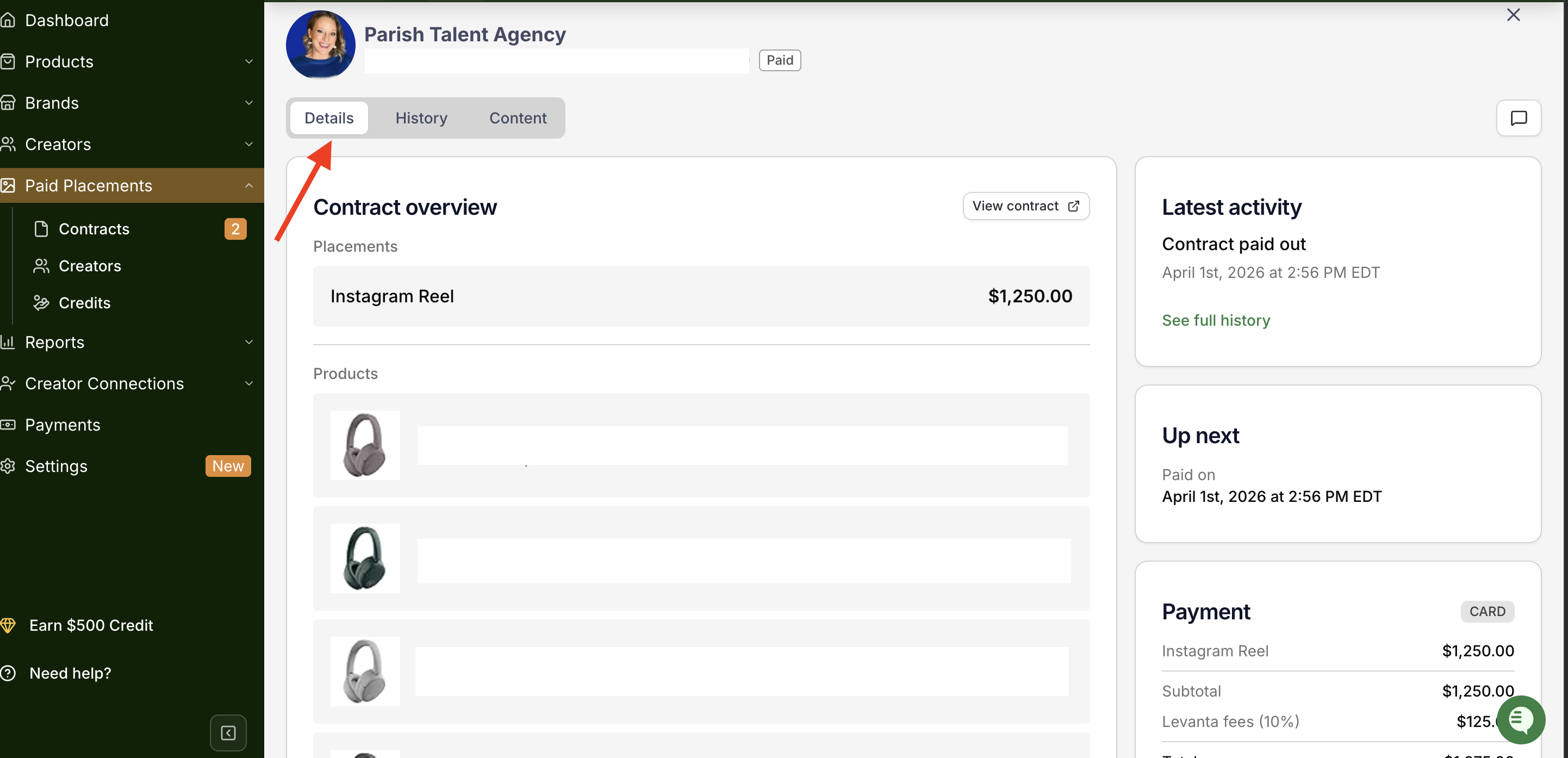
Contract Details – View the contract overview, including agreed terms and payment information.
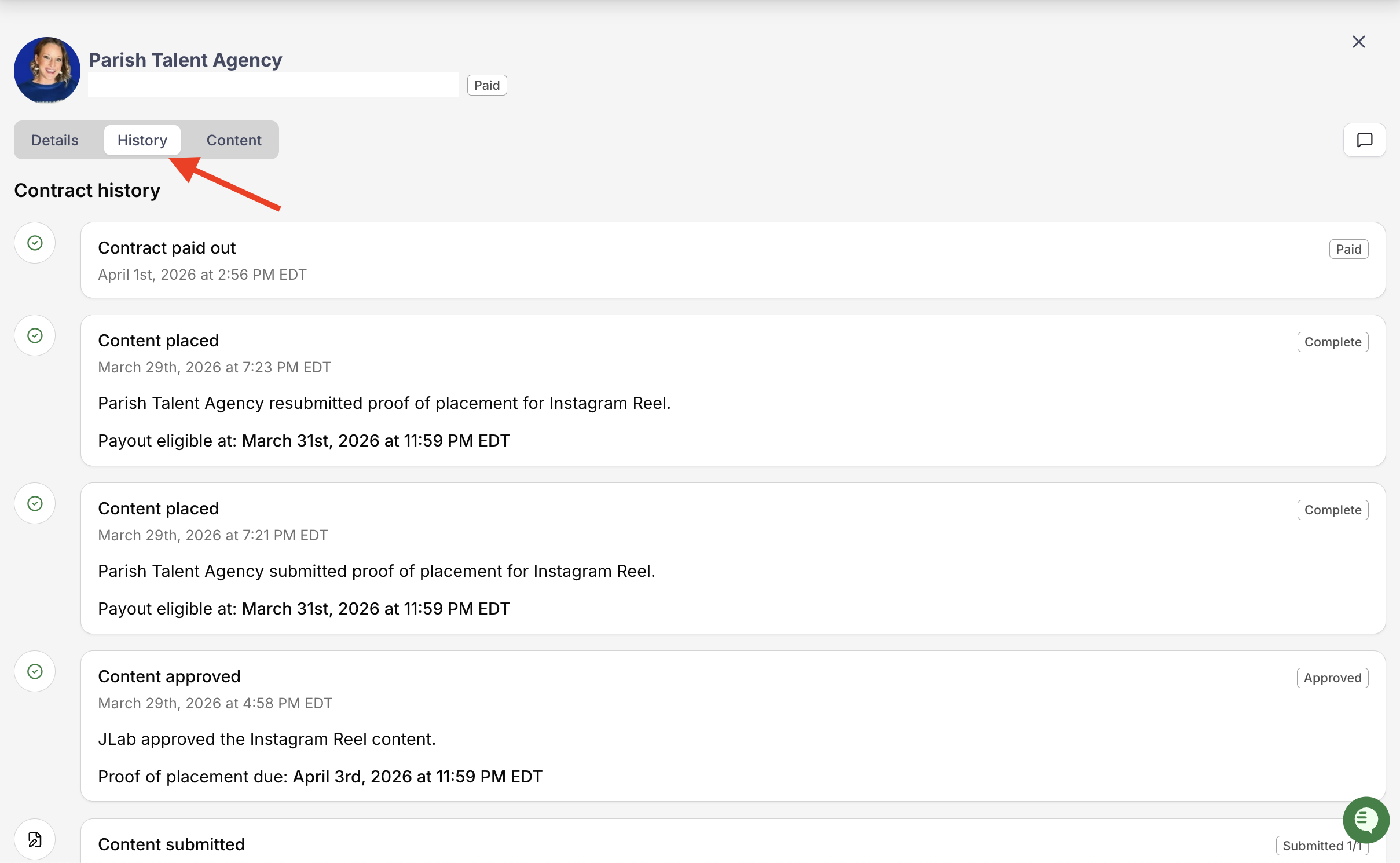
History – See a full record of activities within the contract, making it easy to track progress.
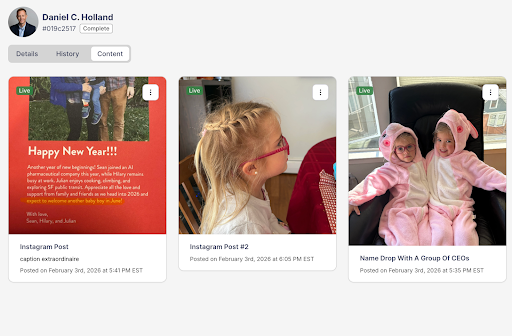
Content – Review the content submitted by your creator for approval or feedback.
Credits & Sampling
Two new features are now available within Paid Placements to give you more flexibility in how you work with creators.
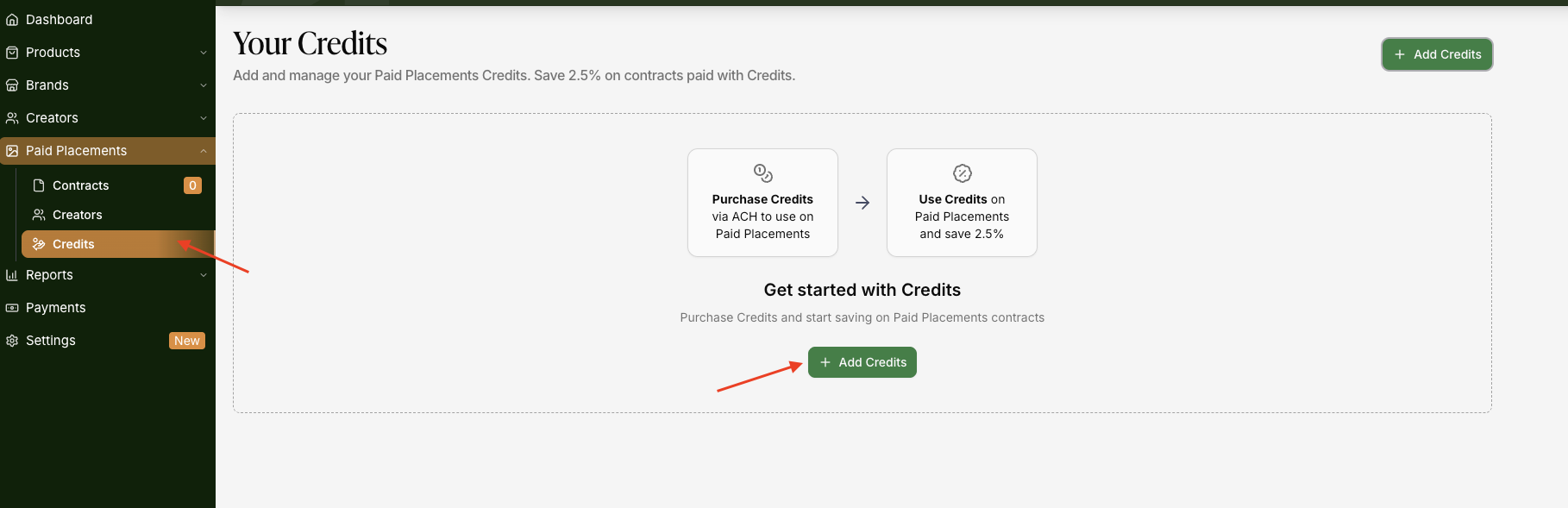
Credits
You can now pre-load your Paid Placement wallet with Credits purchased through ACH bank transfer — no credit or debit card required. Paying with Credits gives you a lower service fee: 7.5% instead of the standard 10%, saving you 2.5% on every contract you fund this way.
To get started, go to your Payments section and fund your wallet via ACH. Once loaded, simply select Credits as your payment method when submitting any Paid Placement proposal.
Sampling
You can now include product samples as part of a Paid Placement proposal — directly within the platform. No separate coordination needed. Just add your sample to the proposal, and Levanta handles the rest, making it faster and easier to get your products into creators' hands before they start creating content.
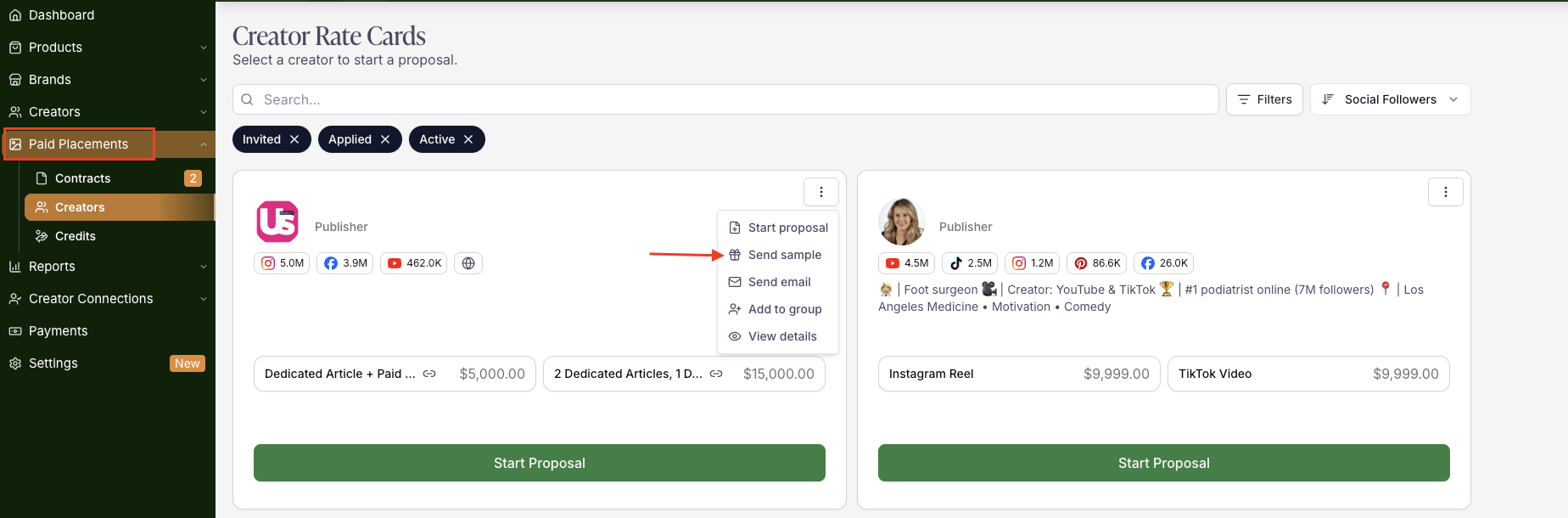
Both features are designed to reduce friction and keep your entire creator partnership workflow in one place.
Placement Status Definitions
Status | What It Means |
New | Proposal sent; awaiting creator response |
Accepted | Both parties have agreed to the terms |
Submitted | Creator has submitted content or a live link for review |
Approved | Content approved; creator is informed it's ready for posting |
Placed | Content is live |
Complete | All content is placed and payment is scheduled for release |
Types of Contracts
Your contracts are organized into three tabs:
Active Contracts – Proposals that are currently in progress and ongoing.
Paid Contracts – Proposals that have been fully executed, with content created, posted, promoted, and payment already released to the creator.
Archived Contracts – Proposals that were declined, cancelled, or have expired.
Payment Processing Explained
Levanta uses a structured payment flow to protect both brands and creators.
Here’s how it works:
Terms Agreed
Once both sides accept the proposal, payment terms are locked in.Payment Charged
Your payment method is charged, and funds are held securely in escrow.Escrow While Processing
Funds remain held by Levanta while the creator produces and posts the agreed-upon content.Content Goes Live
After final approval and posting, the transaction enters the post-live period.Release After Completion
After the required post-live window, funds are released to the creator.
This ensures creators are paid for completed work while giving brands confidence that deliverables were met.
Tips for Sellers Using Paid Placements
Review rate cards carefully before sending a proposal so expectations are aligned.
Be clear in your proposal about usage rights and timelines to avoid delays.
Use counters strategically. Rate card prices are starting points, not fixed demands.
Plan usage rights early if you intend to repurpose content for ads, emails, or your website.
Questions?
If you have questions about paid placements, rate cards, or payment processing, reach out to our support team at cs@levanta.io. We’re happy to help you get the most out of your creator partnerships.