Finding Products and Brands to Promote from Levanta
Last updated: October 5, 2026
Discovering Products to Promote
To get started, navigate to the “Discovery” tab in the navigation bar. From here, there are several ways to explore Levanta's product catalog and find great revenue-generating opportunities. (To get to filters, be sure to click on “All Categories” when in Discovery, as the first page that is shown is our “Featured Products”.
Search
The Search function is a powerful tool for quickly finding specific products. You can search by:
ASIN
Brand
Keyword
Product Category
Product Name
Global Marketplace
SKU (Walmart, Shopify, and Wayfair products)
Filters
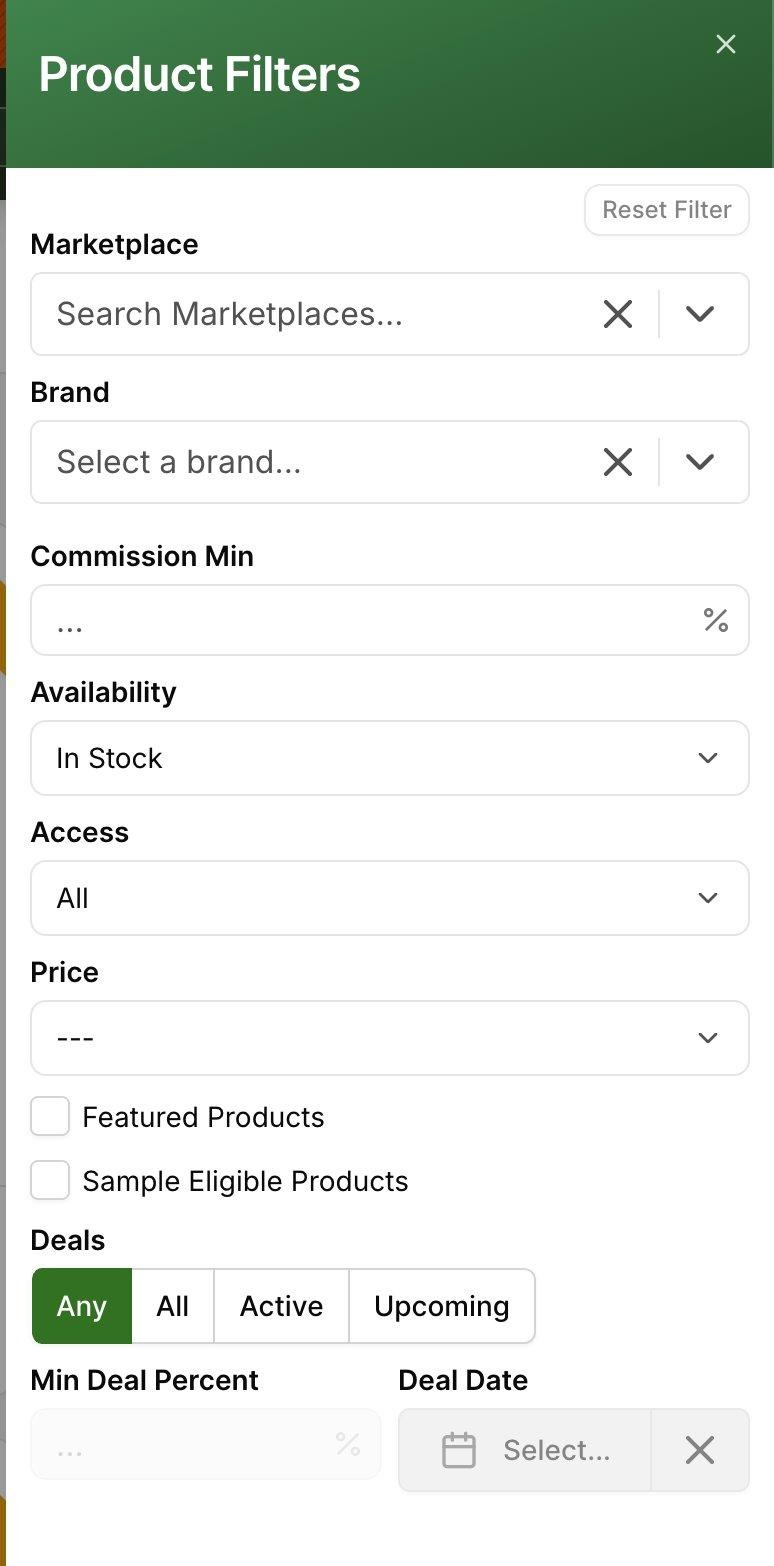
Filtering helps narrow down products based on your preferences. You can filter products by (To see filter functions, make sure you click on “All Categories” when in Discovery):
Brand: View products from a specific brand.
Commission Min: Find products that fit within your desired commission range; enter 15%, for example, to find only products with 15% commission and higher.
Availability: Show only products that are in stock (this is the default setting).
Access: Automatically shows all products, but you can choose to display only products from brands you have partnered with. To gain access, apply to the brand and await approval. (Partnering with brands will allow you to generate links for their products and message the brands).
Additional options to help you with your Search
Use the “Best-Sellers” drop-down to re-order displayed products quickly based on:
Best Sellers
Newly Added
Commission
Price
❗Note that if you search an ASIN and a different variation populates (i.e., a different color, size, or count), this likely means we have the ASIN available on Levanta, but it's nested under a parent ASIN. To find this, click into the product that populates upon search, scroll down, and search for the correct variant from the list.
AI Tool for Product Discovery
Levanta's AI-powered recommendation tool (search bar that is found in the top right of the platform on desktop or the top right magnifying glass button on mobile) suggests top-performing products based on search queries, which can be category-specific or broader. For example, you could search “Best vitamin C serums” or “Gift ideas for teenagers.” Use this feature to quickly identify high-potential opportunities in new or existing categories.
Deals
To view Deals, navigate to the Product Catalog and select the “Browse Deals” button.
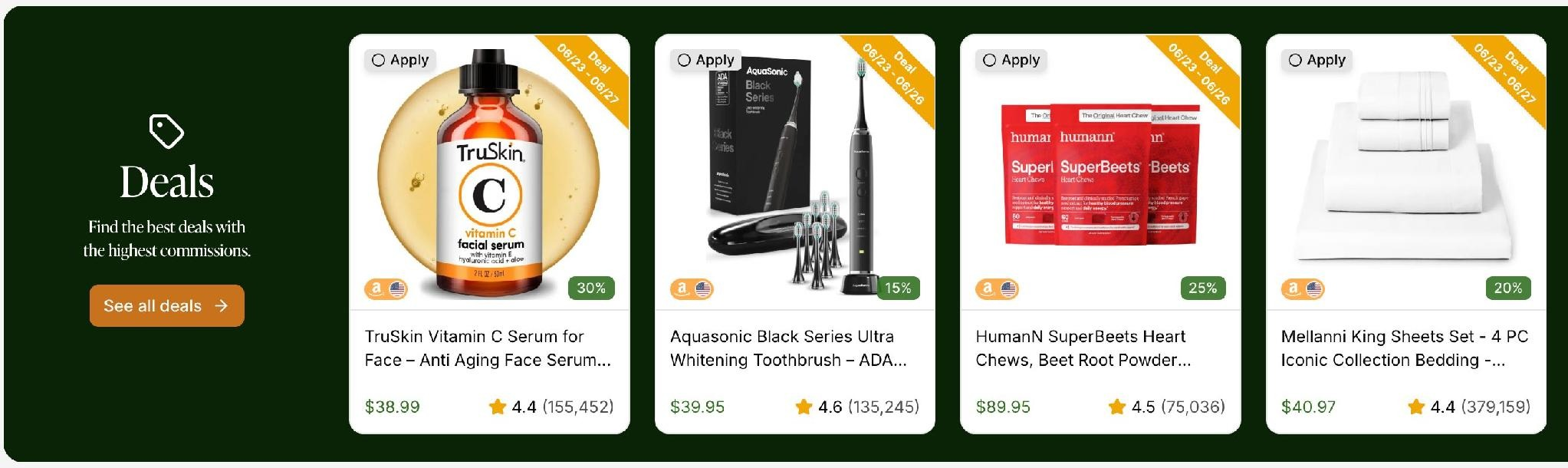
You can also filter the product catalog to show only products with active or upcoming deals.
To promote a Deal, simply apply to a brand's program as normal and create a link for the product with the active or upcoming deal.
Featured Products
When you first open the Discovery tab, you will land on the Featured Products page. This is a curated selection of top-performing products handpicked by the Levanta team - a great starting point if you are not sure where to begin.
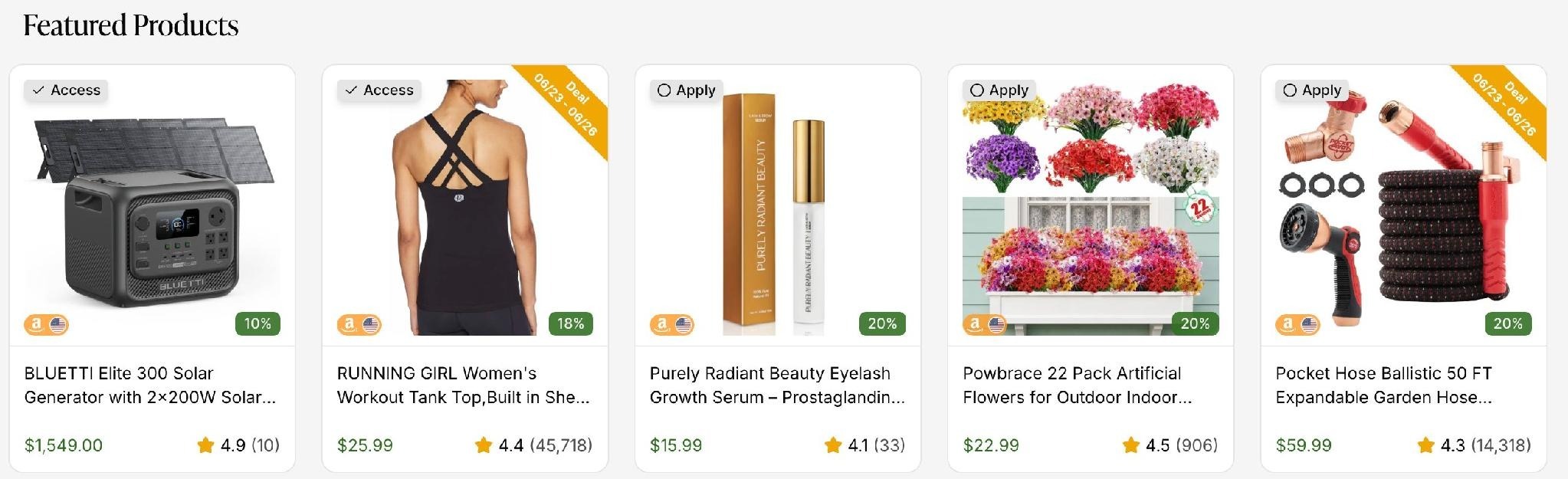
Featured Products - curated top-performing products on the Discovery tab
Each product card shows the product image, name, price, star rating, and commission rate. Cards marked with "Access" indicate you are already partnered with that brand. Cards marked "Apply" let you request access in one click. Active deals are highlighted with a date banner in the corner.
Lists
To find curated selections of products from our team or to find products you've saved to a list, navigate to “Lists” under the “Discovery” tab. These lists are full of top-performing products and brand recommendations across marquee events, and showcase curated top performers from top brands across our network.
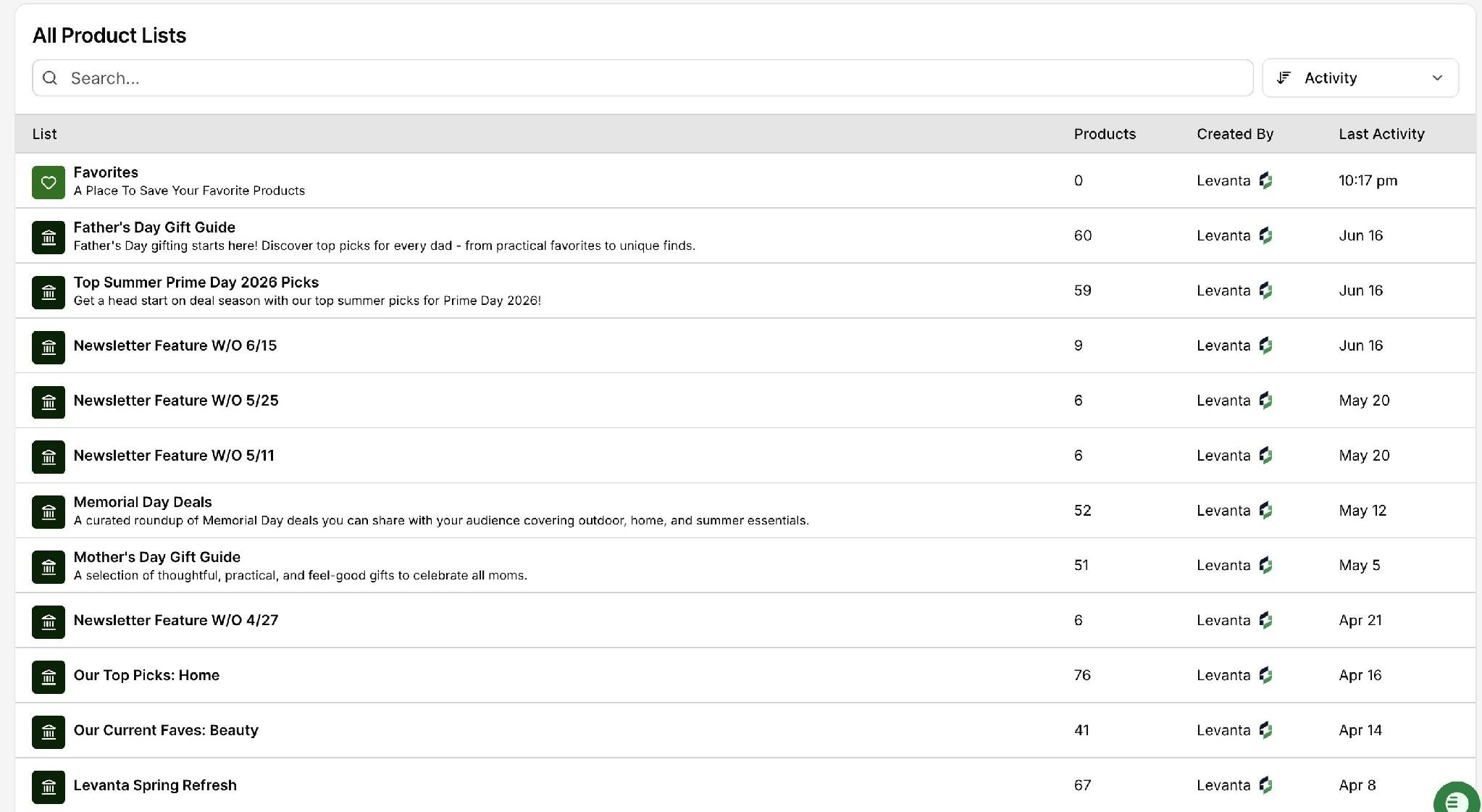
You can also save products to your own lists if you find a product and want to promote it in the future or know you'll come back to it frequently. To do so, simply click the “Add to List” button on a product.
Discovering Brands to Promote
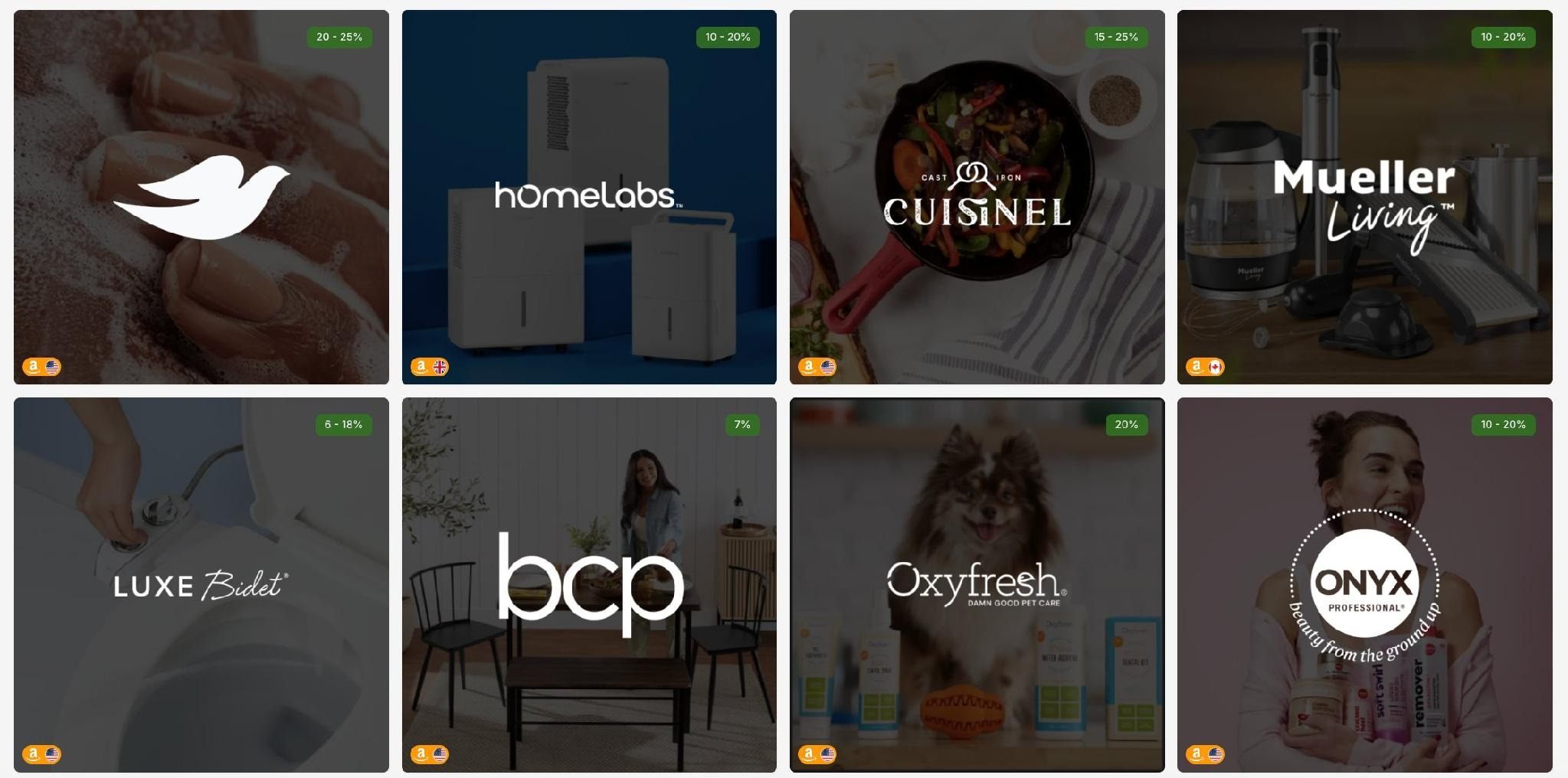
Finding Brands
Explore the active brands on Levanta by navigating to “Discovery” and selecting “Brand Catalogue”. Here, you can browse all available brands and even explore by category.
Brand Details
Click on a brand's name to access its Brand Detail Page, where you can:
View Product Catalog: Scroll to the bottom of the page to explore their active products.
Apply to Promote: Click “Apply for Access” in the top right to request access to generate links for their products.
View Brand Details: Learn about the brand's background and storefront(s).
Marketplace: Identify which Amazon geographic regions the brand operates in.
Note: Wayfair - Once Wayfair brands are added, “View Brand Details” should also surface the brand's Wayfair Brand Detail Page, and “Marketplace” should identify Wayfair as one of the marketplace options a brand operates in, alongside Amazon, Walmart, and Shopify. Wayfair Brand Detail Pages will not have an external Wayfair brand store link.
Summary
By using filters, AI recommendations, and sorting options, you can efficiently discover and apply to brands and products that align with your audience and revenue goals.
For further assistance, explore Levanta's knowledge base or reach out to support at cs@levanta.io.