Using the Dashboard Link Generator
Last updated: August 18, 2026
The Link Generator on your Levanta dashboard lets you turn any available product URL into a commissioned affiliate link — without leaving the dashboard. Simply paste a URL, and Levanta will identify the product, confirm your commission rate, and generate a ready-to-use link in seconds.
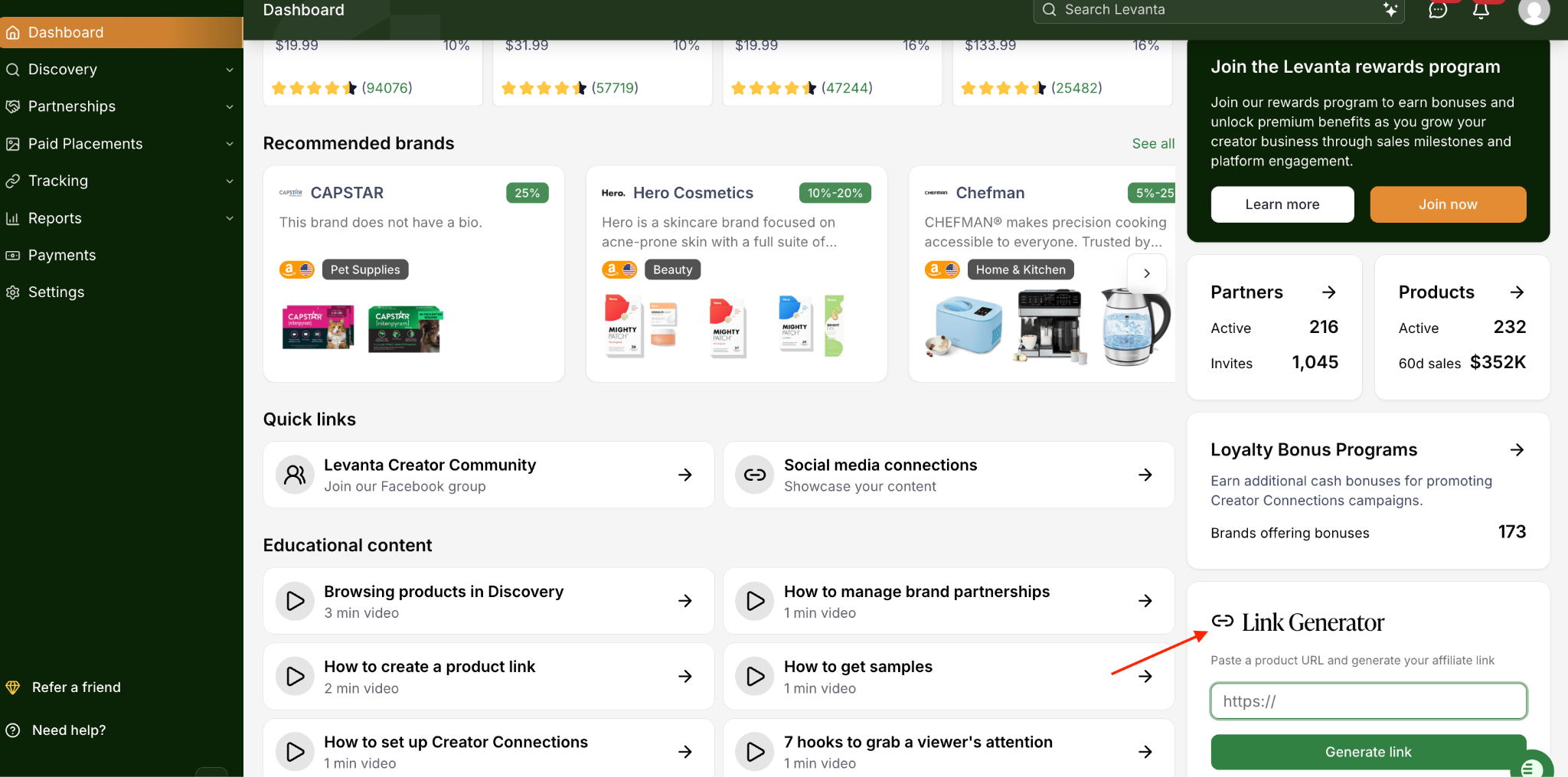
How to Generate a Link
You'll find the Link Generator widget in the bottom-right corner of your Creator Dashboard.
Locate the Link Generator widget on your dashboard.
Paste a product URL into the input field. Levanta supports full Amazon, Walmart, and Shopify product URLs, as well as amzn.to short links — these will automatically resolve to the full product page.
Click Generate Link.
Review the product match shown in the modal. Levanta will surface the product details so you can confirm you're linking to the right item before copying the link.
Copy your link and use it in your content.
💡 Tip: amzn.to short links are supported; paste them directly, and Levanta will resolve the product automatically.
Product Matching
When you paste a URL, Levanta searches its product catalog to find a match. Here's what to expect:
Exact match found: The matched product appears in the modal along with its commission rate. You'll see the product image, name, and ASIN so you can confirm it's correct before generating your link.
Product not yet in our catalog (Amazon or Walmart): Levanta will surface similar products from our catalog that are a close match. You can select the most relevant one to generate a commissioned link.
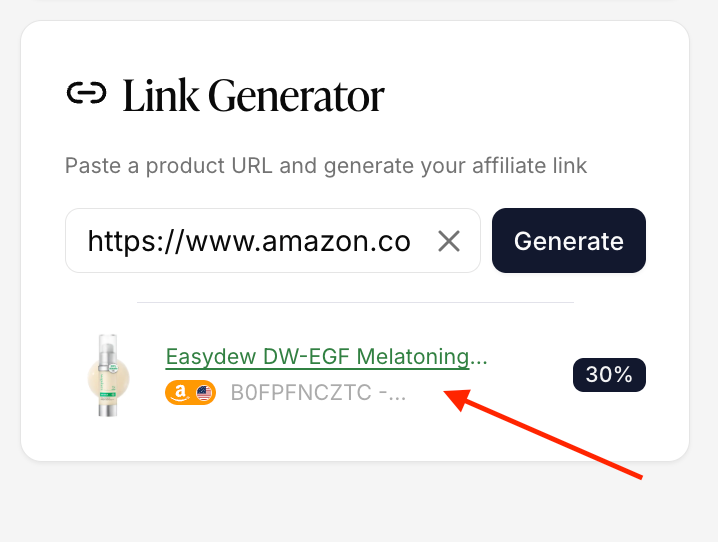
Understanding Your Partnership Status
After a product match is found, the Link Generator will also display your partnership status with the brand. This tells you whether a commissioned link is immediately available and what action (if any) you need to take.
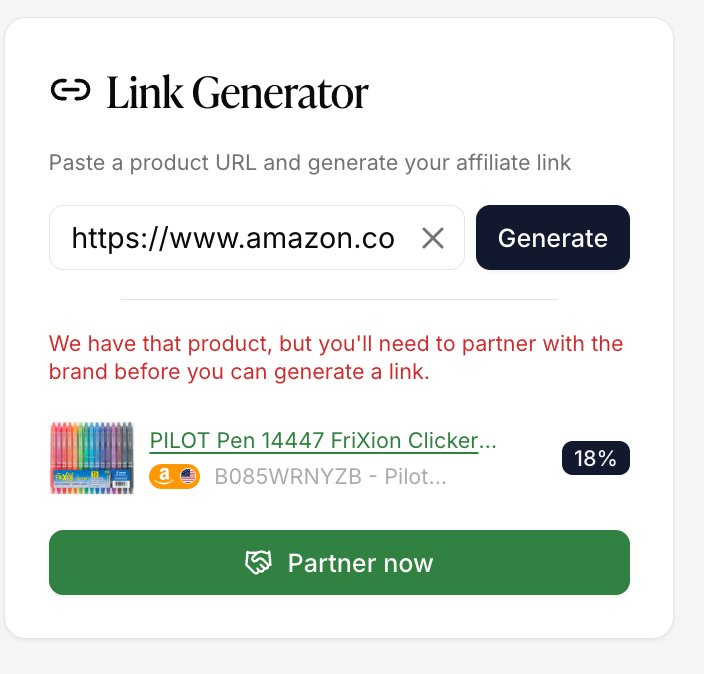
Partner now
You are not yet partnered with this brand. Click Partner now to submit a partnership request. Once the brand accepts, you'll be able to generate a commissioned link.
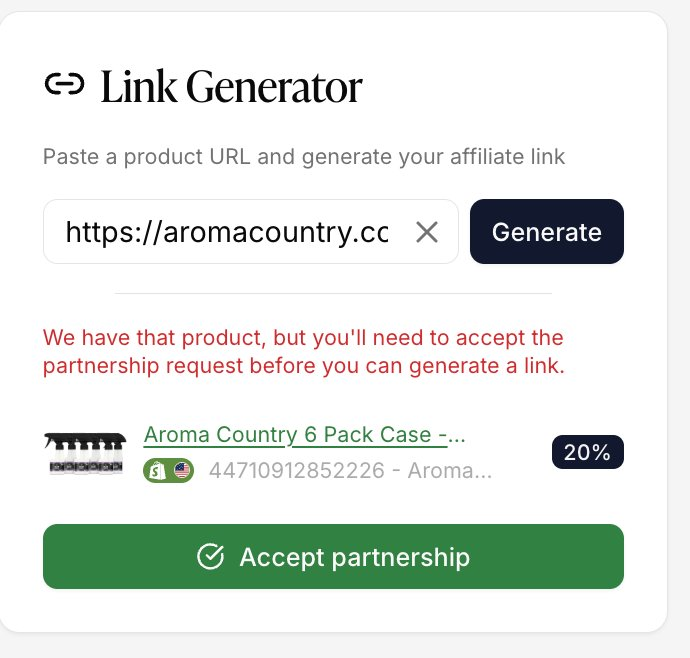
Accept partnership
The brand has sent you a partnership invitation. Click Accept partnership to confirm and unlock commission.
Awaiting brand approval
You've already applied to partner with this brand, but they haven't approved your application yet. No action is needed — you can follow up with the brand via your Partnerships dashboard.
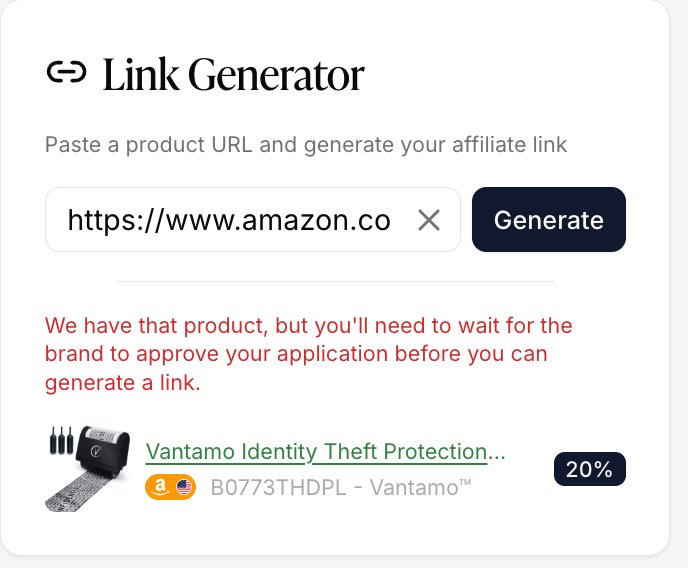
Note: A commissioned link can only be generated once an active partnership is in place. If you see 'Apply to Brand' or 'Awaiting Brand Approval,' you'll need to complete the partnership flow first.
Frequently Asked Questions
Can I use any Amazon, Walmart, or Shopify product URL?
Yes, all three are supported. Paste a product URL, and Levanta will match it against our catalog.
For Amazon and Walmart, if that exact product isn't in our catalog yet, we'll surface close matches so you can pick the most relevant one and still generate a commissioned link.
For Shopify, the product needs to already be in our catalog. If it isn't, you'll see a message saying the product isn't available yet, rather than a list of alternatives.
What if the exact product isn't in the Levanta catalog?
For Amazon and Walmart products not yet in our catalog, Levanta will surface similar products that are a close match. For Shopify products not in our catalog, you’ll see a message saying the product isn't available yet. Select the most relevant result to generate a commissioned link.
Why can't I generate a link for a brand I've found?
An active partnership with the brand is required before a commissioned link can be generated. If you see a partnership status in the modal, follow the action shown to move forward.
Where else can I generate links?
You can also generate links directly from a product page in Discover > Product Catalog or Partnerships > My Products. For a full walkthrough, see Generating and Managing Affiliate Links in Levanta.
Questions or Need Help? Our team is here to support you! Reach out to your dedicated CSM or email us at cs@levanta.io