Levanta Payments: Invoicing, Payment Methods, and Commission Fees Payments Overview
Last updated: August 7, 2026
This guide covers how invoicing, billing, and Creator commission payments work on Levanta—including how to set up payment methods and avoid unnecessary fees.
Monthly Invoicing
Levanta generates monthly invoices to help you manage commission payments and platform service fees efficiently.
Commission invoices are issued at the beginning of each month, typically between the 1st and 3rd. SaaS invoices are issued on the “effective date” of your signed contract or upgrade date.
You will receive one invoice per brand for commissions. SaaS will be one lump sum invoice.
Invoices include all reconciliation adjustments from the previous month.
Example: If a Creator drives a sale on February 12, the invoice for that commission will be generated between March 1–3.
Commission payouts to Creators are processed 30 days after the invoice date, subject to payment from the Brand/Seller.
If Auto-Billing is enabled, your payment method will be charged automatically on the day the invoice is issued.
If Auto-Billing is disabled, invoices follow net-30 payment terms, meaning payment is due within 30 days of the invoice date.
Add a Payment Method for Auto-Billing
To enable Auto-Billing and ensure your invoices are paid automatically each month, follow these steps:
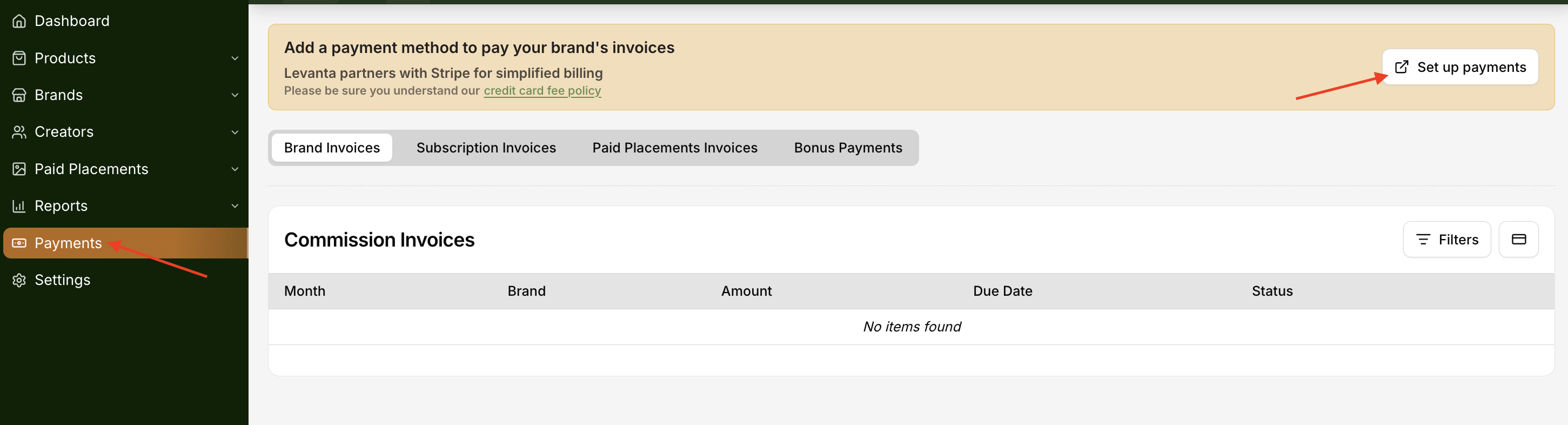
Go to the Payments tab in your Levanta dashboard and under Brand Invoices click “Set Up Payments.”
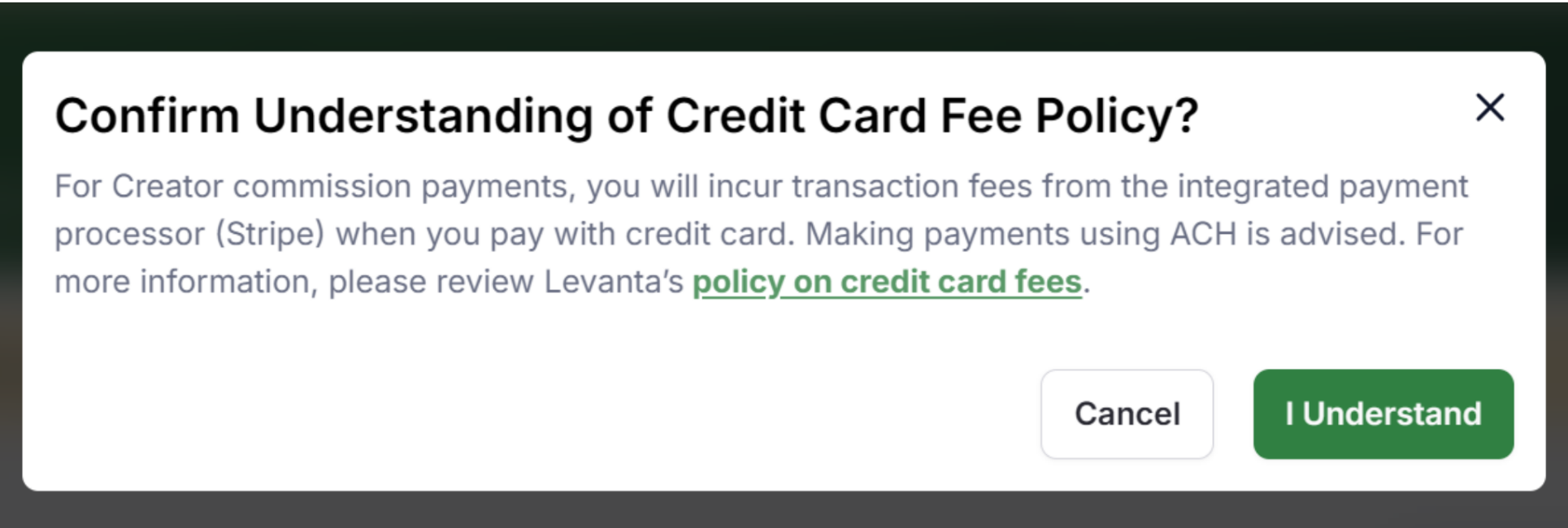
Before proceeding, you'll see a confirmation window acknowledging Levanta’s Credit Card Fee Policy. Click “I Understand” to continue.
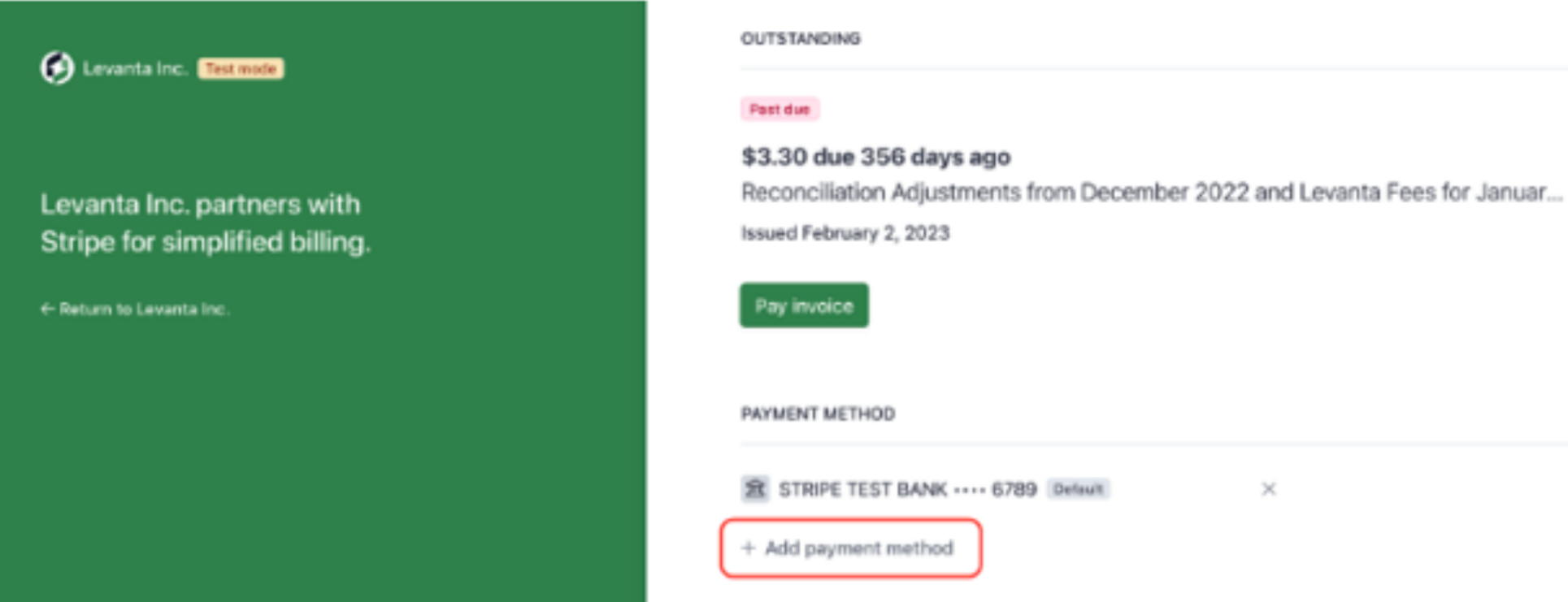
You’ll be redirected to the Stripe Billing Settings page.
Click +Add payment method.
Choose your preferred payment method:
Credit/debit card (including Link, Google Pay, or Apple Pay)
ACH Direct Debit (US bank account)
⚠ Important Notes on Payment Methods
If you select a credit card or mobile wallet, Stripe will charge transaction fees for Creator commission payments.
These fees do not apply to payments for Levanta’s SaaS or platform fees.
To avoid transaction fees, we recommend using ACH Direct Debit or a manual bank transfer whenever possible.
🔗 Learn more about Creator Commission Transaction Fees
Paying via ACH Direct Debit (US Bank Account)
ACH Direct Debit connects your US bank account for automatic or manual payments with no transaction fees.
You can use ACH Direct Debit even if Auto-Billing is disabled.
To set up ACH:
Go to Payments → Stripe Billing Settings
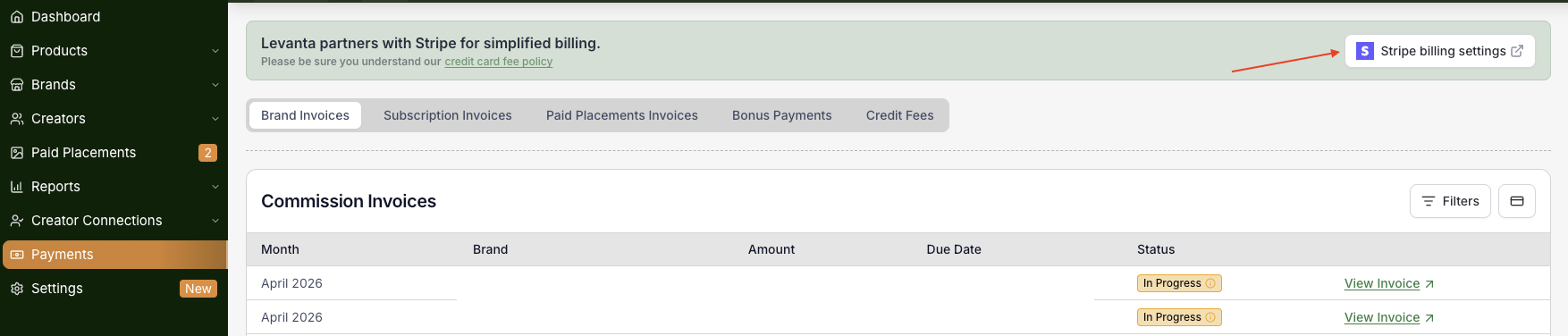
Click +Add payment method in Stripe
Select US bank account
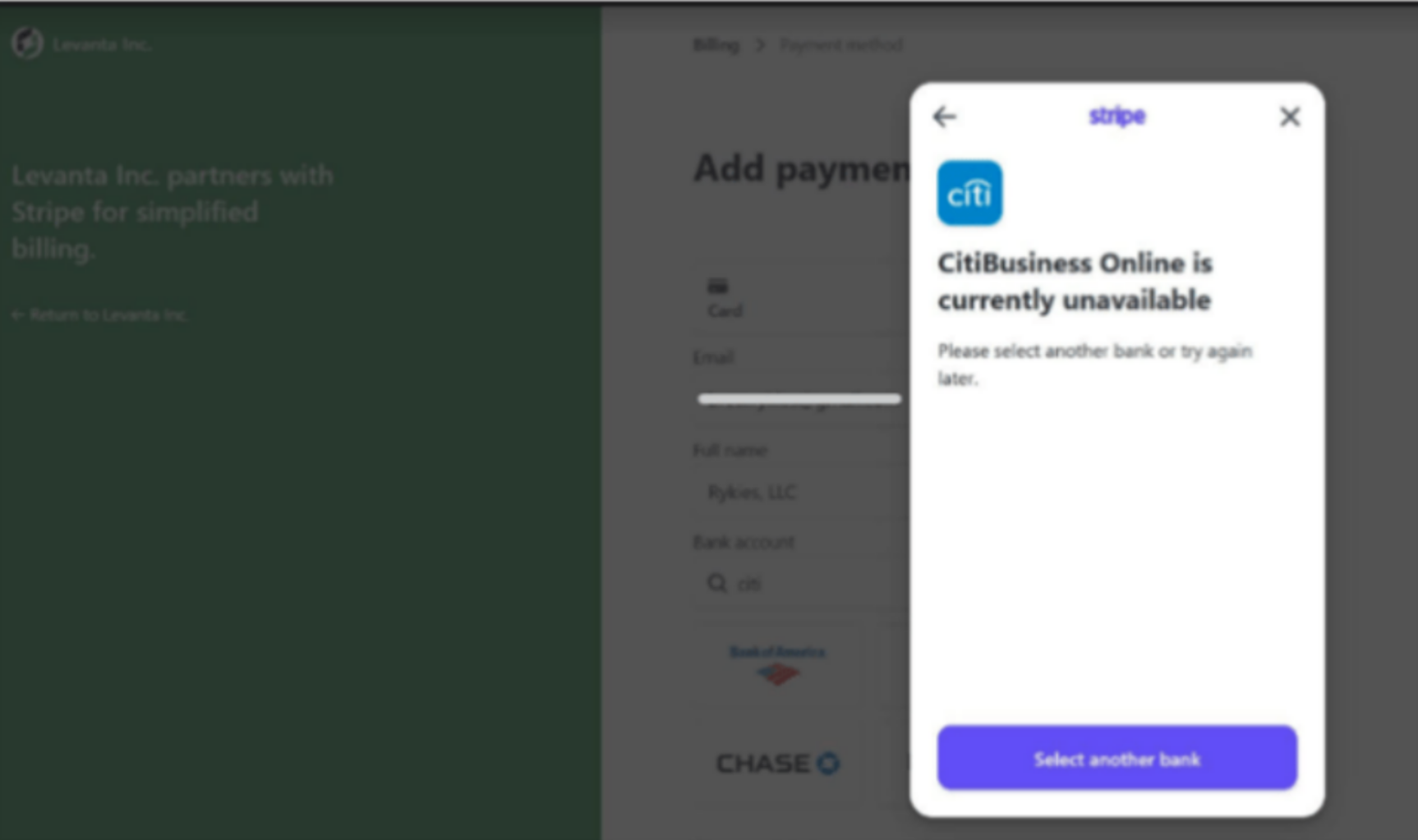
📌 If you receive an error (e.g., bank or Stripe is temporarily offline), email us at operations@levanta.io with your ACH details. You will be asked to confirm a micro-deposit code, this code will be in the format of “SM-XXXX”.
Making a Payment When Auto-Billing is Disabled
❗ Note: Disabling Auto-Billing is not available for users on the Standard plan.
If Auto-Billing is disabled, invoices will be sent to you via email—typically on net-30 terms, meaning payment is due within 30 days of the invoice date.
You can also access your invoices at any time by navigating to the Payments tab in your Levanta dashboard.
Paying via Bank Transfer
If Auto-Billing is disabled, you can make payments by initiating a manual bank transfer.
All necessary bank details—including Routing & Account Numbers or the SWIFT code—will be provided on your invoice.
You can use this information to process the payment manually through your bank.
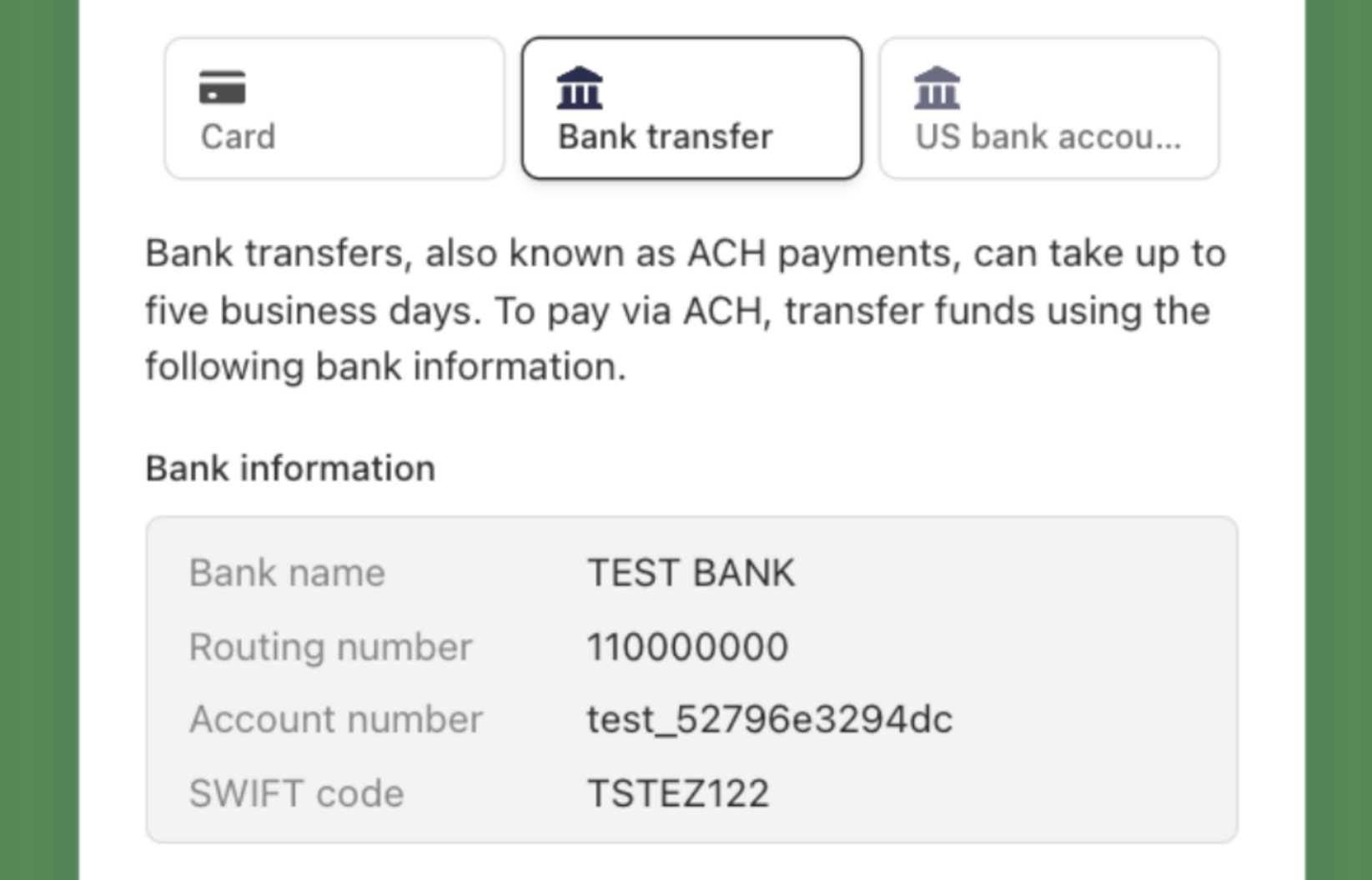
❗ Note: Bank transfers can take up to five business days to process. We recommend initiating the transfer early to ensure it arrives before the invoice due date.
Transaction Fees for Creator Commission Payments
As per our Terms of Service, Sellers are responsible for Stripe’s payment processing fees on Creator commissions:
2.9% for US credit cards
Up to 5.4% for international cards with currency conversion
These fees do not apply to Levanta’s SaaS/platform charges
Avoid fees by paying via ACH Direct Debit or manual Bank Transfer
🔗 Learn more about Creator Commission Transaction Fees
Add a Billing Email Address
If you'd like your invoices to be sent to a contact other than the one associated with your Levanta account:
Go to the Payments tab
Click “Stripe Billing Settings”
This will open your Stripe Billing Settings page
From there, you can:
Update your Billing Email Address
Add CC recipients to receive invoice copies
Update your billing / company name under “Description”
This is helpful for routing invoices directly to your finance team or any additional stakeholders.
Reconciliation Adjustments (Returns & Late Attribution)
At times, Amazon may issue attribution adjustments, which impact how conversions are recorded. These adjustments usually happen in two scenarios:
Returns and Rescinded Conversions:
If you’ve already paid an invoice that includes a commission for a conversion that is later rescinded—such as a product return—within 30 days of the invoice date, Levanta will:
Apply a reconciliation adjustment to your next invoice
This adjustment will offset the overpaid commission from the returned or canceled order
This ensures you're not charged for conversions that didn’t result in a final sale.
Late Attribution:
Amazon Attribution typically has a 24–48 hour delay in reporting conversions.
To ensure monthly invoices reflect all valid conversions, Levanta waits 48 hours after the end of each month before generating commission invoices. This allows us to capture sales that occurred in the final days of the month.
However, there are rare instances where Amazon attributes a sale to a Creator after that 48-hour window. When this happens:
The conversion may not appear on the current month’s invoice
Levanta will include a reconciliation adjustment to your next invoice for the missed commission to correct the underpayment
These adjustments are usually minor but help ensure all eligible commissions are eventually accounted for.
Questions or Need Help?
Our team is here to support you! Reach out to your dedicated CSM or email us at cs@levanta.io