Getting Started with Paid Placements (For Creators)
Last updated: September 4, 2026
Your rate card tells brands what you offer and what you charge. Once it's set up, brands can browse your rates and send you placement proposals directly through Levanta. No DMs, no back-and-forth over email.
This article walks you through how to set up your rate card, including standard placements, custom placements, and usage rights pricing.
What Is a Rate Card?
A rate card is your pricing menu for paid content. It lists the types of placements you offer (like an Instagram Reel or a newsletter mention), what you charge for each, and your rates for usage rights if a brand wants to repurpose your content.
You don't need to fill out every field. Only add placements you actually offer. Brands will only see what you've priced out.
To create your rate card, navigate to Paid Placements → Rate card, then click Add Rate Card.
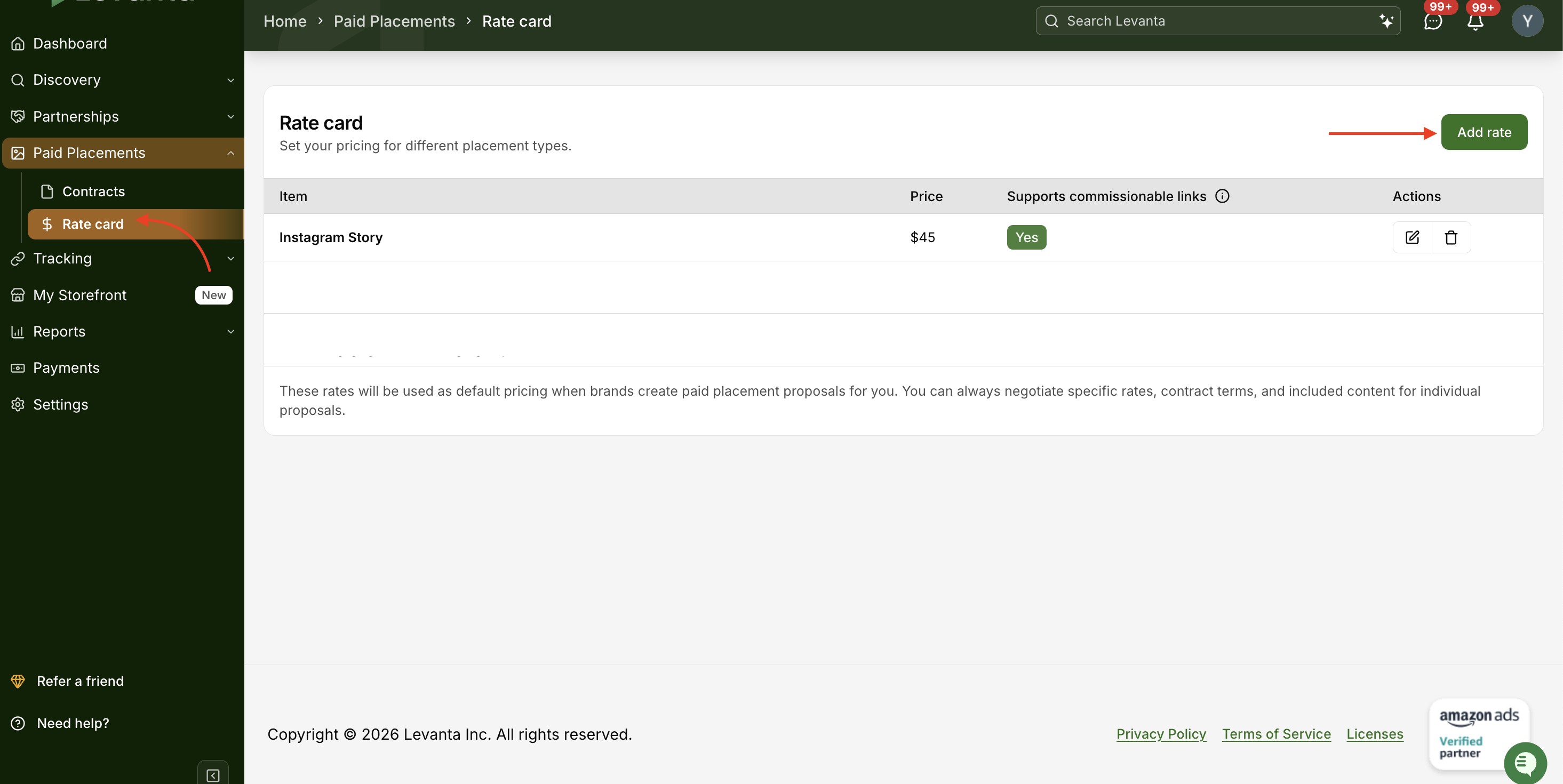
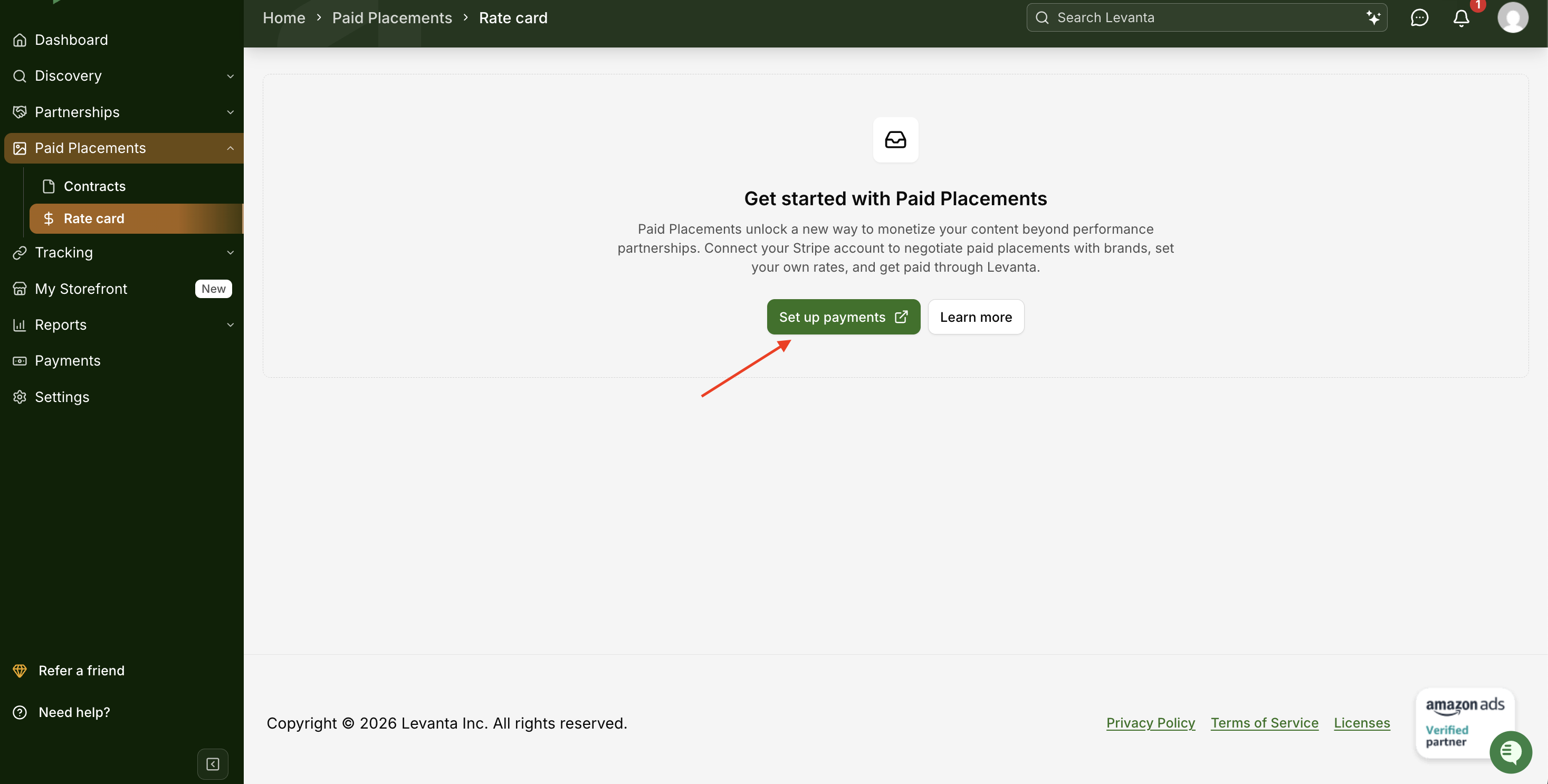
Note: If you haven't set up payments yet, this page will show Set up payments instead of Add Rate Card. Click it to create your Levanta-linked Stripe account, then return to add your rate card.
Setting Up Standard Placements
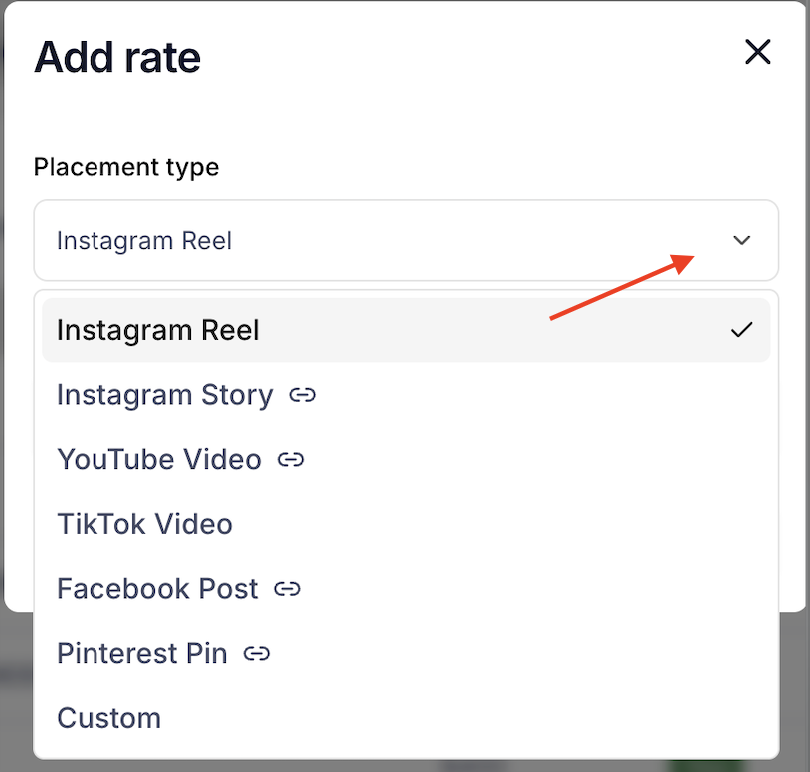
Standard placements are the most common content types brands look for, organized by platform. You can set a fixed price for each. These prices are your starting point. Brands may propose different terms, and you can always negotiate.
Here's what you can price out for each platform:
Feed Post
Reel
Story
Carousel
TikTok
Video
Story
YouTube
Video with Link in Description
Post
Pin
Feed Post
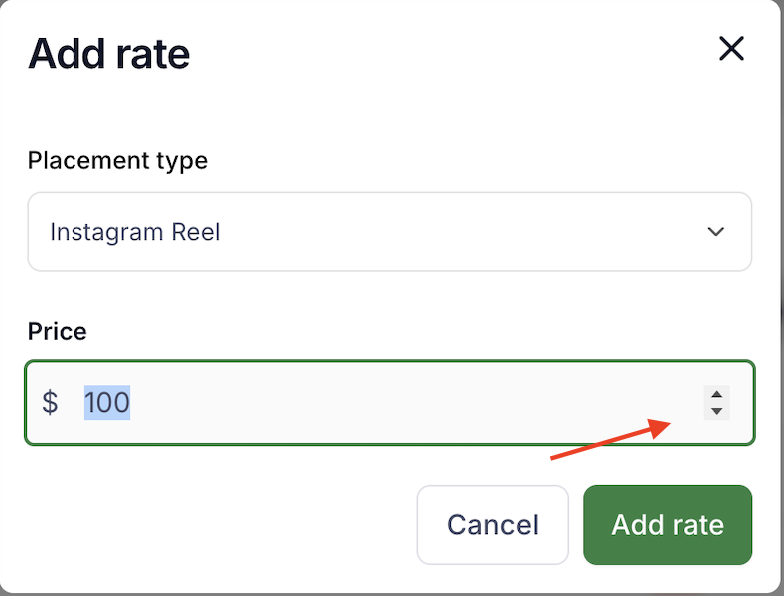
For each placement you offer, enter your price. Leave any placements you don't offer blank; they won't appear on your rate card.
Adding Custom Placements
Custom placements let you offer content types that fall outside the standard options. These might include:
Newsletter inclusions
Blog posts or listicles
Podcast mentions
Product reviews
Any other placement unique to your content
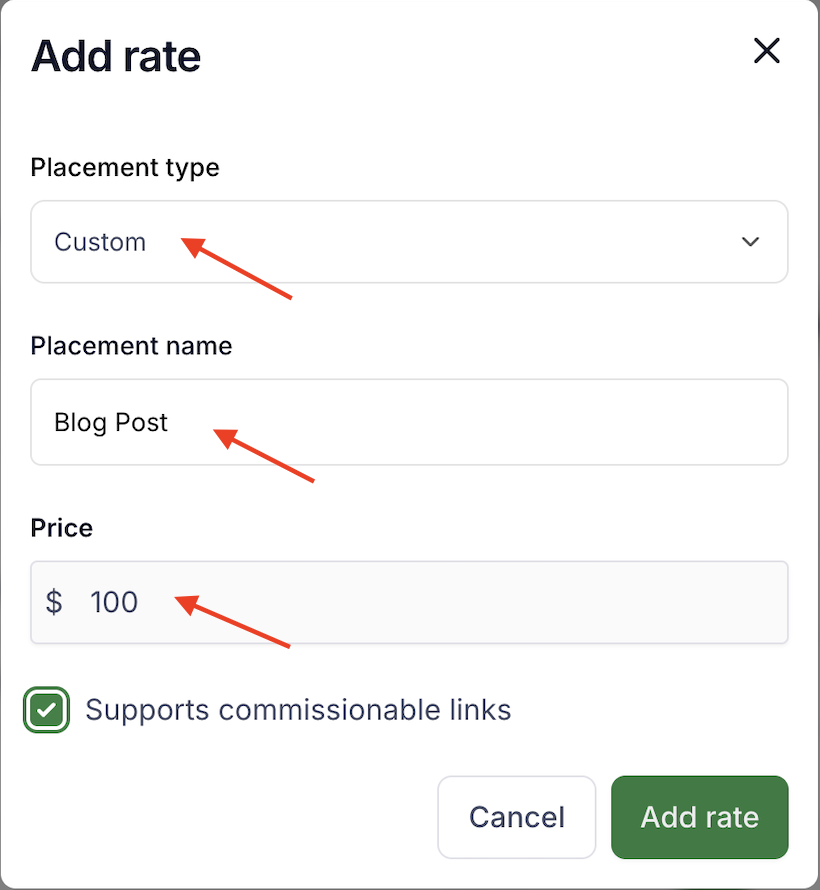
To add a custom placement:
Enter the placement name
Enter your price
Enter your usage rights price (if applicable)
You can add as many custom placements as you like, but we recommend keeping your list focused. A shorter, clearer menu makes it easier for brands to understand what you offer and move forward quickly.
Setting Usage Rights Pricing
Usage rights permit brands to repurpose your content beyond the original post. This might include:
Reposting on their own social media channels
Boosting the content on their social media with paid ad spend
Running the content as a paid ad on other platforms
Featuring the content on their website
Including the content in email marketing
Using the content in print advertising
Usage rights are priced separately from the placement itself. When you set up your rate card, you'll enter a usage rights price for each placement you offer. This is your starting rate; the specific channels the brand wants to use, and for how long, will be negotiated when they send a proposal.
For example, you might charge more for usage rights on a video (like a TikTok or Reel) than for a static image post, since video content typically has higher production value.
What Happens After You Publish Your Rate Card
Once your rate card is live, brands on Levanta can view your rates and send you placement proposals.
Here's how the process works:
1. Brand Sends a Proposal. You'll receive a notification when a brand wants to work with you. Their proposal will include the placement they're interested in, their offered price, and any usage rights requests (including duration and intended channels).
2. You Review and Respond You can accept the proposal as-is, counter with different terms, or decline. Negotiations happen directly in Levanta. No need to jump to email or DMs.
For example:
Your rate card lists an Instagram Reel at $10,000
A brand proposes $8,000 for the Reel, plus $1,000 for 60 days of usage rights
You counter with $9,000 for the Reel and $1,100 for 30 days of usage rights
The brand accepts, and you move forward
3. Contract Is Generated Automatically. Once both sides agree, Levanta generates a contract based on the agreed terms. No paperwork, no chasing signatures.
4. You Create and Submit Content. You'll see clear next steps on what's due and when. Submit your content for brand review within the required timeframe.
5. Brand Reviews The brand can approve your content or request one round of revisions. If revisions are requested, you'll have a set number of days to make edits and resubmit.
6. Final Approval and Posting Once the brand gives final approval, you post the content and submit the link through Levanta.
Response Deadlines
To keep deals moving, Levanta has built in deadlines at key stages:
Responding to a proposal: You have five (5) business days to respond to an initial proposal from a brand. If you don't respond, the proposal will expire automatically.
Submitting content: Once a contract is agreed upon, you'll have a set number of days to submit your content for review. The default is five (5) business days, but this can be negotiated as part of the deal.
Submitting revisions: If the brand requests changes, you'll have a set number of days to resubmit. The default is two (2) days, but this can be negotiated (two days is the minimum).
Brand review of revisions: Once you submit revisions, the brand has five (5) days to review and confirm. If they don't respond within that window, your revisions are automatically accepted, and you'll be expected to post the content.
These deadlines help protect both you and the brand from deals that stall out. You'll receive reminders as deadlines approach.
Tips for Setting Up Your Rate Card
Price for your starting point, not your floor. Your rate card prices are where negotiations begin. It's okay if brands propose lower. You can always counter.
Only list what you actually offer. A focused rate card is easier for brands to navigate. If you don't use YouTube, don't fill out that section.
Think about usage rights strategically. Video content typically commands higher usage fees than static posts. Consider what it would take for you to feel good about a brand running your content as an ad.
Keep custom placements clear. If you add a custom placement, make sure the name is self-explanatory. "Newsletter Feature" is clearer than "Email Promo."
Posting Content. Make sure to post the content you created. A placement is considered complete only after the content has been posted and the product has been promoted.
Questions?
If you have questions about setting up your rate card or navigating a negotiation, reach out to our support team at cs@levanta.io.