Understanding Your Seller Dashboard
Last updated: October 21, 2026
Your Seller Dashboard is the first thing you see when you log into Levanta. It gives you a clear view of your program's performance and surfaces the actions that matter most, so you always know where to focus next.
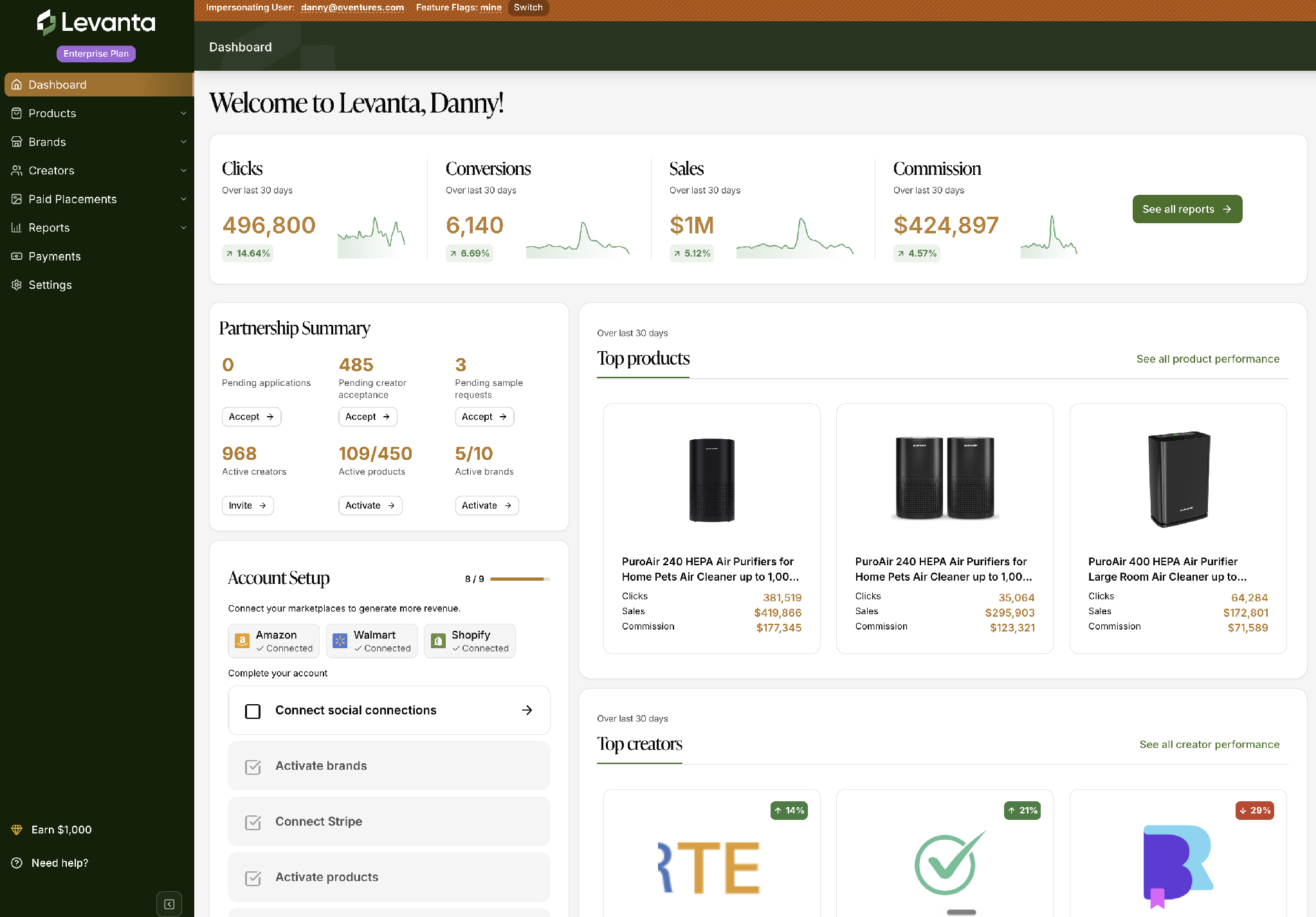
What's on Your Dashboard
KPI Summary Cards
Clicks, Conversions, Sales, and Commission are front and center, each with a % change and a sparkline mini-chart, so you can see how your program is trending at a glance — no need to dig into a report first. The % change compares the trailing 30 days to the prior 30-day period.
Partnership Summary
A single card pulls together the metrics that matter most day to day: pending paid placements, pending applications, and pending sample requests, along with your active creator, product, and brand counts — all with quick-action buttons so you can act without leaving the dashboard.
Note: The Active Creators count on the dashboard reflects unique partnerships at the seller level. If you export your active creators list, that export shows all partnerships across every brand you manage — so a creator partnered with more than one of your brands will appear once on the dashboard but multiple times in the export. This is expected: the two numbers are answering slightly different questions.
Top Products & Top Creators
Browse your best-performing products and creators over the last 30 days right from the dashboard, with quick links to see full product and creator performance.
Account Setup Checklist
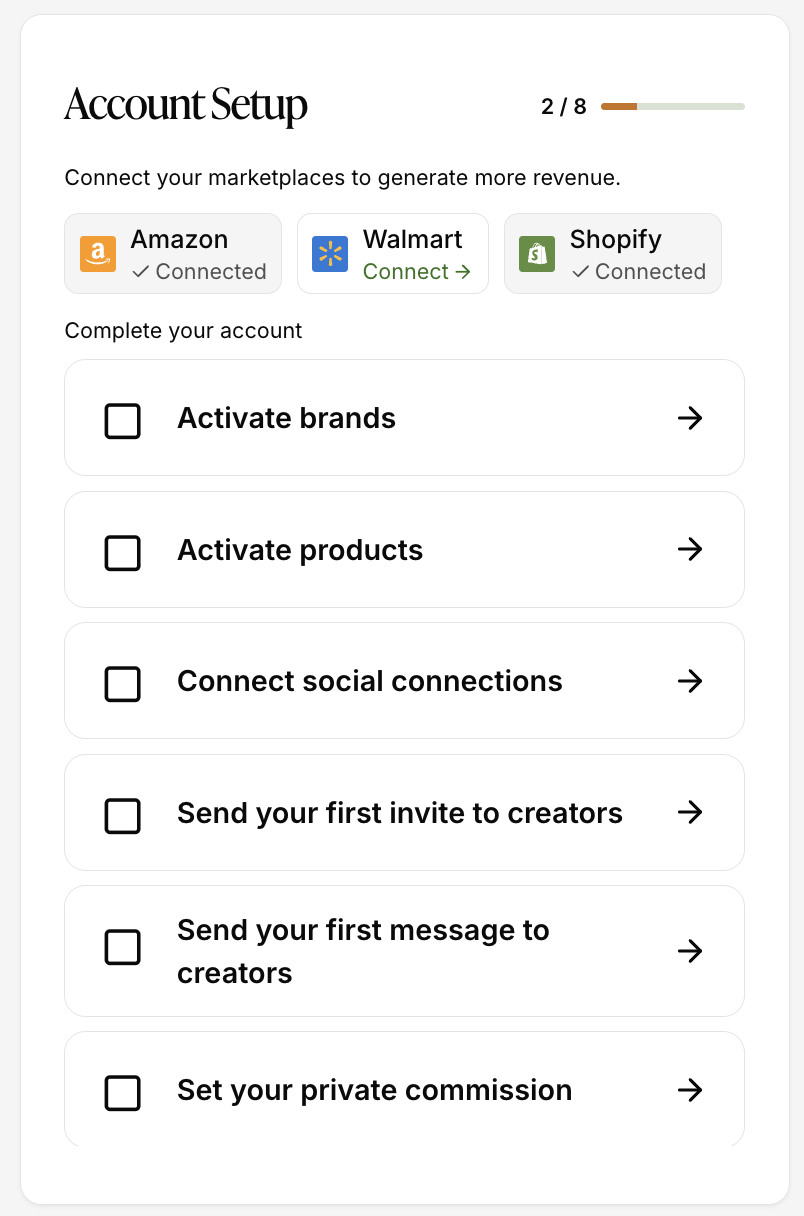
A guided card tracks your setup progress — connecting all your marketplaces, activating brands and products, connecting Stripe, offering a Loyalty Bonus Program, and more — so it's clear what's done and what's still needed to get the most out of Levanta.
Help & Onboarding Panel
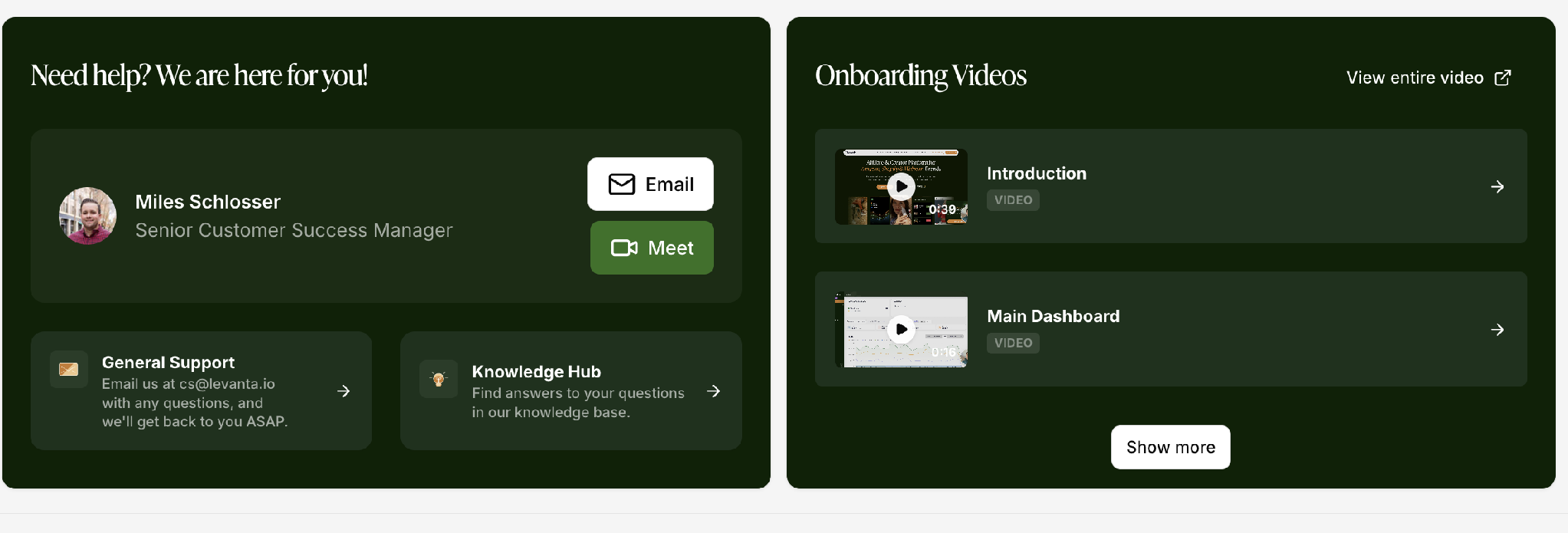
Answers are one click away: reach your Customer Success Manager directly by email or video call, get General Support, browse the Knowledge Hub, or watch embedded onboarding videos without leaving the dashboard.
Getting Started Prompts
If you're just getting set up, your dashboard shows empty states and prompts designed to point you toward your next best action — like discovering creators — instead of a blank screen.
Mobile-Responsive
Your dashboard works seamlessly on mobile, so you can check performance and take action on the go!
Questions or Need Help?
Our team is here to support you! Reach out to your dedicated CSM or email us at cs@levanta.io.