Seller Reporting Overview: Navigating Levanta’s Reports Dashboard
Last updated: August 7, 2026
Levanta’s Reports section provides detailed insights into your program’s performance, including clicks, conversions, sales, and creator activity. These reports help brands analyze campaign effectiveness, track creator performance, and optimize their affiliate strategy.
You can access reports from the left navigation menu → Reports.
Accessing Reports
Levanta offers four primary reports to help you monitor and optimize your affiliate program. Select the report type you want to view.
Available reports include:
Performance Report
Product Report
Creator Report
Brand Report
Additional specialized reports can be accessed via the More Reports dropdown.
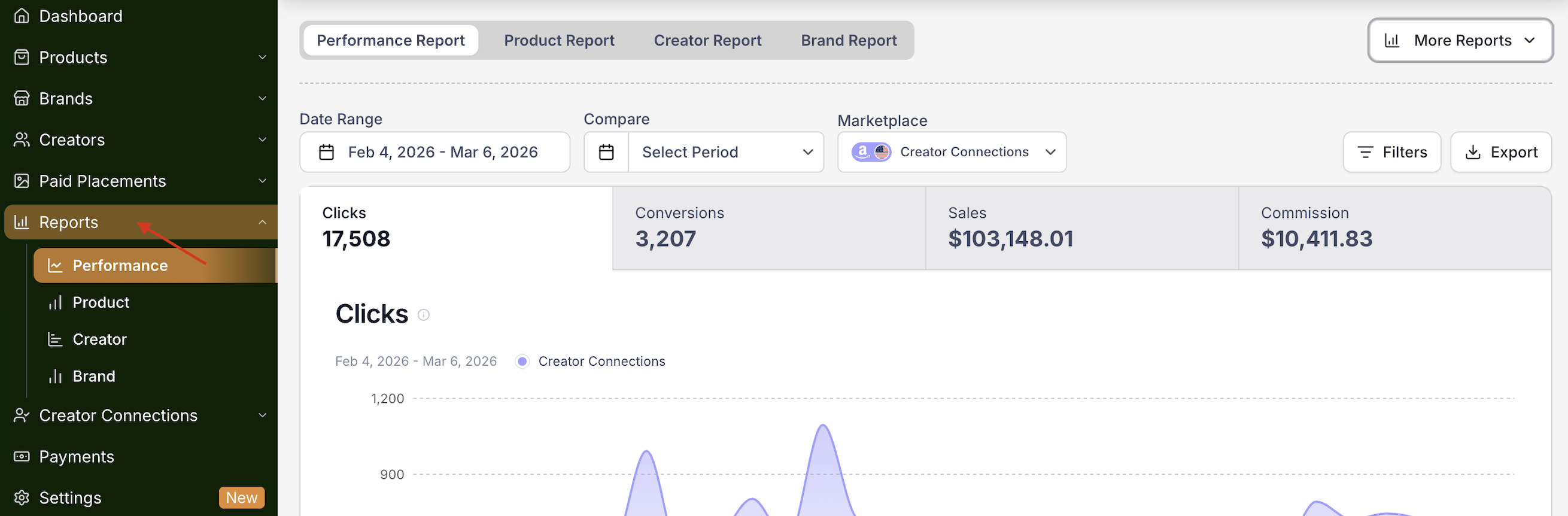
Performance Report
The Performance Report provides an overview of your affiliate program’s activity over a selected time period.
This report displays key performance metrics such as:
Clicks – Total number of affiliate link clicks.
Conversions – Total number of completed purchases attributed to creators.
Sales – Total revenue generated through creator promotions.
Product Report
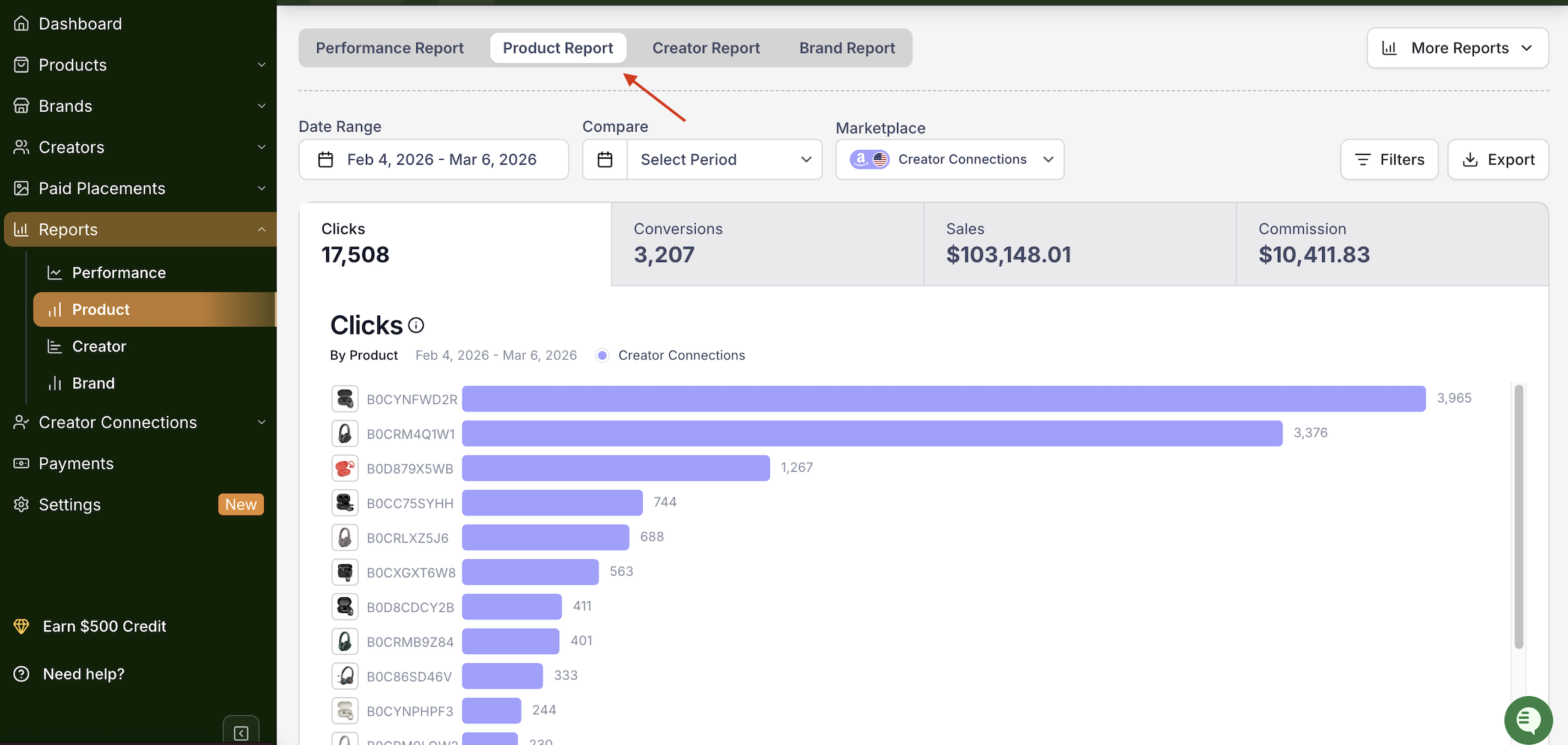
The Product Report provides insights into performance metrics at the product level.
This report helps you:
Identify your top-performing ASINs
Track product-level clicks and conversions
Optimize which products creators should promote
Creator Report
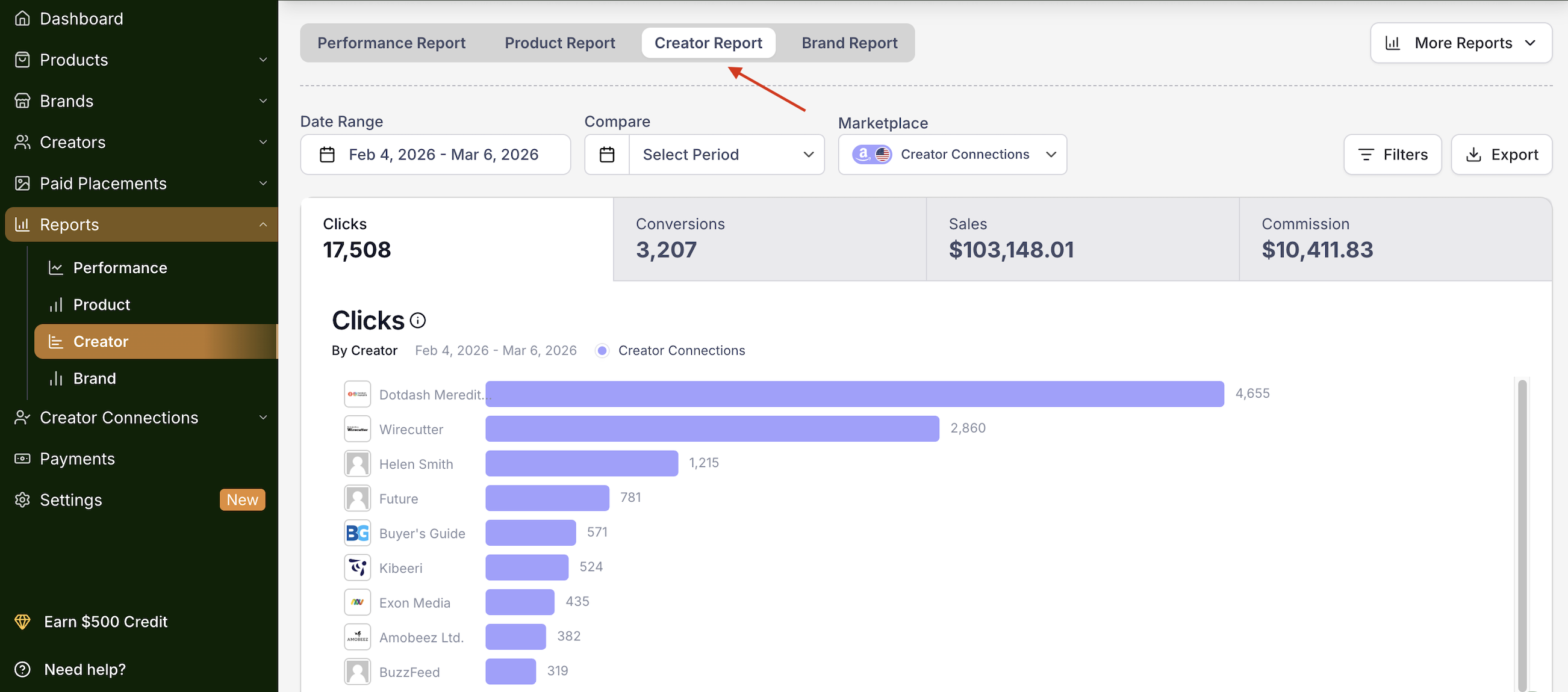
The Creator Report provides insights into individual creator performance.
Metrics include:
Clicks generated
Conversions
Sales attributed to each creator
This report helps you identify:
Top-performing creators
Creators with high engagement
Opportunities for deeper partnerships
View performance by creator.
Brand Report
The Brand Report provides a high-level overview of performance across all creators and products.
This report can help you:
Monitor overall program performance
Identify revenue trends
Evaluate campaign success
Additional Reports
Click More Reports in the dropdown to access specialized reporting that goes beyond standard performance metrics.
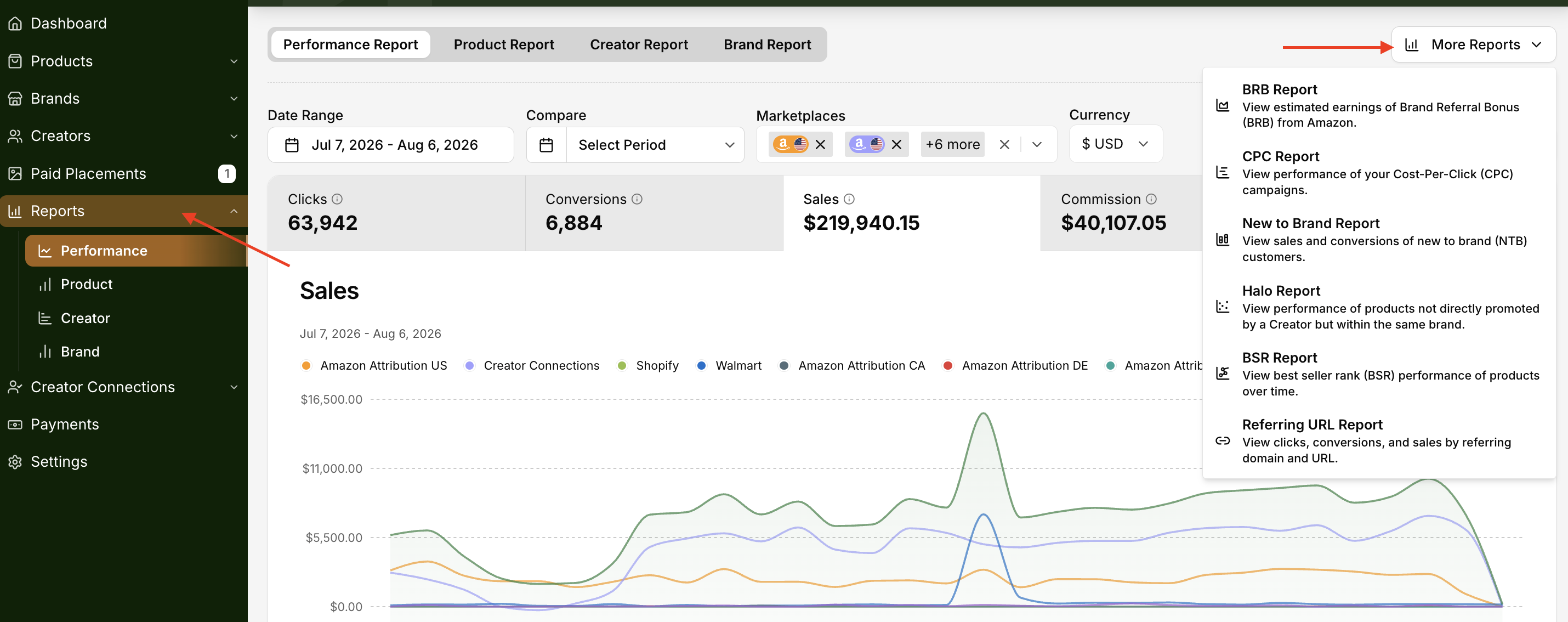
Report | What It Shows |
Halo Report | Related product purchases not directly promoted by a creator |
New to Brand Report | Sales from first-time customers acquired in the last 12 months |
BSR Report | Best Seller Rank performance tracking over time |
BRB Report | Predicted Brand Referral Bonus earnings |
CPC Report | Cost-Per-Click campaign performance |
Referring URL Report | Clicks, conversions, and sales by referring domain and URL |
Understanding the Halo Effect
Beyond direct conversions, Levanta helps you capture the broader business impact of your affiliate program — what's known as the Halo Effect. These are the indirect, secondary benefits your brand gains from creator-driven traffic, even when a sale doesn't happen immediately through a tracked link.
Halo benefits typically emerge after consistent program usage and significantly increase the perceived value of your investment. They support ROI beyond what's visible on a standard report, reduce resistance to commission changes, and drive long-term retention and brand advocacy.
Brand Awareness
While brand awareness can't be measured directly through attribution stats alone, it shows up in observable Amazon behaviors. When attribution is used correctly, it reveals how off-Amazon media builds demand that can later convert organically — even if the sale doesn't happen right away.
Key signals to watch in your reports:
Detail Page Views (DPV) — A strong indicator of brand exposure and interest. High DPV with a lower conversion rate still signals valuable awareness-driven traffic.
Indirect SEO Lift — Creator traffic contributes to branded keyword searches on Amazon and increases organic traffic to your brand storefront.
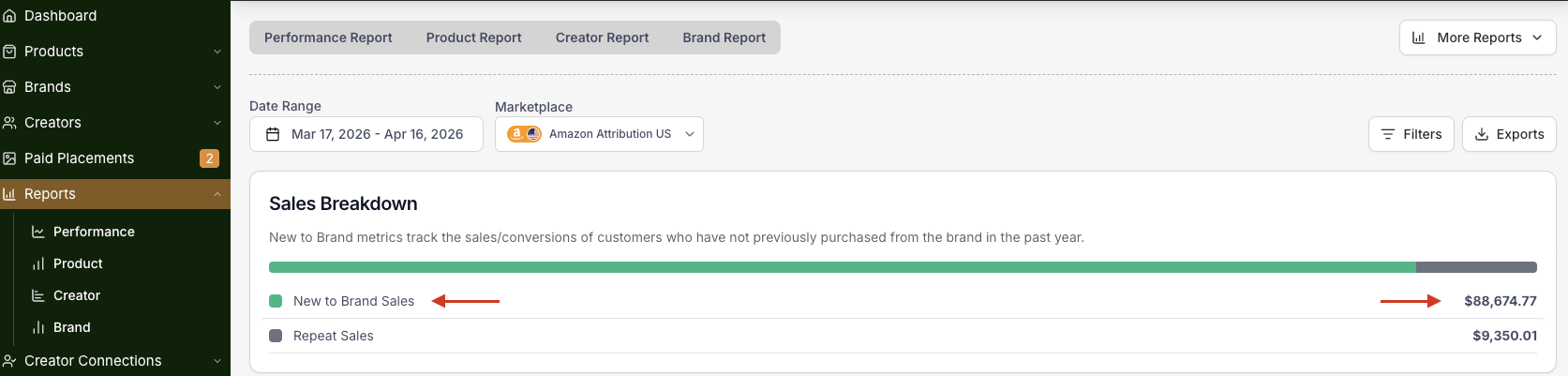
New-to-Brand (NTB) Customers — NTB purchases represent first-time buyers to your brand in the last 12 months. A high NTB percentage means your campaigns are successfully reaching new audiences.
Best Seller Rank (BSR)
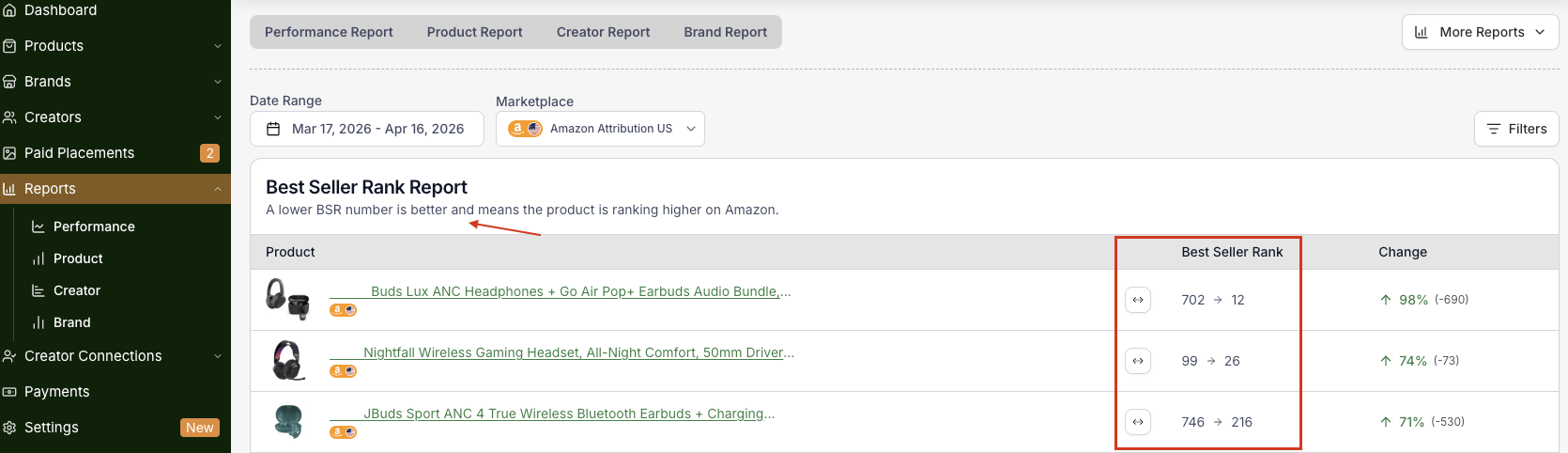
Best Seller Rank (BSR) is Amazon's internal ranking showing how well a product sells compared to others in the same category. The lower the number, the better the rank. BSR is driven primarily by:
Recent sales velocity (most important factor)
Sales history, which smooths out ranking spikes
Category-relative performance against competitor ASINs
A few important things to keep in mind:
Conversion quality matters more than traffic volume. High-converting external traffic improves BSR; low-converting traffic can stall or decline it. Poor traffic quality dilutes overall performance.
Timing is critical. BSR is time-weighted — short sales spikes create temporary rank lifts, while sustained sales build a more stable BSR.
Attribution sales count the same as organic or PPC. There is no de-weighting or special labeling. A sale is a sale.
Category competition sets the ceiling. BSR is relative, so competitor sales velocity directly impacts how much rank movement is possible. Maintaining consistent sales is key to keeping pace.
Lifetime Value (LTV)
Amazon Attribution helps identify new-to-brand (NTB) vs. returning purchases, making it a powerful tool for understanding customer lifetime value. Channels that drive higher NTB rates and repeat purchase behavior — like Levanta — are strong indicators of long-term LTV.
Key LTV metrics to track in Levanta:
New-to-Brand Purchases and Sales
NTB Order Rate
NTB Units per Order
How to measure LTV signals on Amazon:
Repeat Purchase Behavior
Reorder Frequency
Subscribe & Save Retention
Cross-ASIN Repurchase
Channels like Levanta that drive higher NTB rates and repeat purchase behaviors deliver strong LTV returns over time.
Referring URL Report
Shows performance by referring domain and URL — which external page sent the traffic that converted, down to the specific page rather than just the creator.
Displays: Clicks, Conversions, and Sales by referring URL.
⚠ Shopify only: This report is currently available exclusively for Shopify brands. Tracking a specific referring URL requires a client-side pixel installed directly on the merchant's site — Shopify allows Levanta to place this pixel, so the system can see which site a customer was on immediately before landing on your product page. This isn't currently possible on marketplaces like Amazon.
Marketplace Selection
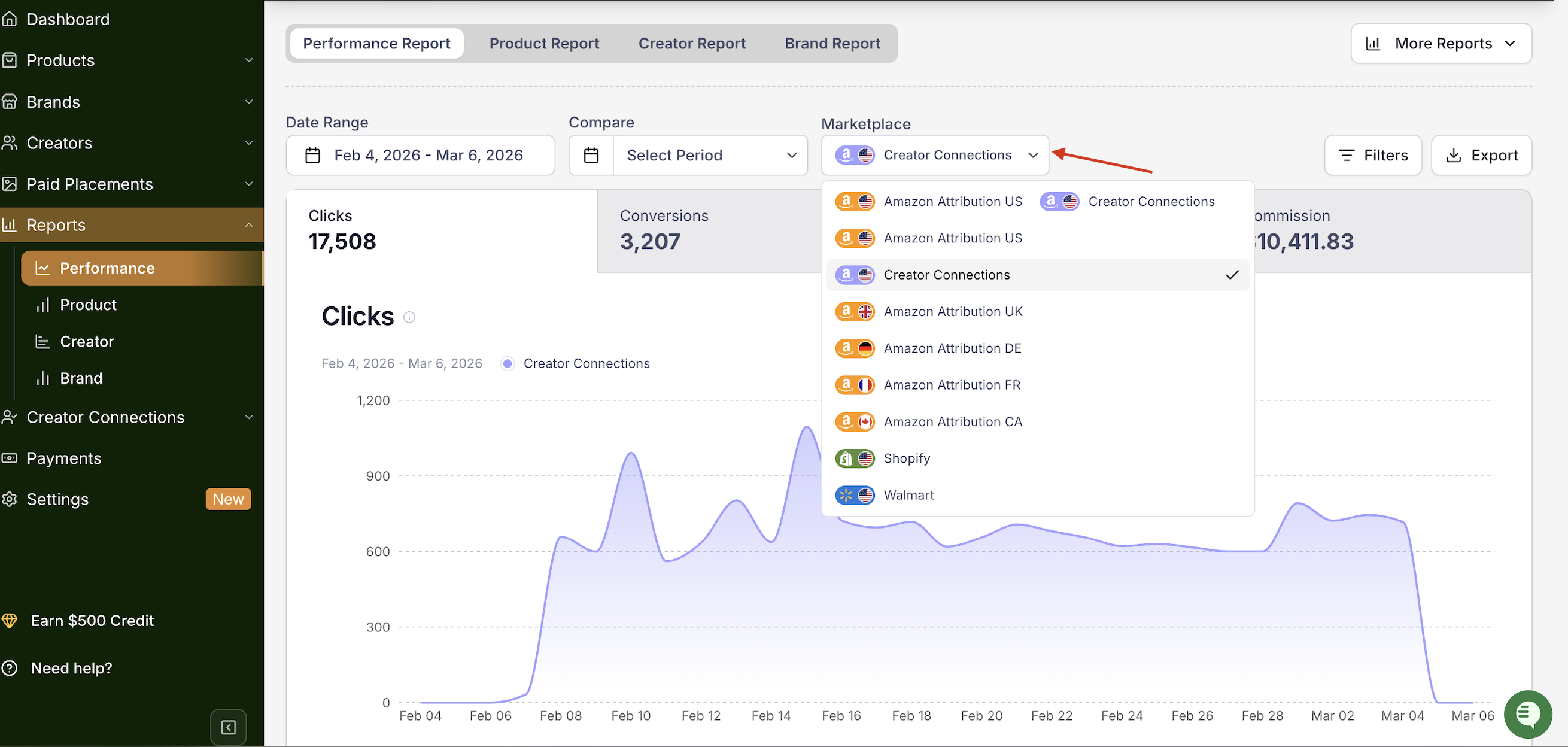
The Marketplace dropdown allows you to filter report data based on the platform where the activity occurred.
Supported marketplaces include:
Creator Connections
Amazon Attribution (US)
Amazon Attribution (UK)
Amazon Attribution (DE)
Amazon Attribution (FR)
Amazon Attribution (CA)
Amazon Attribution (MX)
Amazon Attribution (IT)
Amazon Attribution (ES)
Amazon Attribution (NL)
Shopify
Walmart
Selecting a marketplace updates the report to display performance data only for that platform.
Compare Period
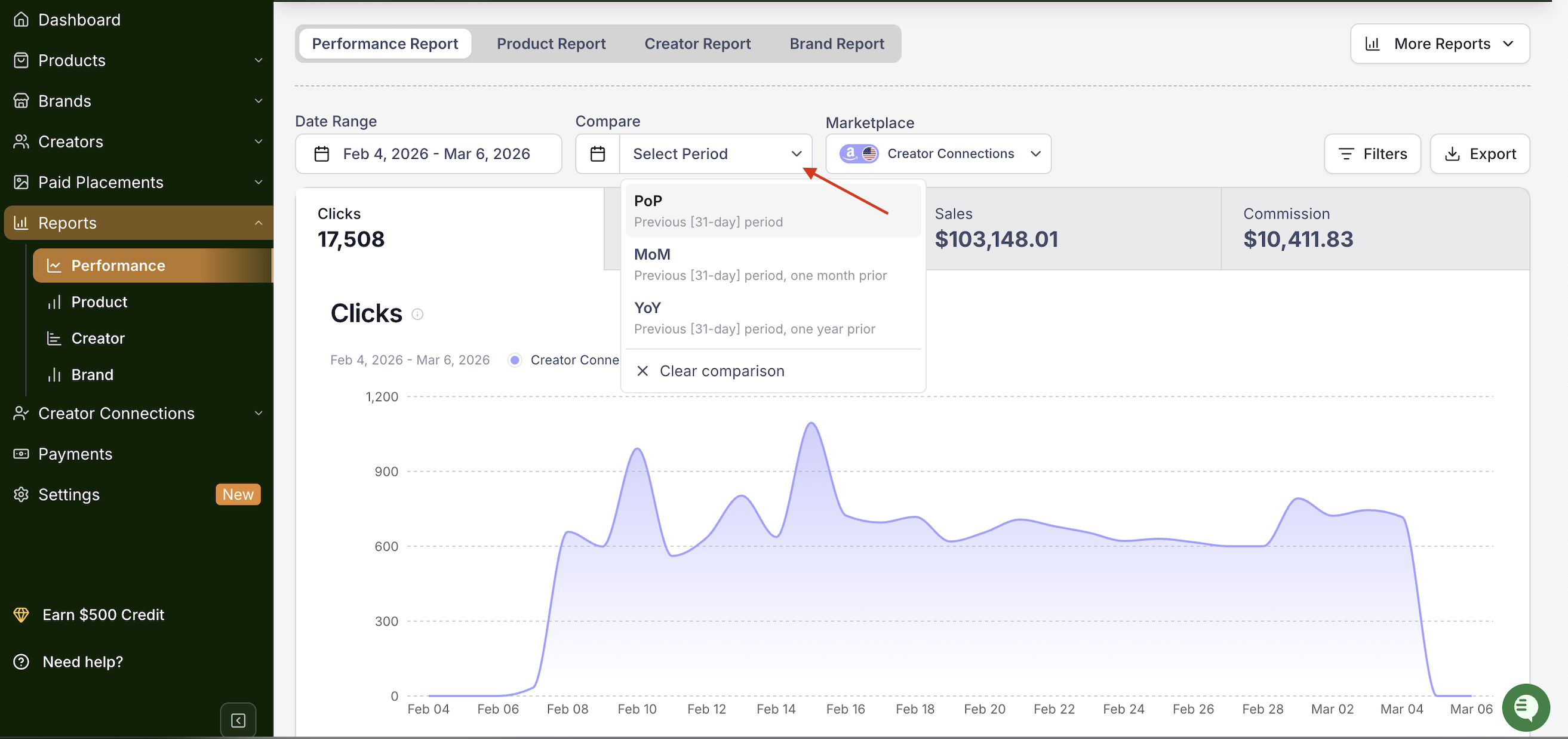
The Compare dropdown allows you to optionally compare your selected date range against another time period.
You can use this feature to analyze performance changes over time, such as:
Comparing current vs previous period
Tracking campaign improvements
Measuring growth in clicks, conversions, or sales
To use this feature:
Click the Compare dropdown.
Select a comparison period.
The report will update to show differences between the selected ranges.
Adjusting Date Ranges
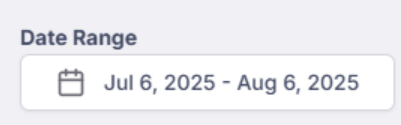
Each report allows you to set a custom date range to view data over a specific period.
Use the calendar tool at the top of each report to choose your desired timeframe.
Filters and Data Controls
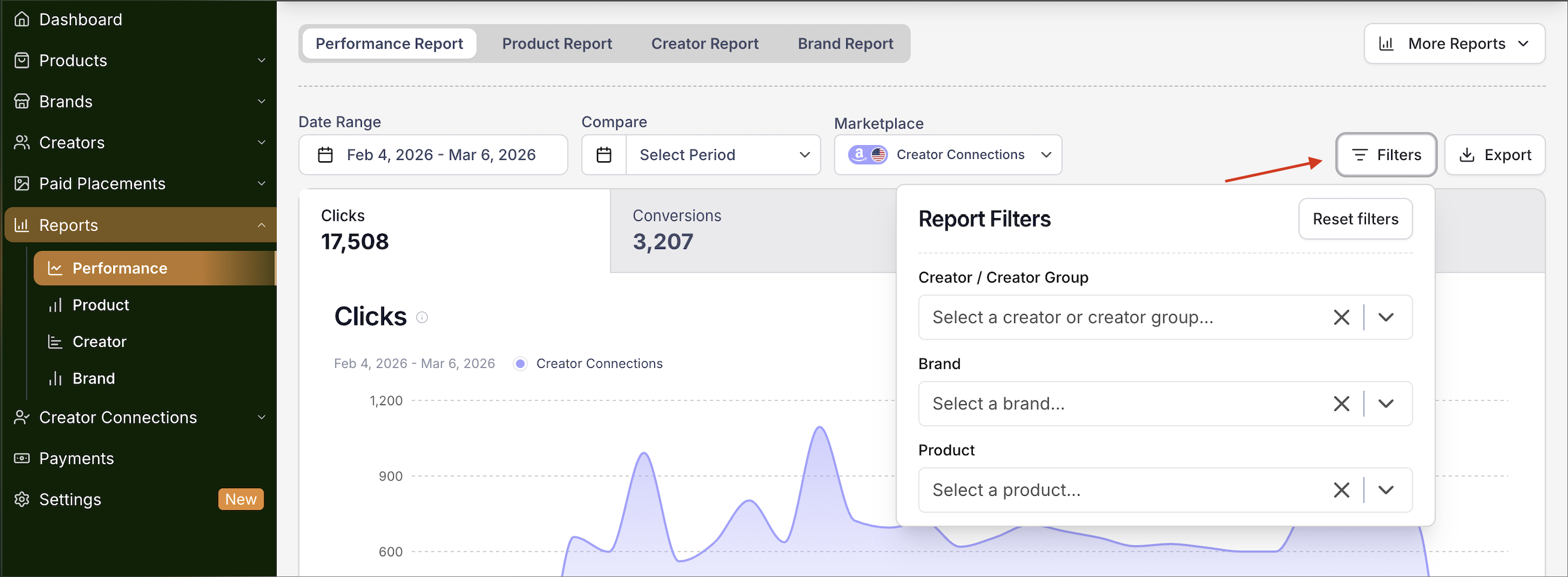
At the top of the report page, you can refine the data displayed using several filters.
Each report includes filter options:
Creator / Creator Group
Brand
Product
Simply click the "Filters" button and use the dropdown menus to narrow down your report by specific segments.
Exporting Reports
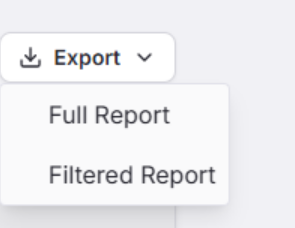
You can export any report as a CSV file by clicking "Export" in the top-right corner of the page.
When Will I See Reporting?
A product link must receive at least 10 clicks before data starts populating.
Clicks may take up to 24 hours to appear.
Conversions may take up to 48 hours to appear.
📌 NOTE: If you're not seeing results right away, please allow time for data to sync.
Questions or Need Help?
Our team is here to support you! Reach out to your dedicated CSM or email us at cs@levanta.io