How to Cancel Your Levanta Standard Subscription
Last updated: August 7, 2026
If you no longer wish to continue with your Levanta Standard subscription, you can cancel it at any time from your account settings. Follow the steps below:
Steps to Cancel
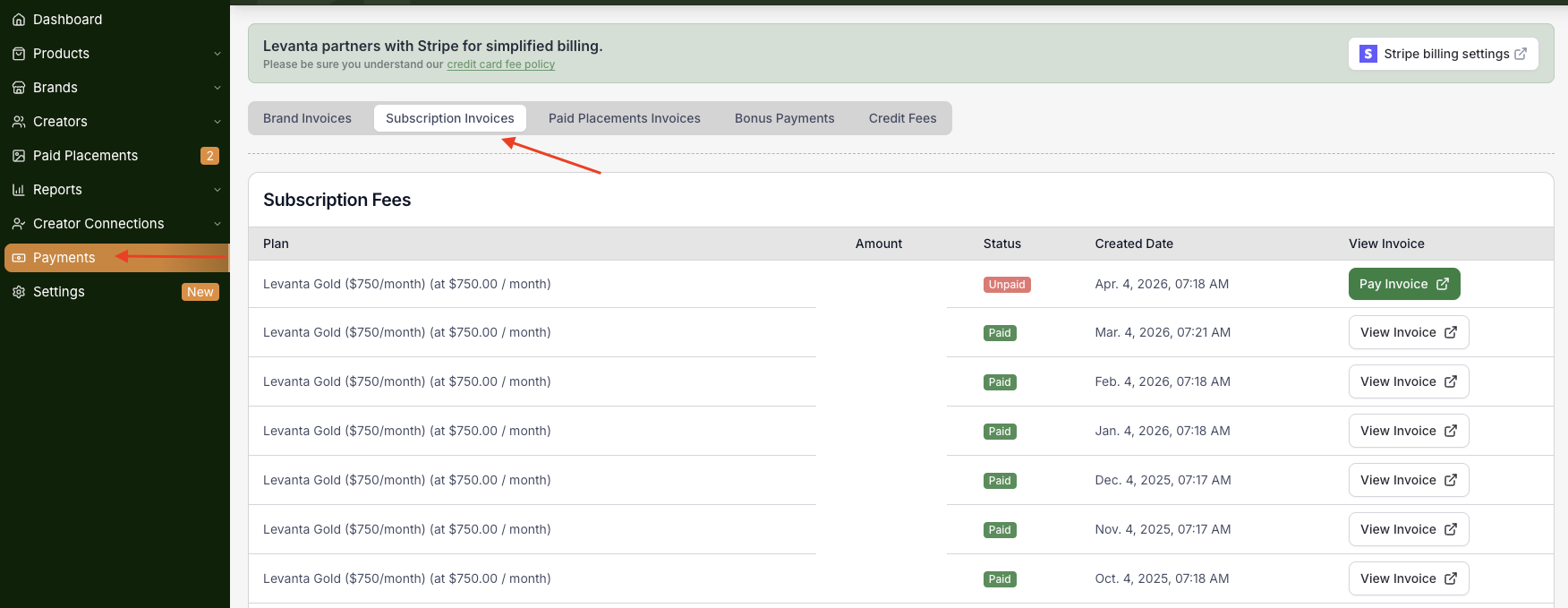
Navigate to Payments in the left navigation menu
Click on the Subscription Invoices tab
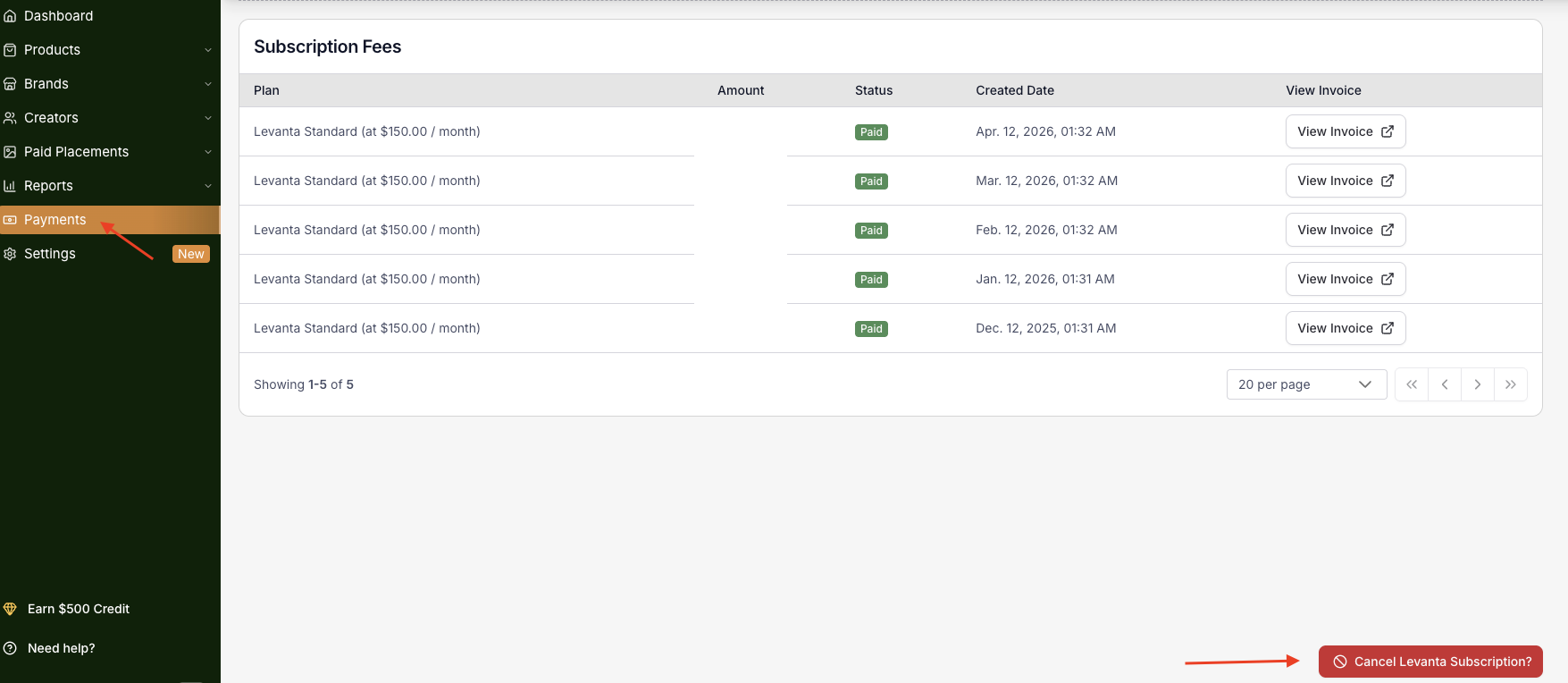
Scroll to the bottom of the page
Click Cancel Levanta Subscription? — the button is located in the bottom right corner of the page
What Happens After Cancellation
Once canceled, your subscription will remain active for the remainder of your current billing period and will not automatically renew after that date. You will not be charged for the following billing cycle.
Can't See the Cancel Button?
If the Cancel Levanta Subscription? button is not visible, it may be due to your current plan type. If you're experiencing any issues canceling your plan, please reach out to us directly at cs@levanta.io and we'll be happy to assist you through the process.
⚠ Note: Sellers on the Gold or Enterprise plan who wish to cancel should contact their dedicated Customer Success Manager directly for assistance.
Questions or Need Help? Our team is here to support you! Reach out to your dedicated CSM or email us at cs@levanta.io