Creator Groups: Organize, Segment & Manage Your Creator Partners
Last updated: August 7, 2026
How and why to use Creator Groups
Creator Groups is a powerful feature in Levanta that lets you organize your creator partners into logical segments for more efficient management, communication, and incentive management. Whether you're grouping creators by niche, performance tier, traffic source, or content type, Groups help you take targeted action at scale — without managing every creator relationship individually.
How to Access Creator Groups
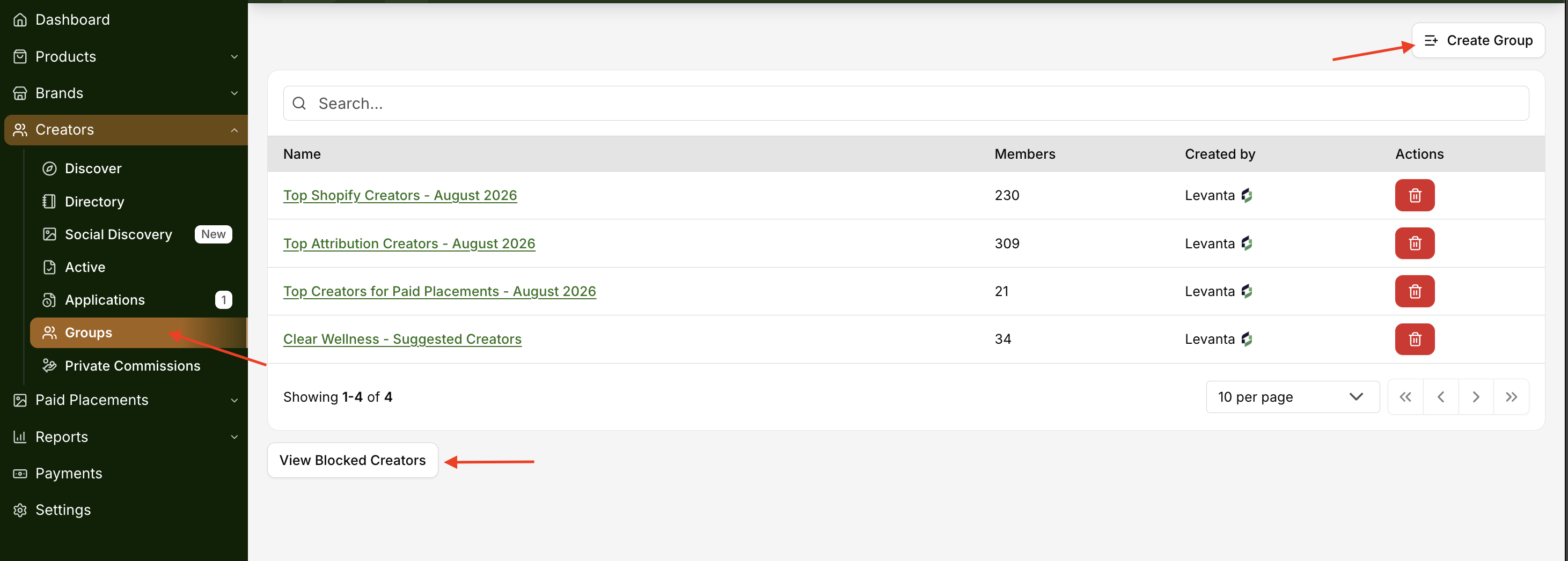
Navigate to Creators → Groups in the left navigation menu to access your Creator Groups dashboard. From here you can view all existing groups, see member counts, and manage or delete groups as needed.
How to Create a Group
Navigate to Creators → Groups
Click Create Group in the top right corner
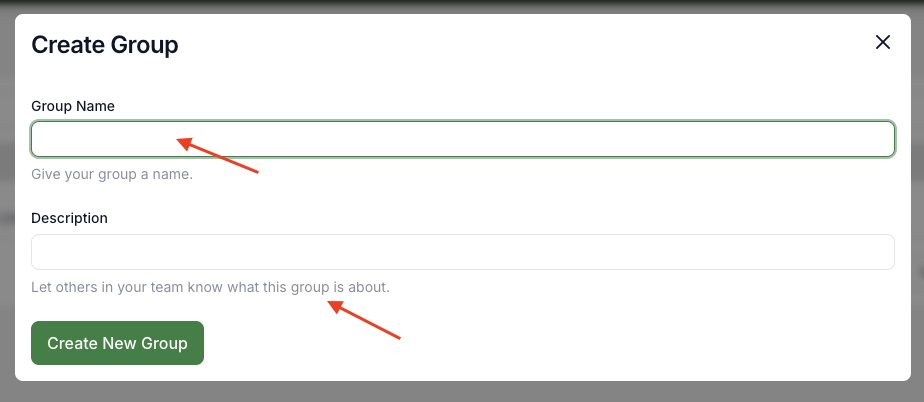
Enter a Group Name — choose something descriptive that reflects the segment (e.g., "Top Performers," "Deal Sites," "Holiday Partners")
Add a Description to help your team understand what the group is for
Click Create New Group
How to Add Creators to a Group
Levanta offers three ways to add creators to a group depending on where you are in the platform:
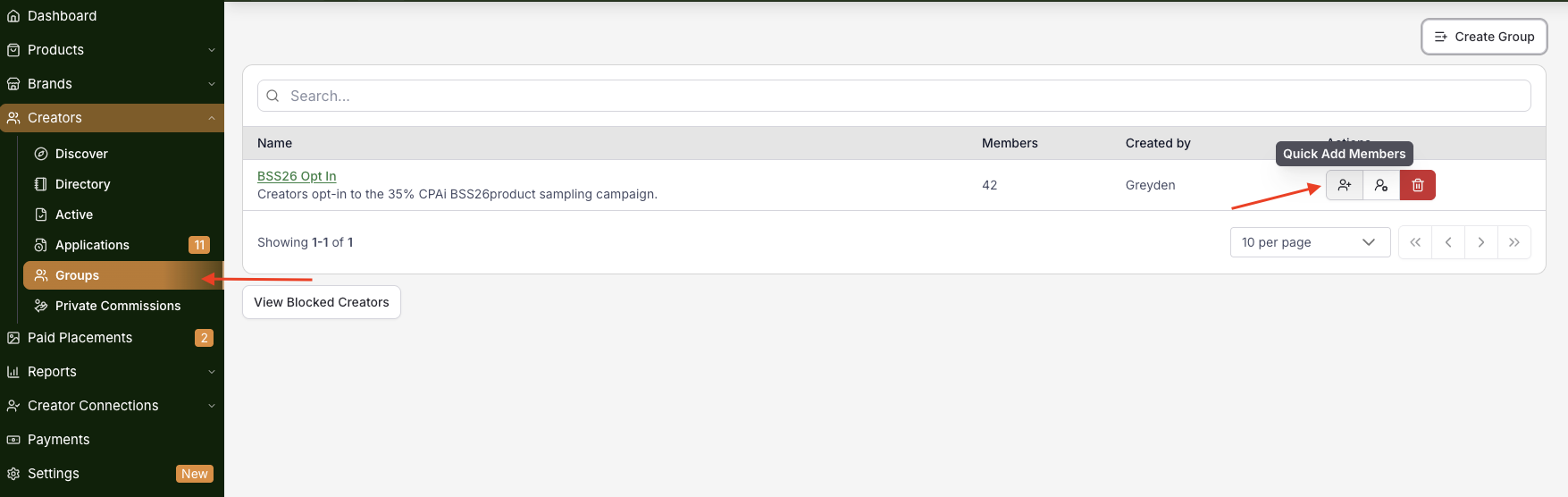
From the Groups Page Open any existing group and click Quick Add Members to search for and add creators directly from the group's dedicated page.
From the Group Manager Widget The Group Manager Widget is available throughout the platform — including the Creator discovery view, the Creator catalog list view, and individual Creator detail pages. Click the widget on any creator card to assign them to an existing group or create a new one on the spot. Groups with a green checkmark indicate the creator is already a member.
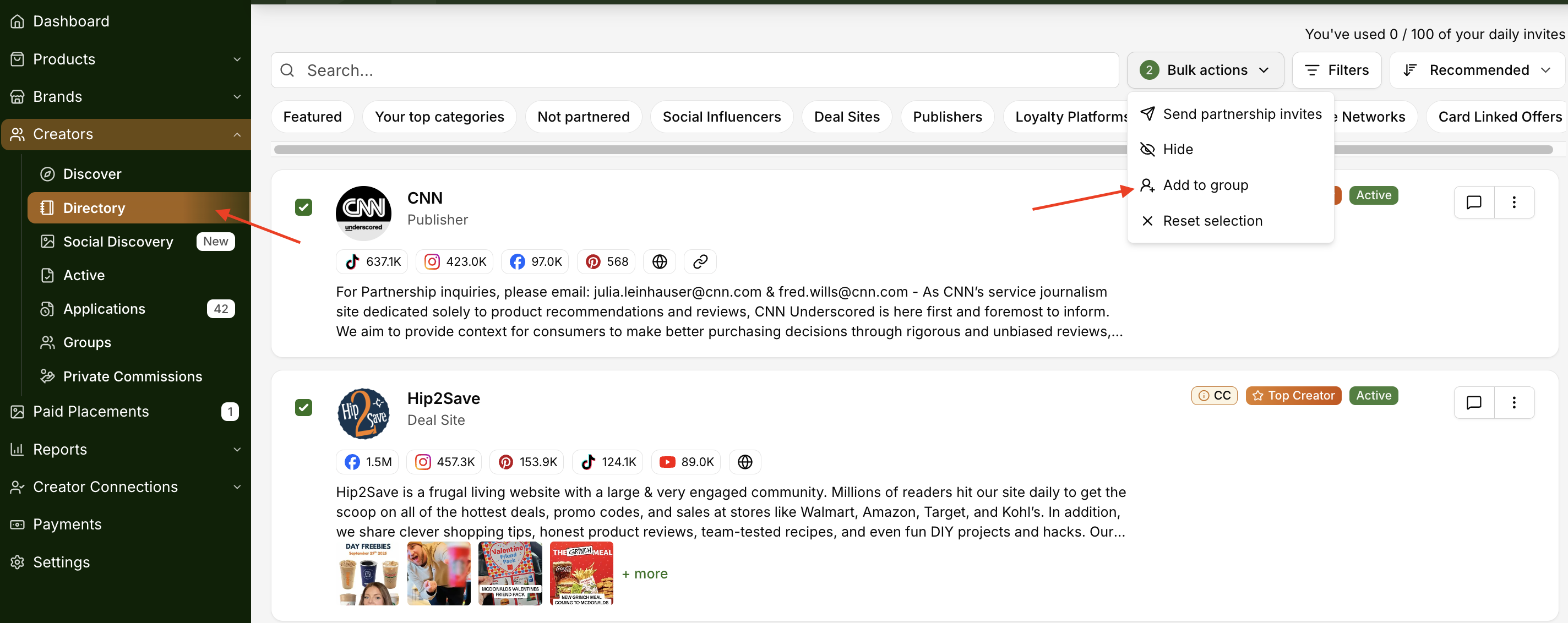
From the Creator Directory Browse the Directory, select multiple creators, and use Bulk Actions to add them to a group all at once — ideal when building a new segment from scratch.
How to Remove a Creator from a Group
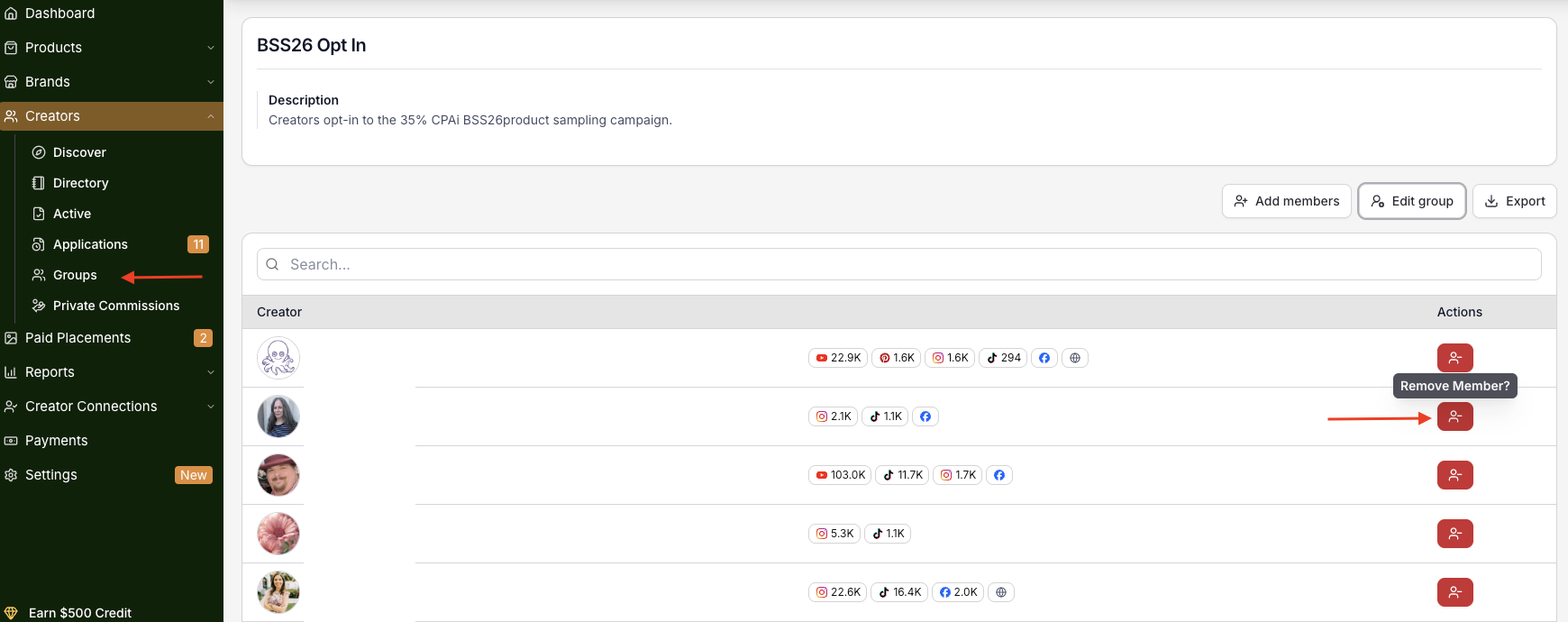
Navigate to Creators → Groups
Click on the Group Name to open the group's dedicated page
Locate the creator you want to remove
Under the Actions column, click the Remove Member icon (red button) next to the creator's name
The creator will be removed from the group immediately. This does not affect their partnership status or any active commissions — it only removes them from that specific group.
Tips for Using Creator Groups Effectively
Segment by type — Create separate groups for deal sites, publishers, social influencers, and niche content creators to tailor outreach and commissions for each
Use groups for private commissions — Instead of setting rates creator by creator, assign your top tier to a group and apply a group-wide private commission in one action
Build seasonal groups — Before major sales events, create a dedicated group for your most active partners so you can reach them quickly with exclusive offers
Keep descriptions clear — If you manage a team, descriptive group names and descriptions help everyone understand the purpose of each segment at a glance
Questions or Need Help?
Our team is here to support you! Reach out to your dedicated CSM or email us at cs@levanta.io