Create Link for Creator: Generate Affiliate Links for Your Partners
Last updated: August 7, 2026
As a seller, you can now generate a Levanta affiliate link for any of your products on behalf of a creator — directly from the product's detail page. This makes it easy to share ready-to-use tracking links with your creator partners without waiting for them to generate one themselves.
How to Create a Link for a Creator
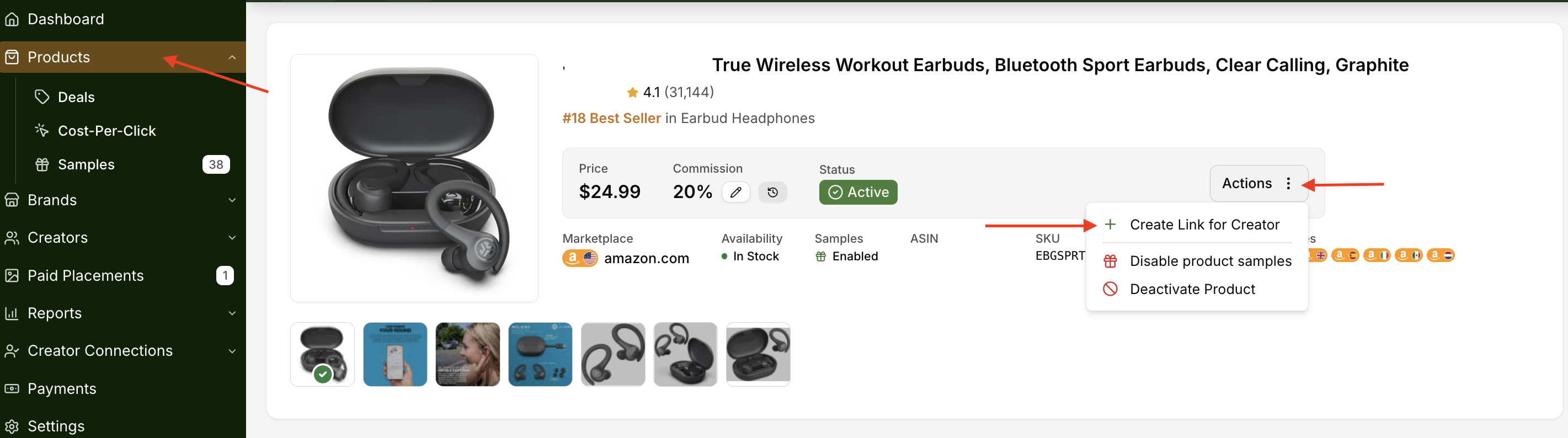
Go to Products and select the product you want to generate a link for.
On the product detail page, click Actions > Create Link for Creator
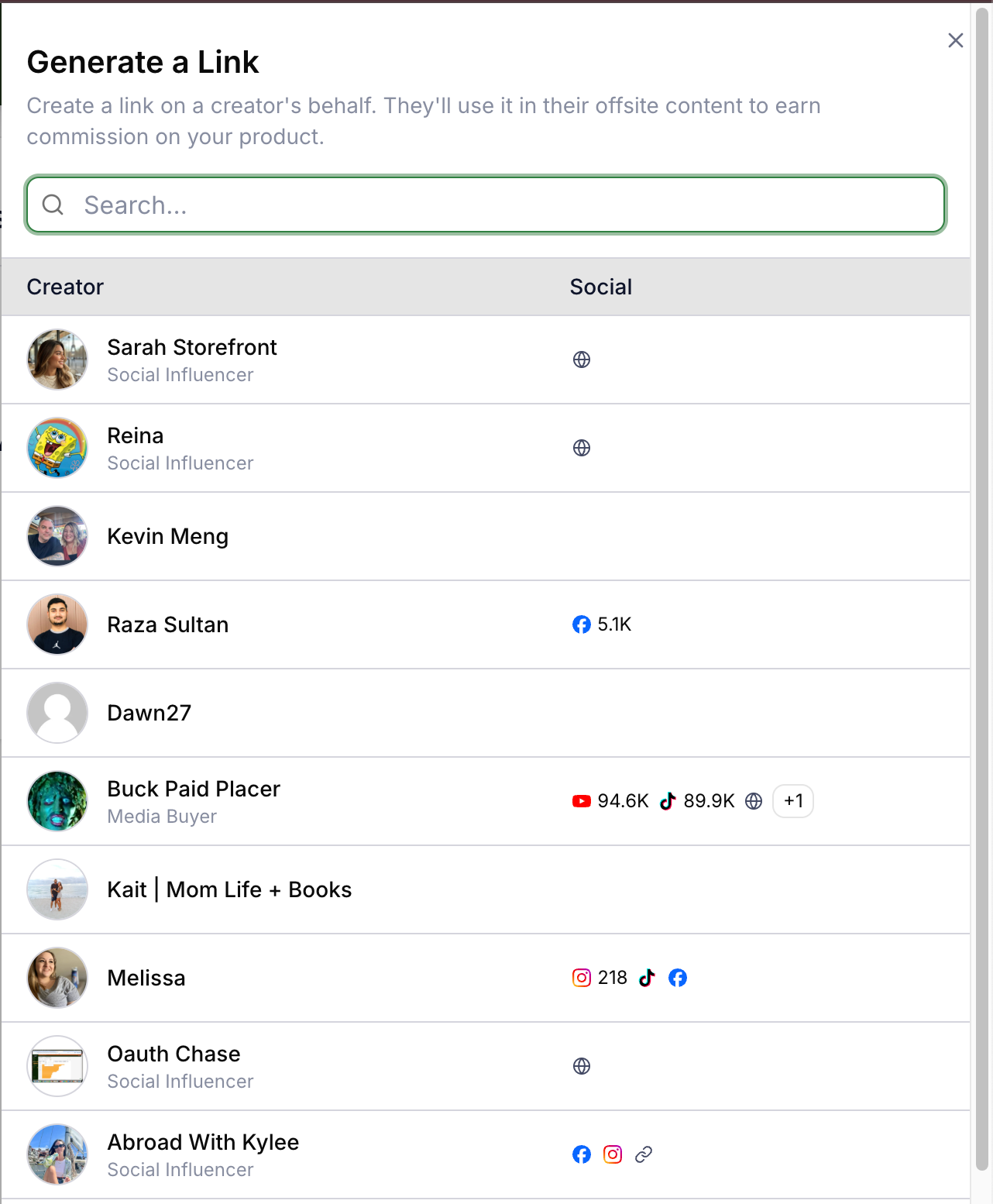
A side panel will open. Search for or select the creator you want to generate the link for.
The link is automatically generated once you select a creator. Click Copy your link to copy it to your clipboard.
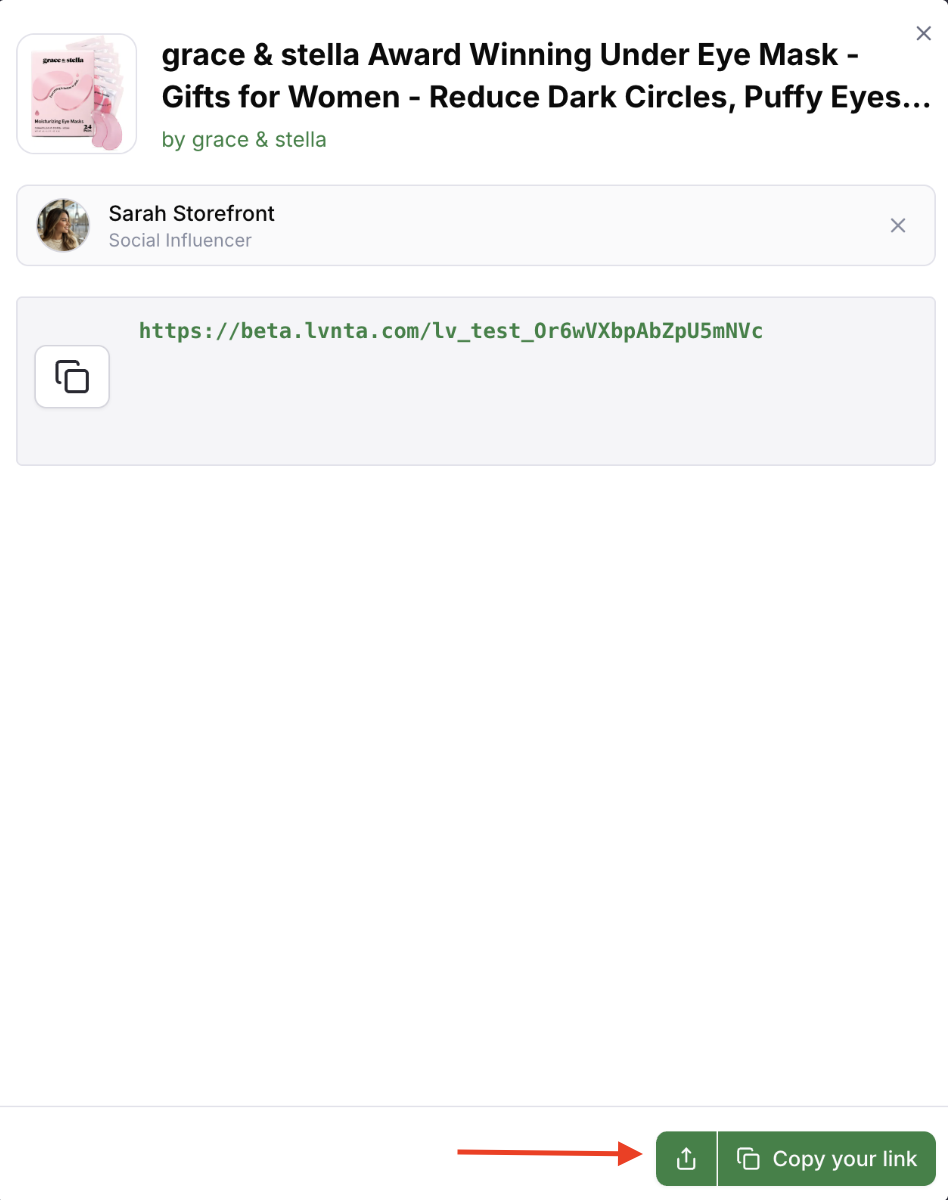
Mobile optimized by default: Links generated on behalf of creators are mobile optimized, ensuring buyers are directed to the Amazon app for a smoother purchase experience. This is the recommended format for most promotional content.
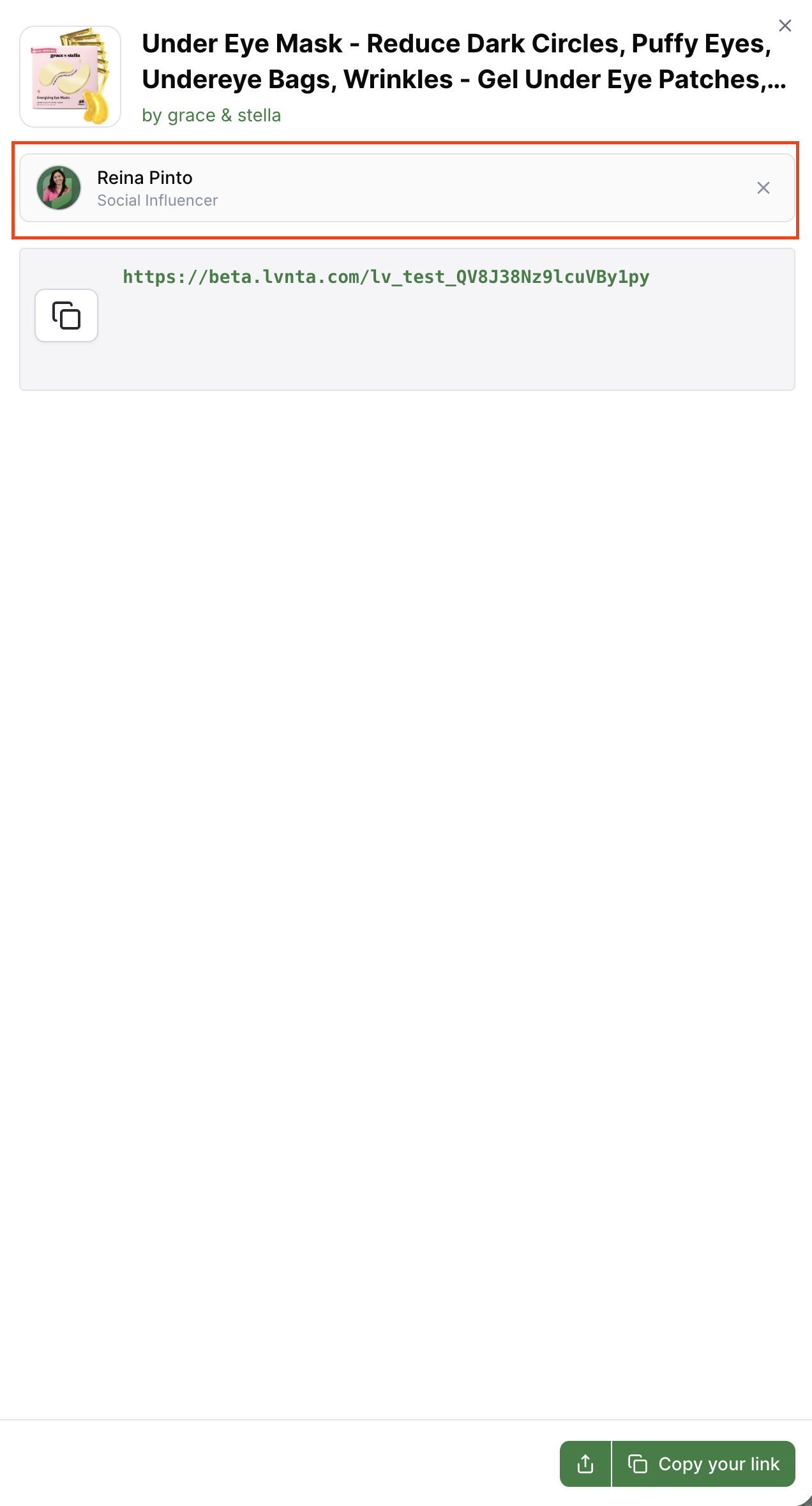
Tip: Need to generate a link for a different creator? Click the X next to the selected creator's name to deselect them and return to the creator list — no need to close and reopen the panel. Please see screenshot below.
Sharing the Link with the Creator
Once you've copied the link, you can share it with the creator directly through Levanta's messaging platform. The creator will also be able to find the link on their end by navigating to Tracking > Product Links.
Note: If the creator has already generated a link for the same product, Levanta will return that same link, so there's no risk of duplicate or conflicting links.
Frequently Asked Questions
Can I generate links for any creator?
You can generate a link for any creator who has an active partnership with your brand.
What if the creator already made a link for this product?
No problem. Levanta will return the same link the creator already has, so there's no duplication.
Where does the creator find the link?
The creator can view all links generated for them by navigating to Tracking > Product Links in their Levanta dashboard.
Is the link mobile optimized?
Yes. Links created via Create Link for Creator are mobile optimized by default, directing buyers to the Amazon app on mobile devices.
Questions or Need Help? Our team is here to support you! Reach out to your dedicated CSM or email us at cs@levanta.io