Understanding Team Members, User Roles & Permissions (Sellers)
Last updated: October 15, 2026
Levanta lets you give each person on your team the right level of access based on what they actually do day to day. Rather than sharing a single login, you can invite teammates individually and assign them a role that matches their responsibilities.
Seller accounts have two user roles: Admin and Member. The main difference between them comes down to account management and financial visibility.
The Two User Roles
Admin
Full, unrestricted access to your entire Levanta account. This role is typically reserved for business owners, account owners, or your primary affiliate program manager.
Team Management — Invite new team members, change user roles, and remove users from the account
Financials & Billing — Full access to payment methods, invoicing, and tax documentation (including 1099 reporting)
Account & Integration Settings — Connect or disconnect your Amazon, Walmart, and Shopify integrations
Full Toolset — Complete access to reporting, creator discovery, campaigns, and all partnership management tools
Member
Built for team members who run the day-to-day operations of your affiliate program but don't need access to sensitive financial information or account-level settings.
Reporting & Data — Full access to performance dashboards, sales data, and reporting exports
Creator Tools — Search the Creator Directory, send partnership invitations, manage active partnerships, and message creators
Product Management — View and manage your product catalog and set commission rates
Brand Profile — Update your brand profile details
Members cannot access billing or invoice pages, view payment details, manage integrations, or invite and remove team members.
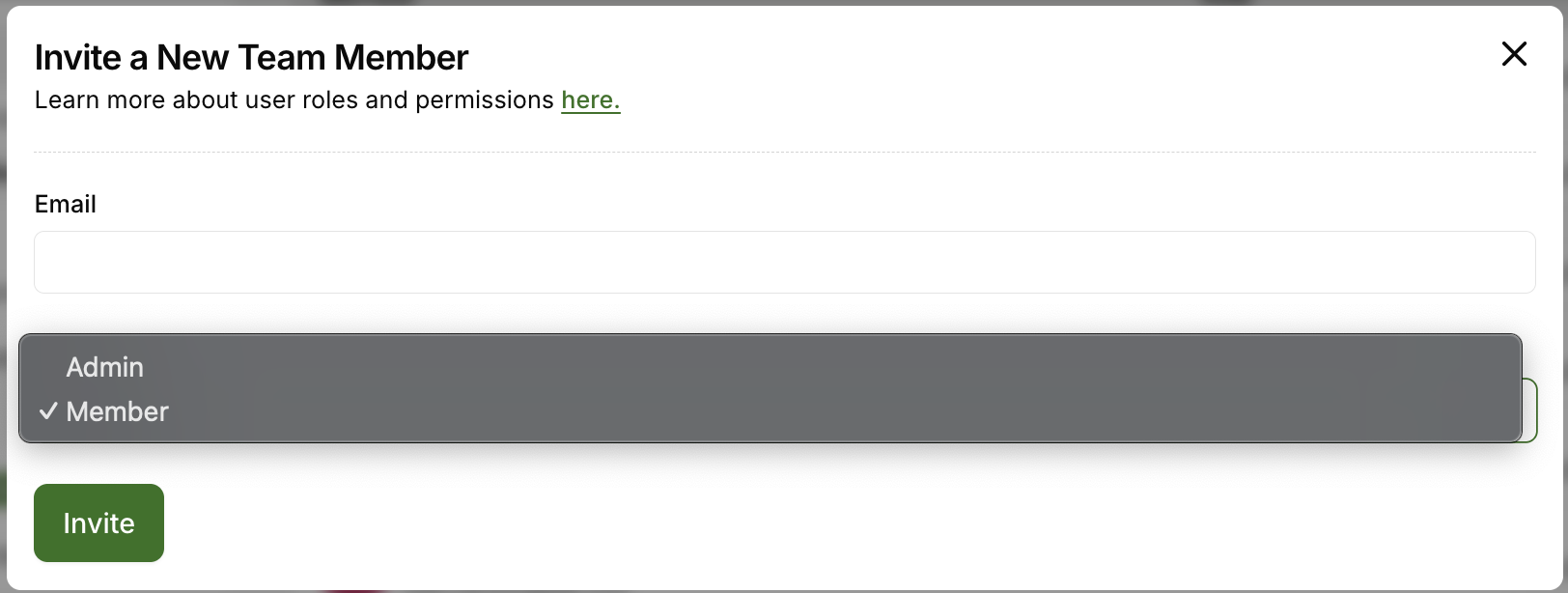
⚠ Note: You choose a teammate's role at the moment you invite them — simply select Admin or Member in the invitation. There's no extra step after they accept, and an Admin can change the role at any time.
Permissions Overview
The table below shows exactly what each role can access. ✅ indicates the role has access to that feature. ❌ indicates no access.
Feature | Admin | Member |
|---|---|---|
View Performance Reports | ✅ | ✅ |
Manage Creator Partnerships | ✅ | ✅ |
Manage Products & Commissions | ✅ | ✅ |
Update Brand Profile | ✅ | ✅ |
Invite & Manage Team Members | ✅ | ❌ |
View Invoices & Billing | ✅ | ❌ |
Manage Integrations (Amazon / Walmart / Shopify) | ✅ | ❌ |
Which Role Should I Choose?
Choose Admin for anyone who needs to handle billing, manage your marketplace connections, or add and remove teammates.
Choose Member for anyone focused on running the program — recruiting creators, setting commissions, managing partnerships, and reporting on performance.
A good rule of thumb: if the person doesn't need to see an invoice, they don't need to be an Admin.
Questions or Need Help? Our team is here to support you! Reach out to your dedicated CSM or email us at cs@levanta.io