Managing Product Commissions for Wayfair
Last updated: October 23, 2026
Wayfair funds the standard affiliate commission through its existing affiliate program. As a supplier, you can set an additional supplier-funded commission through Levanta on eligible Wayfair products, giving creators and affiliates a stronger reason to feature them.
Levanta allows you to manage these commissions in several flexible ways, whether you are adjusting public rates, setting private commissions for specific creators, or scheduling changes ahead of time.
Before You Set Your Rates
Set your rate based on your margin, product priority, and how aggressively you want to incentivize creators. Higher rates may attract more partner attention but also increase cost. Lower rates are more conservative but may be less compelling to creators and publishers.
There is no single recommended rate, as the right number depends heavily on your brand and your products. Performance varies based on price, ratings and review counts, and brand recognition. If traction is minimal in the first three to six months, your rate is worth reassessing.
Tip: Where possible, avoid starting at a high rate and lowering it later.
The rate you set is the amount the creator earns. No additional fee is applied on top for Wayfair.
1. Update an Individual Product Commission
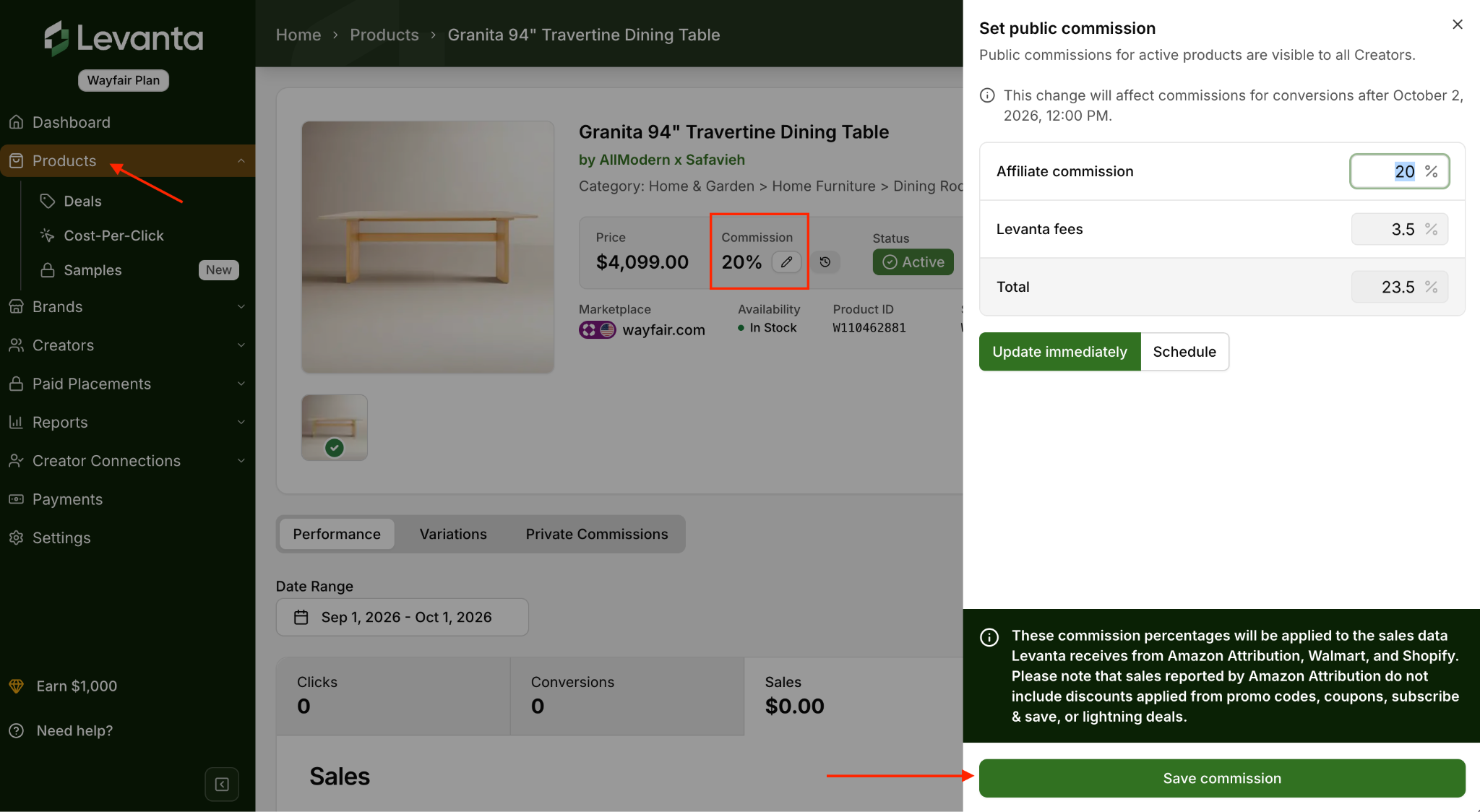
To update the commission for a single product:
Go to the Products page
Click the product to open its detail view
Click the pencil icon under Commission to edit it.
2. Bulk Update Commissions Across Multiple Products
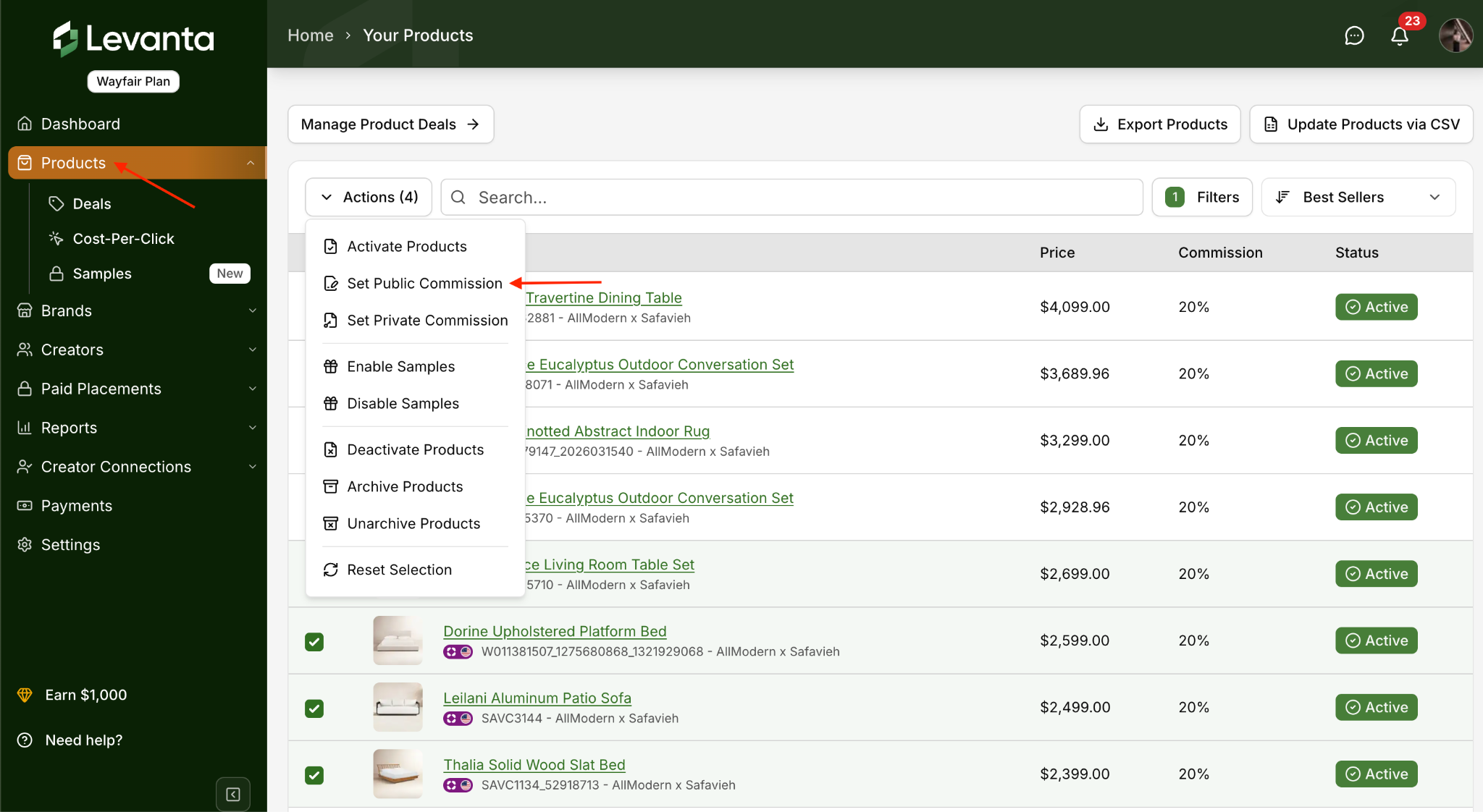
To update public commissions for multiple products:
Go to Products in the left navigation
Select the products you want to update
Click Actions, then select Update Public Commissions to apply the change in bulk
You can also update products, including their commissions, by uploading a CSV file.
3. Set a Private Commission for a Specific Creator
You may work out a deal with a particular creator where they earn a custom rate. We refer to these as private commissions, and they can be applied to selected products or across your entire brand catalog.
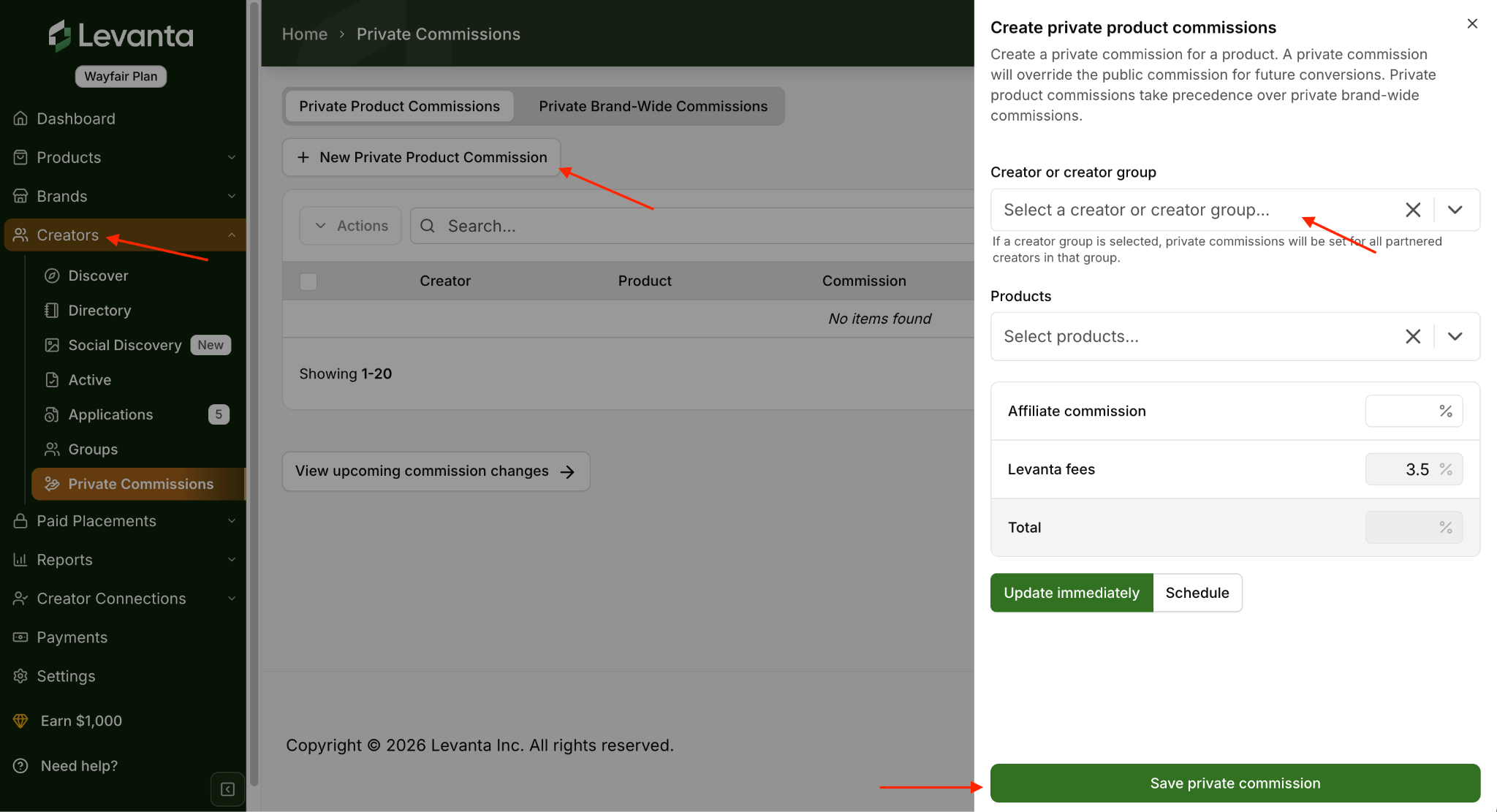
To offer a custom rate:
Select the Creator or Creator Group, the Products, and the Creator Commission rate
To apply the rate catalog-wide instead, set a private brand-wide commission for that creator or group
If you want the rate to take effect on a specific date, check Schedule For a Future Date and enter the date
Save the private commission
Note: A private commission takes precedence over your public rate for future conversions. The creator earns the private rate instead of the public rate, not in addition to it.
4. Schedule a Commission Change
Scheduling gives you the flexibility to update creator commissions ahead of time, which is useful for setting temporary rates around a promotional period.
1. Open the product detail page, or select multiple products and choose the commission action
2. Check the box labeled Schedule For a Future Date
3. Enter your desired rate and the date it should take effect
Important: There is no end-date option for scheduled changes. Once a limited-time run has concluded, you will need to readjust the commission manually.
When a Rate Change Takes Effect
Wayfair conversions run through CJ, Wayfair's affiliate infrastructure. A rate change applies to new conversions going forward. A sale that has already occurred keeps the commission terms that applied at the time.
Wayfair conversions lock 60 to 90 days after the transaction. Up until the lock date, a conversion can still be adjusted, for example if the order is returned. After that date, the commission is final.
Your existing creator links keep working. You are not breaking or regenerating links, only changing the payout tied to future conversions through them.
Excluding Products
You can set different commission rates by product, and you can exclude products entirely. Creators can only earn commission on the products you have activated.