Shopify Discount Code Creation & Attribution for Sellers
Last updated: April 9, 2026
Why Discount Codes?
Discount codes provide flexibility for brands and creators when links aren’t usable and enable dual attribution. Key benefits include:
Channels Without Links
Works for podcasts, TikTok voiceovers, print, and live events, or any situation where clickable links aren’t possible.Brand Flexibility
Sellers can run promotions with custom codes, control discount amounts, and select which products are eligible, all from Levanta.Dual Attribution
Discount codes function alongside tracking links. Sellers control which method takes priority when both a code and a link are used on the same order.
How to Create and Manage Promo Codes
Promo Codes Tab
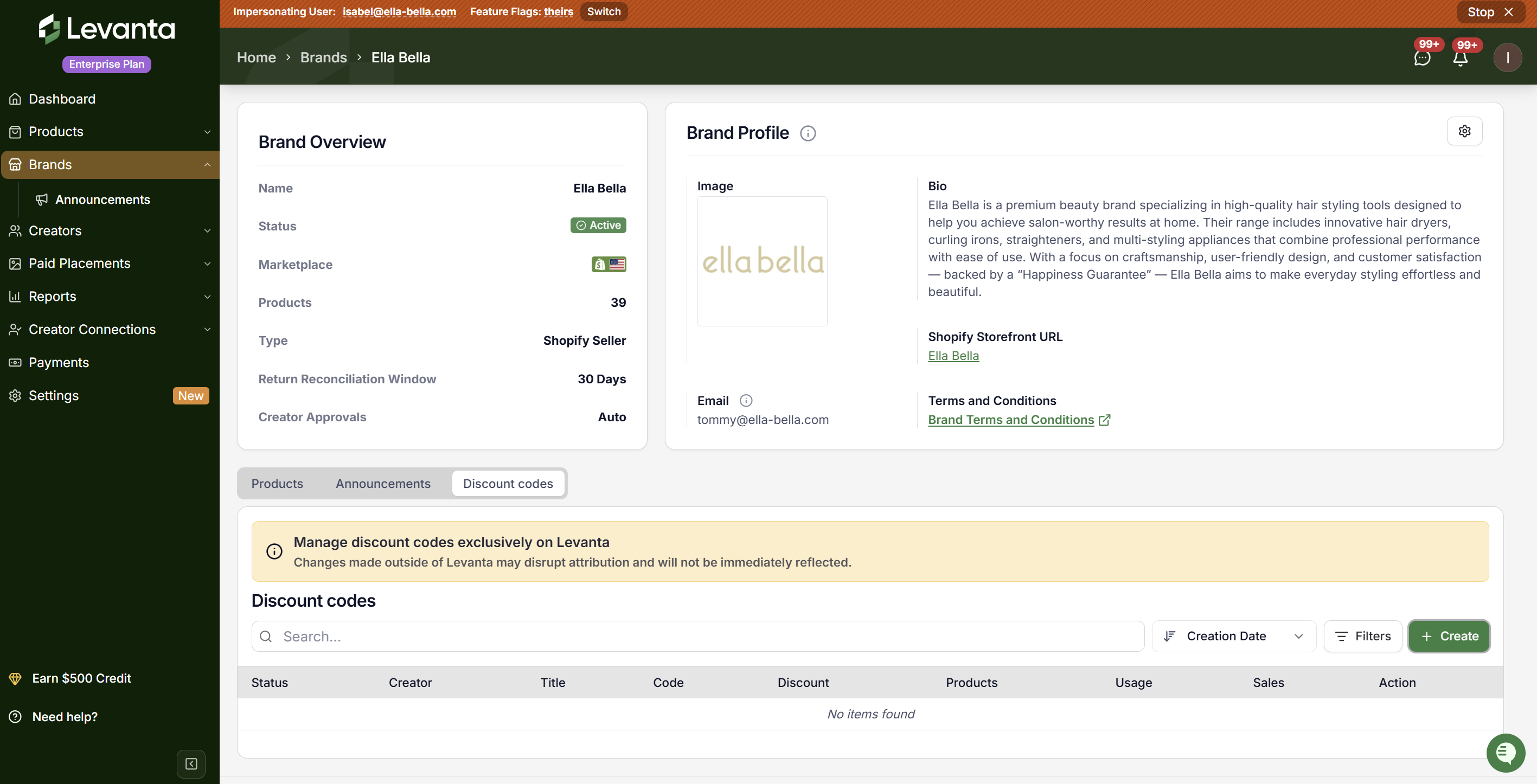
Access the new tab on your brand detail page, next to Products and Announcements.Create Promotion
Click the Create Promotion button to open the multi-step creation wizard.Configure Code
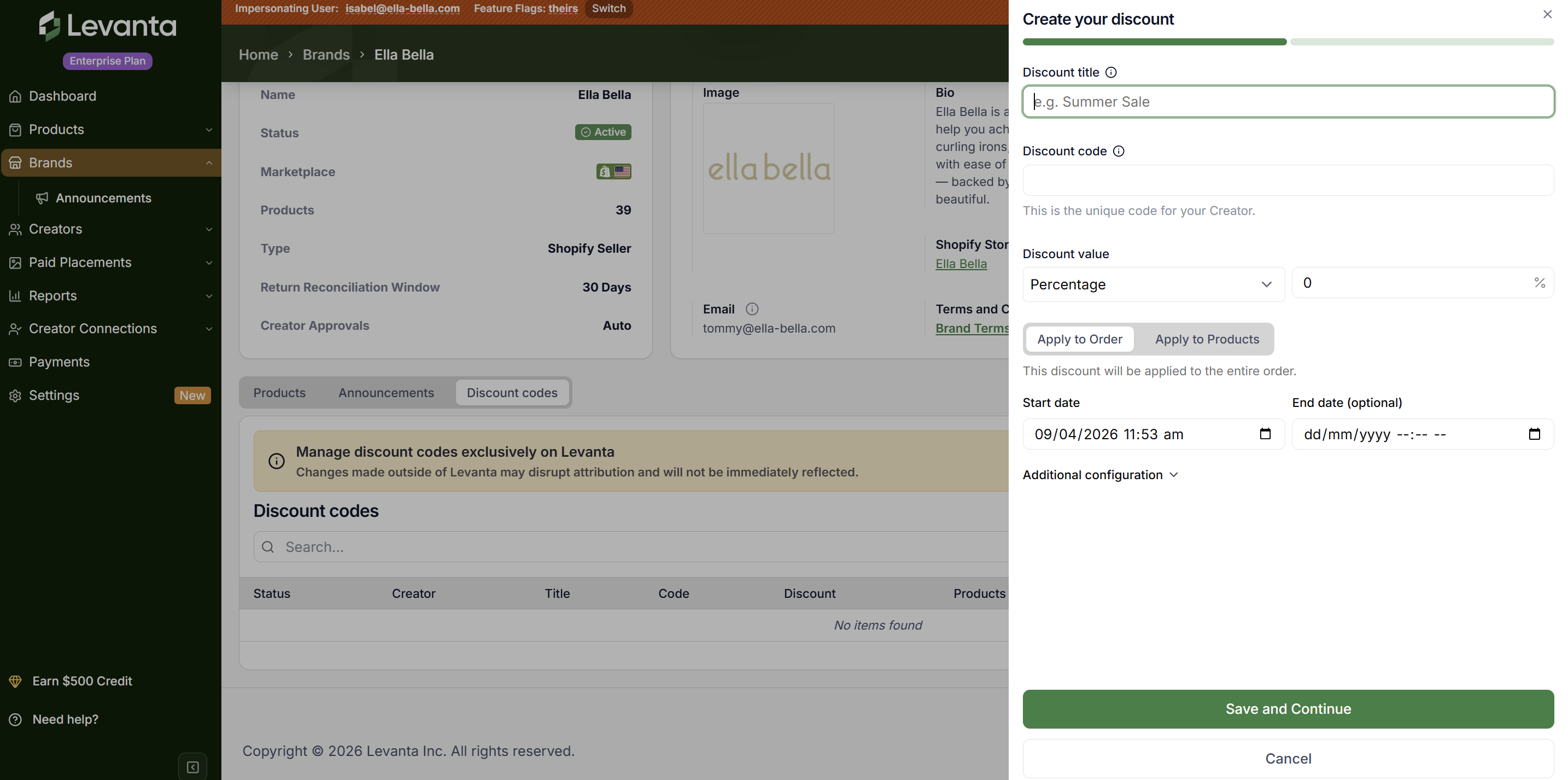
Set your code name, discount value, eligible products, usage limits, and active dates.Assign Creator
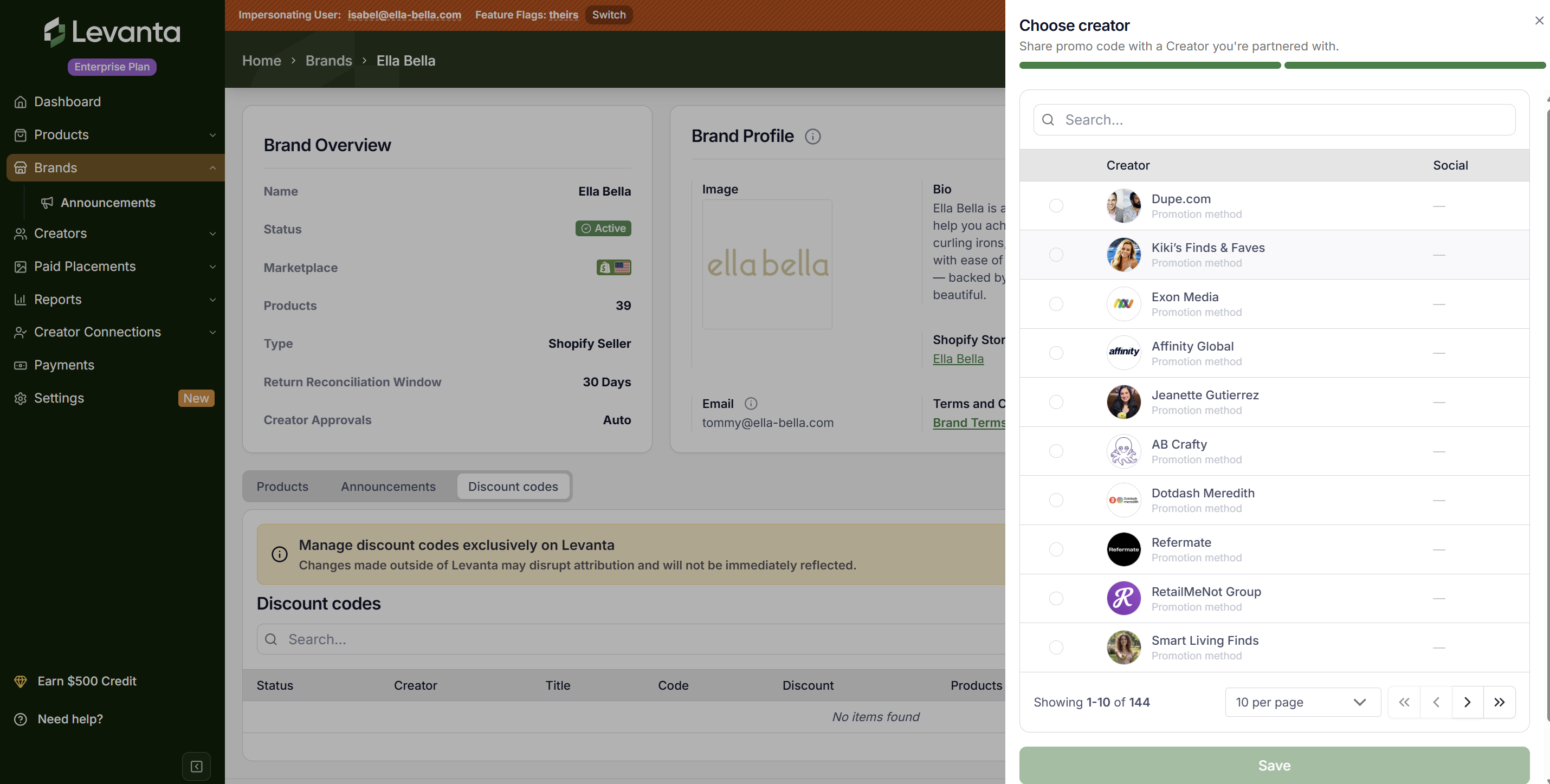
Select a partnered creator from a searchable, filterable list.
Step-by-Step: Creating a Promotion
Step 1: Code Details
Promo Code: Enter a custom code or auto-generate one.
Discount Value: Choose a percentage off or a fixed amount.
Apply To: Select specific products or the entire order.
Minimum Purchase: Optional - set a minimum amount or quantity.
Maximum Uses: Limit total uses, or set to one per customer.
Active Dates: Start date/time and optional end date.
Step 2: Choose Creator
Searchable list of partnered creators, showing name, follower count, promotion method, and social platform icons (IG, FB, TikTok, etc.)
Filter creators by attributes; 10 per page pagination
One code = one creator in the MVP scope
Codes sync to Shopify automatically via API
Attribution Priority
When a customer uses both a tracking link and a discount code from different creators, sellers can choose which attribution takes priority:
Tracking Link Wins (Default)
Credits the creator whose link the customer last clicked. Best for link-focused campaigns.Coupon Code Wins
Credits the creator whose code was entered at checkout. Best for promo-heavy campaigns.
⚠ Please note that settings are per brand and only affect future orders.
FAQs
Q: Does the code sync to Shopify?
Yes, via Shopify Admin API in real time. Changes in Shopify are updated in Levanta through a daily sync.
Q: Can one code be assigned to multiple creators?
No, one code = one creator. Duplicate mapping will trigger an error.
Q: What discount types are supported?
Percentage off and fixed amount, applied to products or the entire order.
Q: Can sellers set expiration dates?
Yes, include a start date/time and optional end date in the creation form.
Q: How does a creator know they received a code?
Codes appear in the creator’s Promo Codes tab. In-app notifications are coming soon.
Q: What happens if a seller deletes a code in Shopify?
Daily sync detects changes and updates Levanta. Deletion from Levanta syncs with Shopify in real time.
Questions or Need Help?
Our team is here to support you! Reach out to your dedicated CSM or email us at cs@levanta.io