Sampling Suites: Let Creators Choose Their Own Sample
Last updated: September 10, 2026
Overview
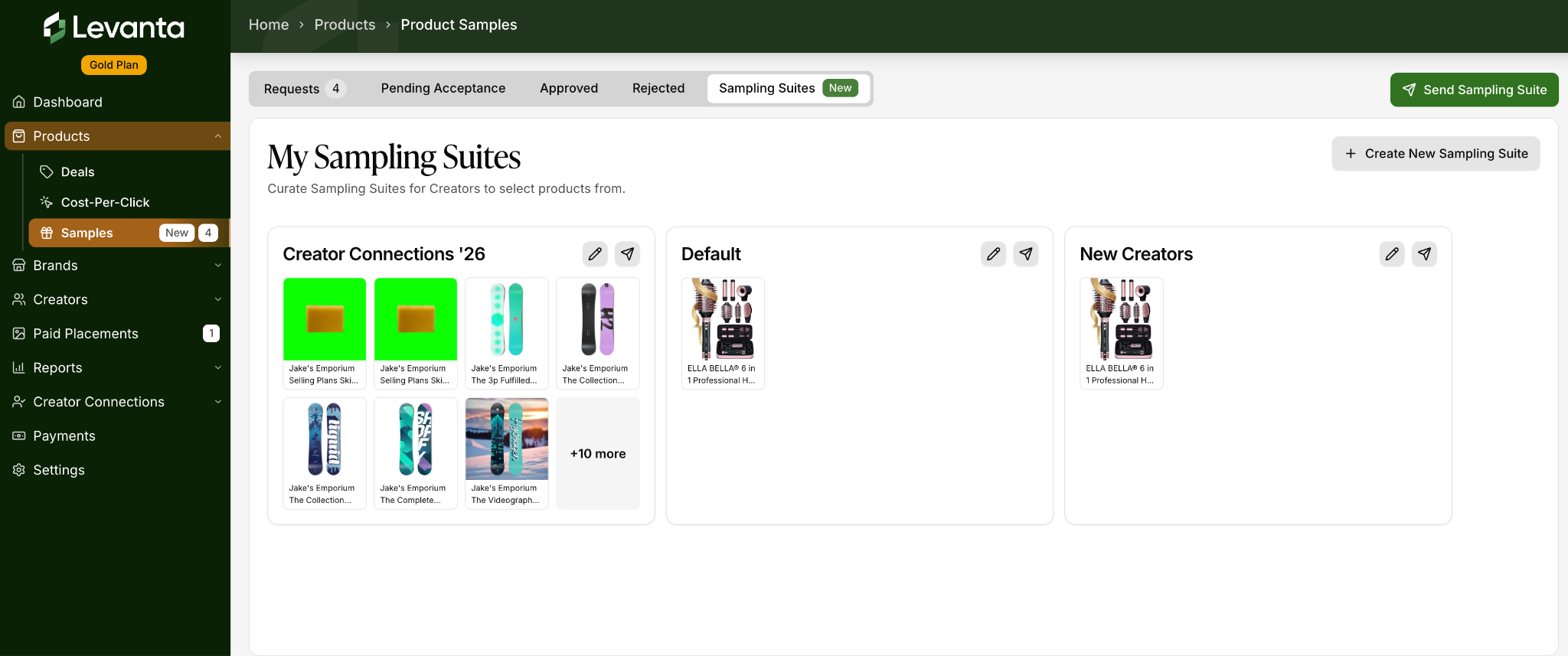
A Sampling Suite is a curated list of your products that you send to a creator, letting them pick the item they want instead of you picking for them. You build the suite once, then send it to as many creators as you like.
This cuts the back-and-forth of one-off sample requests: no more reviewing individual asks, guessing which size or color a creator wants, or leaving requests sitting in your queue.
Sampling Suites work for both Amazon and Shopify brands.
Note: Product sampling — including Sampling Suites — is available only for Gold and Enterprise sellers. If you'd like to upgrade, please contact us at cs@levanta.io for further assistance.
Before You Start
Sampling Suites use the same fulfillment infrastructure as standard product samples, so the same prerequisites apply.
A Sampling Suite is tied to one brand, and each brand belongs to a single marketplace. So a suite is either an Amazon suite or a Shopify suite — you can't mix products from both into one list. If you sell the same catalog on Amazon and Shopify, create a separate suite for each and send whichever fits the partnership.
For Amazon brands:
Your Amazon Selling Partner connection must be added under Settings → Connections → Add Amazon Connection → Add Amazon Selling Partner Connection.
⚠ Be sure to choose this final option — the others are for Amazon Ads and will not connect your Selling Partner account.
The brand must have FBA inventory available for the products you want to include.
For Shopify brands:
Your Shopify connection must be added under Settings → Connections → Shopify → Add Shopify Connection, which installs the Levanta app from the Shopify App Store.
The brand must be activated in Levanta. See Managing Brands and Products in Levanta.
For either marketplace, the brand must be sample-eligible before it will appear as an option when you create a suite.
Creating a Sampling Suite
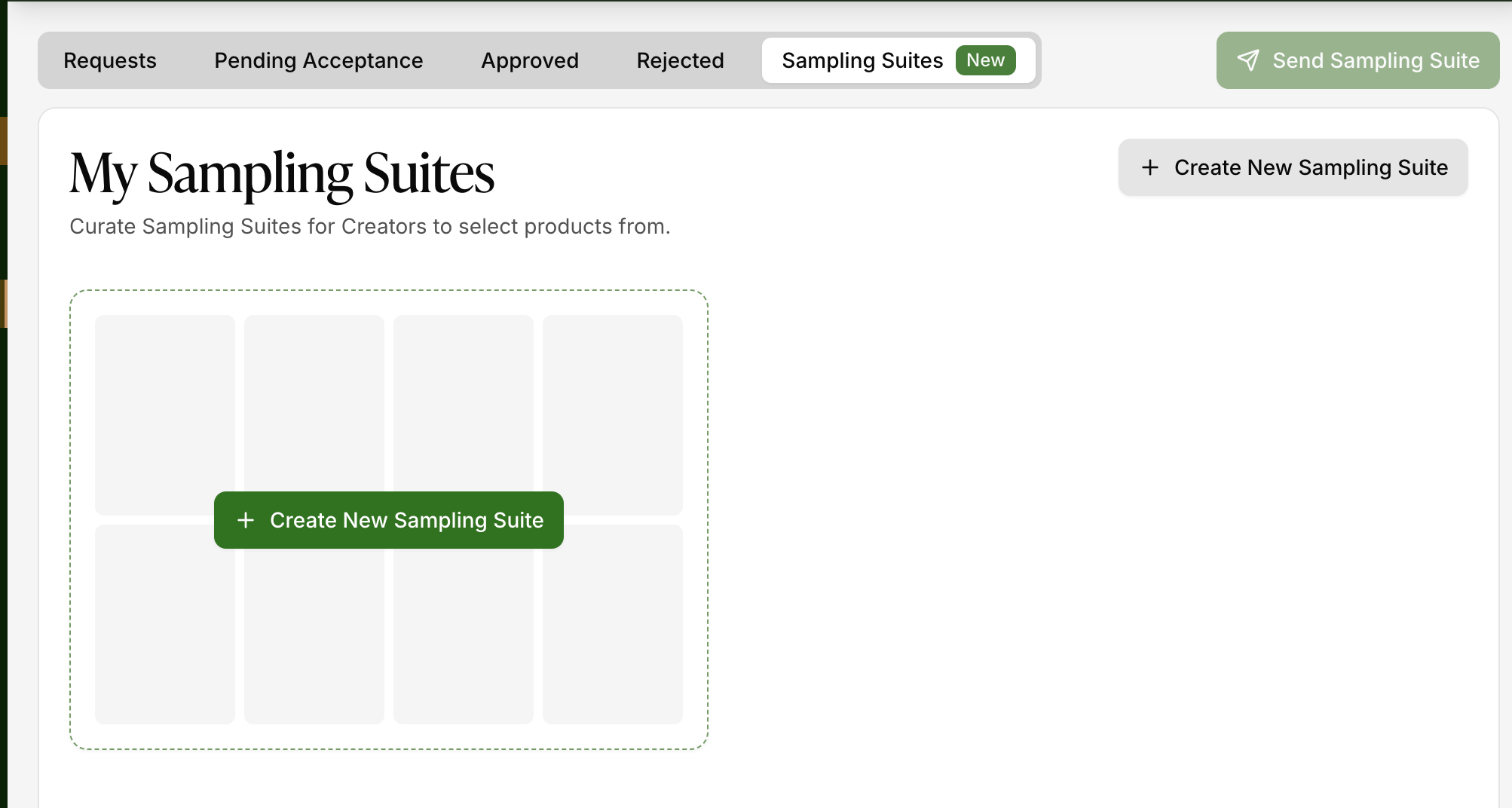
Go to Products → Samples and select the Sampling Suites tab.
Click Create Sampling Suite.
Give the suite a name — something you'll recognize later, like "Spring Launch — Ella Bella" or "Top Creator Welcome Kit."
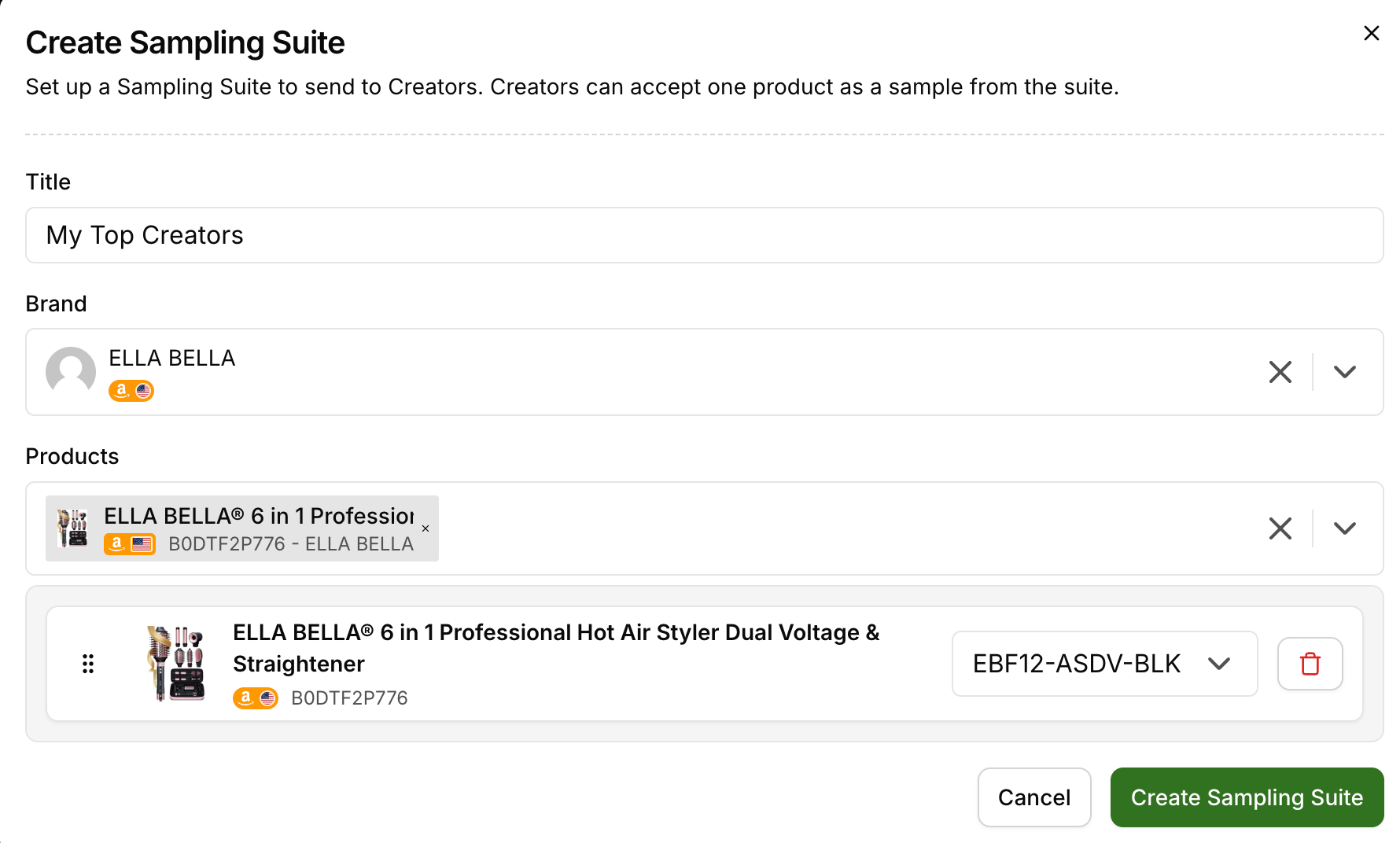
Select the brand the suite belongs to. The brand you pick determines the marketplace — Amazon or Shopify — and only that brand's products will be available to add.
Add products. Products are selected at the variant level, not the parent listing level — SKUs for Amazon brands, product variants for Shopify brands. That means if you want a creator to be able to choose a specific size or color, add each of those variants as its own line item.
For Amazon suites, choose a fulfillment preference: Cheapest or Fastest. This determines the shipping speed used across every product in the suite. Shopify suites fulfill through your store's normal shipping setup, so there's no speed option to set.
Save the suite.
A few things to know while building:
Levanta runs an eligibility check on each product as you add it. If a product can't be fulfilled, you'll see an error on that line — remove it before saving.
A suite must contain at least one product. You can't create or save a suite with an empty product list.
Suites are capped at 20 products. This keeps eligibility checks fast so creators aren't waiting on a slow-loading page.
Sending a Sampling Suite to a Creator
Once a suite is built, you can send it from a few places in Levanta:
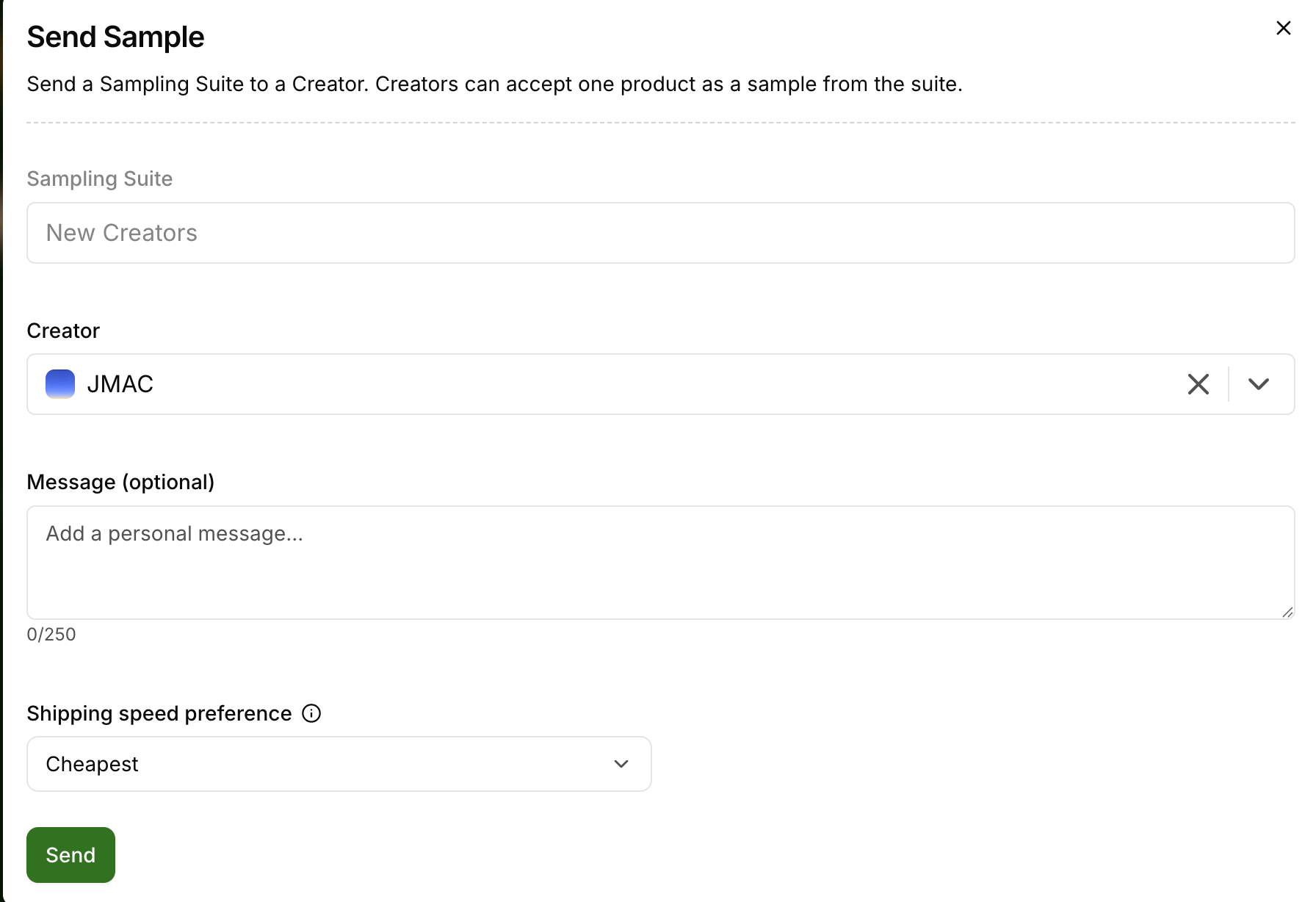
The Sampling Suites tab, using the Send action on the suite
A creator's profile in Creator Discovery
Anywhere the existing Send Sample action appears
Your branded sign-up link, for creators who aren’t on Levanta yet — see below
When you send, the creator receives the suite as a message in your Levanta message thread — the same place standard sample requests land.
Branded Invite Sampling Suite
Use a Branded Invite Sampling Suite to send a sample to a creator who isn’t on Levanta yet. You attach a Sampling Suite offer to your branded sign-up link, which allows the creator to accept a product from that Sampling Suite during the sign-up process — useful for recruiting creators you’ve found off-platform, where the sample is the reason they join.
How to generate the link:
1. Go to Brands and choose the brand.
2. Open the Settings tab, then select Sign-up link.
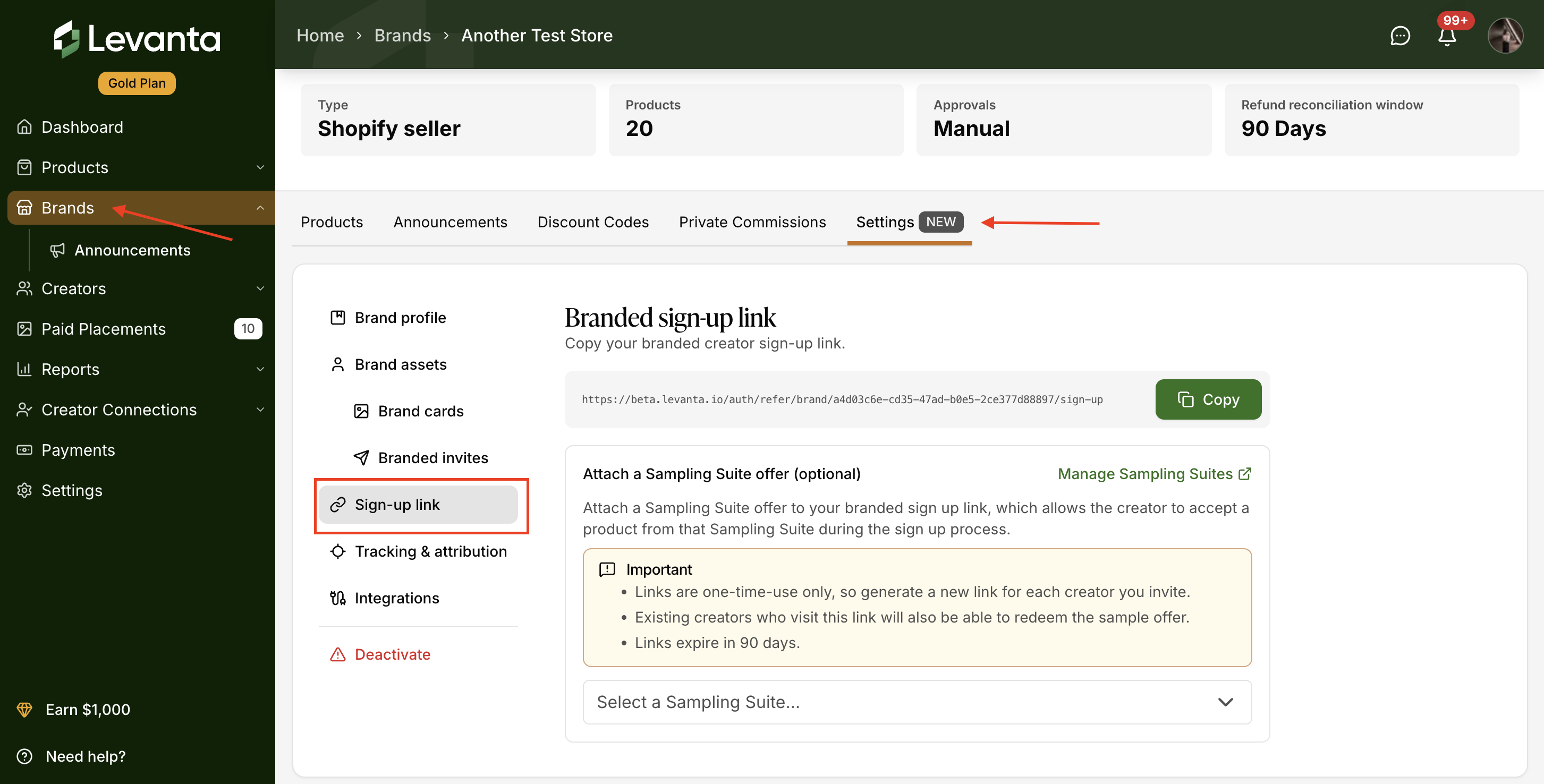
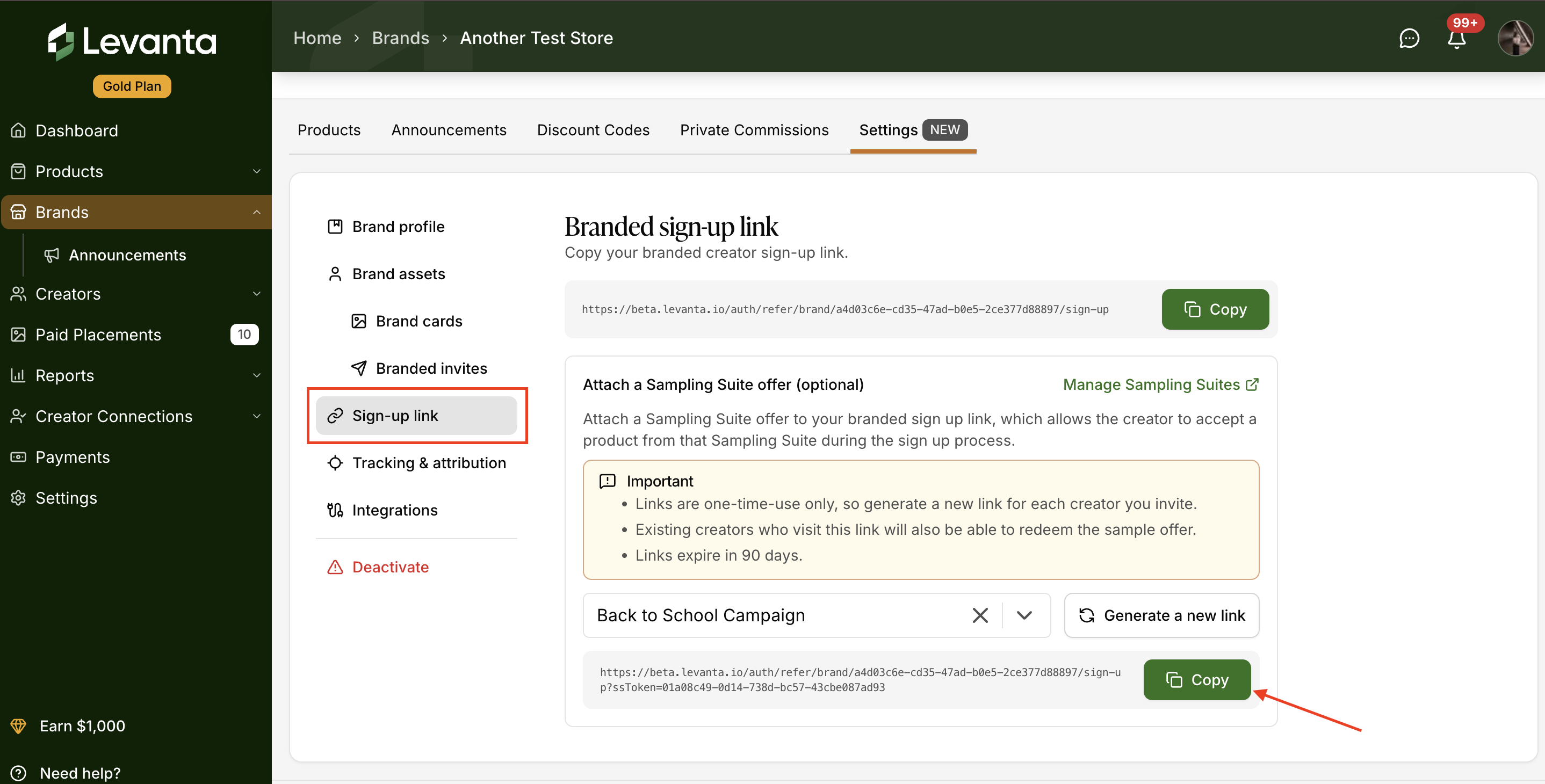
3. Under Attach a Sampling Suite offer (optional), pick a suite from the Select a Sampling Suite… dropdown. Your link is generated straight away and appears just below the dropdown.
4. Click Copy next to that link and send it to the creator.
The generated link has the suite’s token added to the end (…/sign-up?ssToken=…). That token is what carries the sample offer, so always copy the link beneath the dropdown — not the one at the top of the page.
Inviting another creator? Each link works only once, so click Generate a new link to create a fresh one for the next creator.
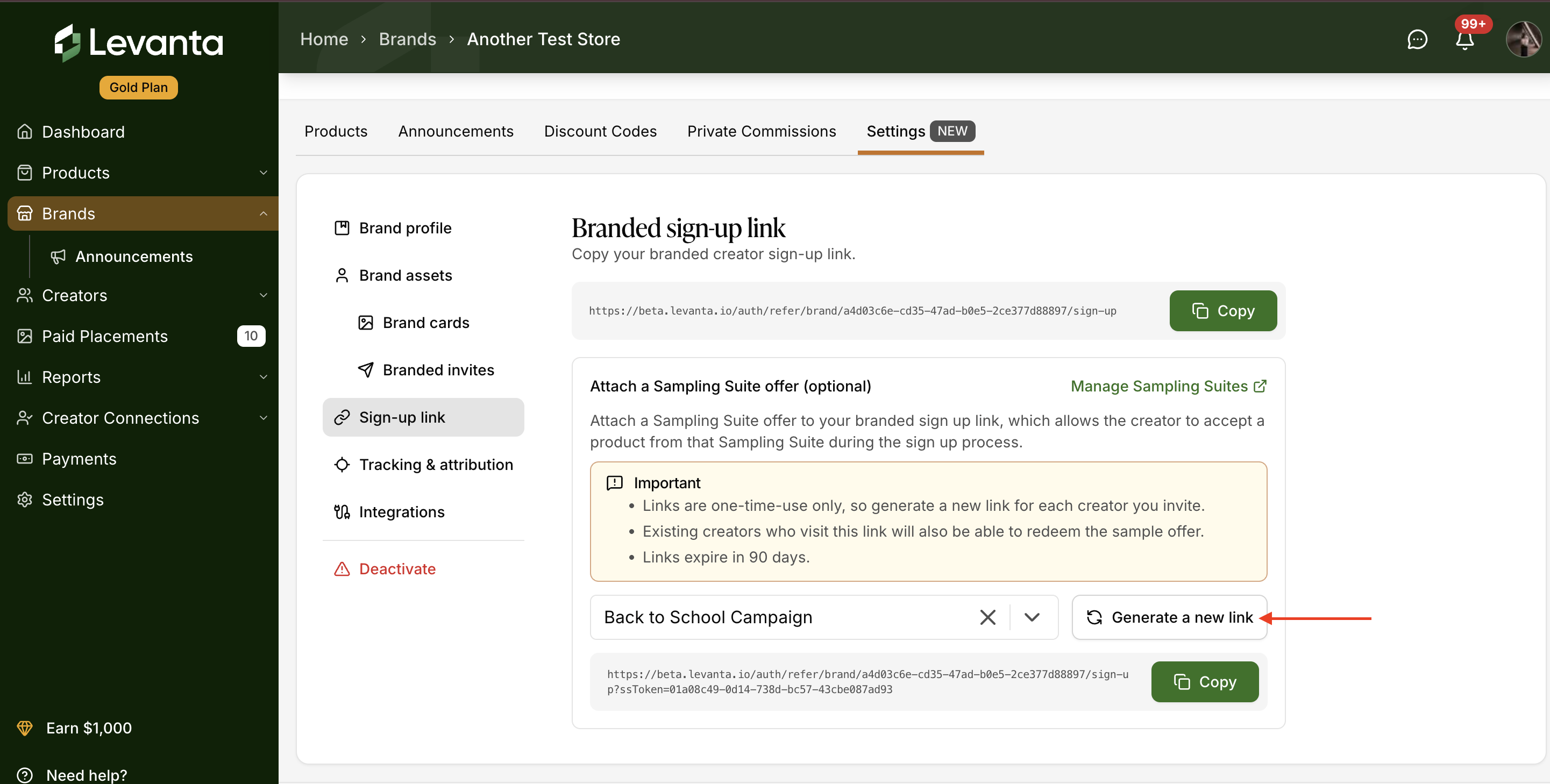
⚠ Note: Both links on this page are your branded sign-up link. The one at the top has no sample offer attached — select a suite from the dropdown and copy the branded sign-up link that appears beneath it.
Important
Links are one-time-use only — generate a new link for each creator you invite.
Links expire in 90 days.
Existing creators who visit the link will also be able to redeem the sample offer.
What the Creator Sees
For a suite you send inside Levanta, the creator gets a Sampling Suite invite in their Messages and in their Samples tab. From there they can:
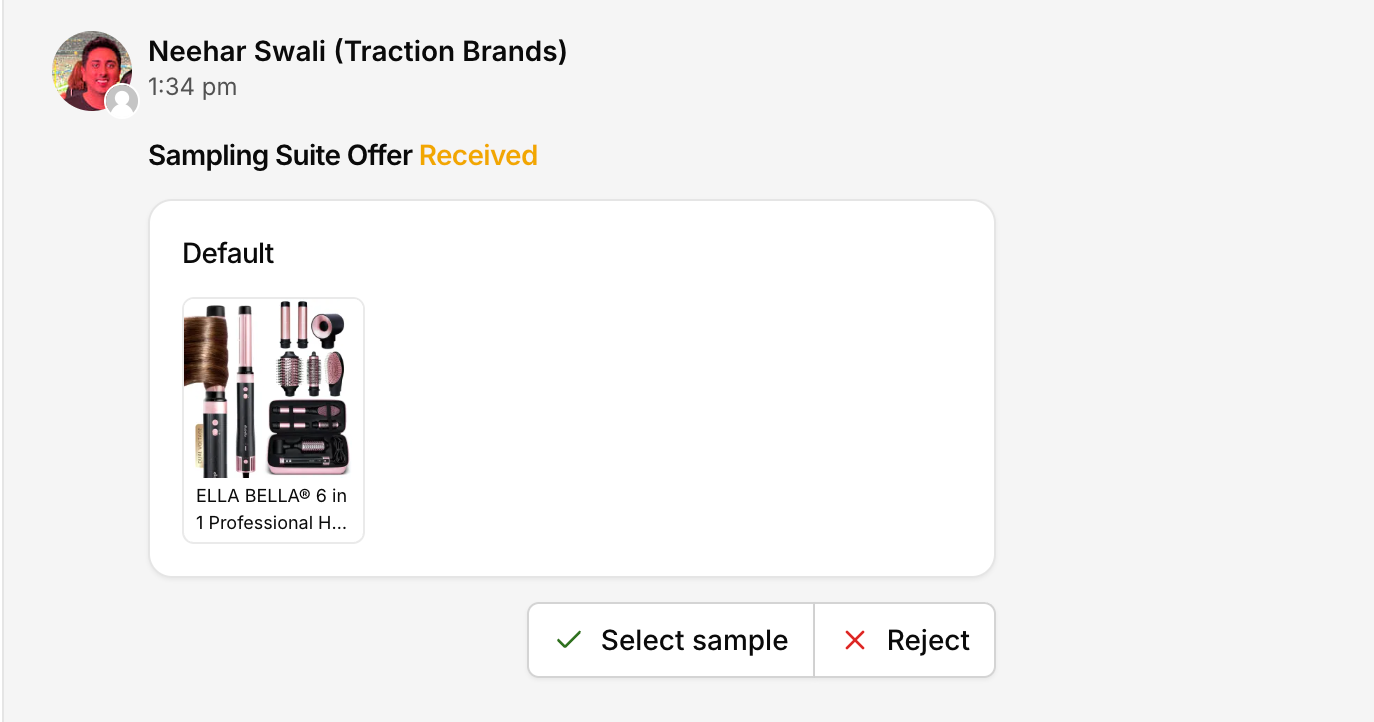
View every product in the suite
Confirm their shipping address
Select one product and accept
Decline the whole invite
When the creator selects a product, Levanta runs a final eligibility check on that item. If it passes, a standard product sample order is created and fulfilled automatically — through Amazon for Amazon suites, through your store for Shopify suites — exactly as it would for any other sample. If a specific product isn't available to them, it's disabled in the list and they're prompted to choose a different one.
Tracking and Managing Suites
Sampling Suite invites appear alongside your other sample activity in the Samples tab, so you can see at a glance which invites are pending, accepted, or declined.
Editing a suite. You can update a suite's name, products, and fulfillment preference at any time from the Sampling Suites tab. Edits apply going forward; invites already accepted aren't affected.
Cancelling an invite. If a creator hasn't accepted yet, you can cancel the invite.
Archiving a suite. Archiving retires a suite so it can no longer be sent or redeemed. When you archive, Levanta will confirm which open invites will be cancelled as a result.
Expiration. Sampling Suite invites expire on the same schedule as standard product sample requests.
How Sampling Suite Orders Are Fulfilled & Reported
Nothing changes here versus standard samples — fulfillment follows whichever marketplace the suite's brand belongs to.
Amazon suites. When a creator accepts a product, the order is processed through Amazon as a Multi-Channel Fulfillment (MCF) order:
Brands are billed per sample unit sent
All standard FBA MCF fees apply
Fulfillment is handled entirely by Amazon, using your existing FBA inventory
Because these are MCF orders, they do not appear in standard Amazon Business Reports. They're reflected in MCF order reports, which you pull separately from Amazon. Use Levanta to see which creators and products were sampled, then cross-reference with Amazon's MCF reports for a complete record.
Shopify suites. When a creator accepts a product, the sample is created as an order in your Shopify store and fulfilled through your existing shipping setup. The order appears in your Shopify admin alongside your other orders, so tracking lives there rather than in a separate report.
In both cases, Levanta's Samples tab remains your view of which creators received which products.
Sampling Suites vs. Standard Samples
Standard sample | Sampling Suite | |
|---|---|---|
Who picks the product | Seller (or creator requests a specific item) | Creator, from your curated list |
Setup | Per creator, per product | Build once, send many times |
Best for | A specific product you want promoted | Letting creators self-select the right fit — sizes, colors, categories |
Sampling Suites work best for apparel, footwear, and any catalog where fit or preference matters — and for high-volume creator recruitment where reviewing individual requests doesn't scale.
Questions or Need Help? Our team is here to support you! Reach out to your dedicated CSM or email us at cs@levanta.io