Managing Product Commissions
Last updated: September 9, 2026
Adjusting Product Commissions
Levanta allows sellers to manage commissions in several flexible ways – whether you're adjusting public rates, setting private commissions for specific creators, or scheduling changes ahead of time.
Before you adjust your rates
Learn more about what creators consider competitive — recommended starting rates by price band, when to adjust up or down, and the signs a rate isn't attracting creators.
1. Update an Individual Product Commission
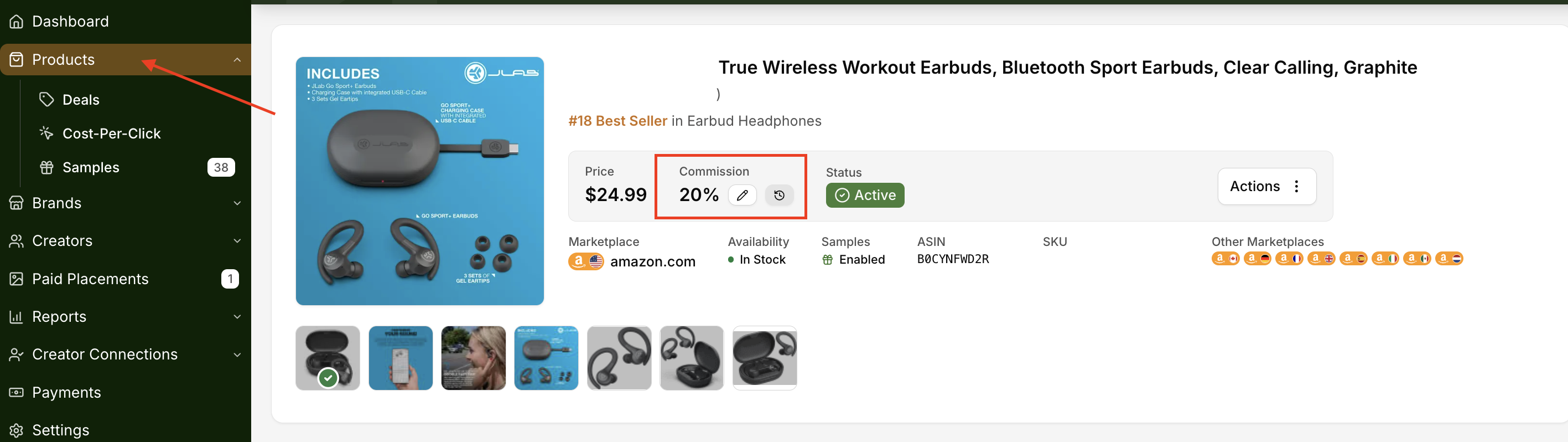
To update a commission for a single product:
Go to the Products page
Click on the product to open its detail view
Click the pencil icon to edit the commission percentage
2. Bulk Update Commissions Across Multiple Products
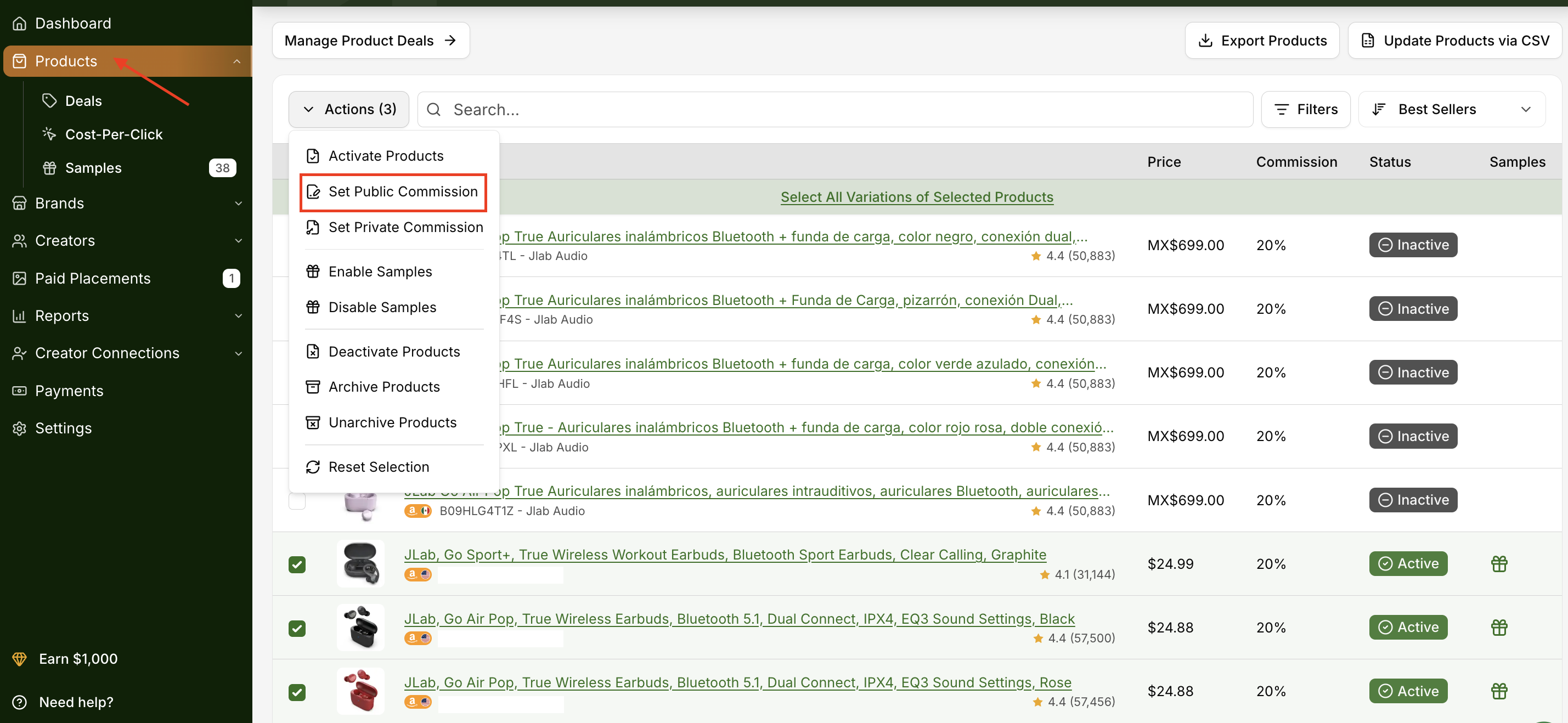
To update public commissions for multiple products:
Go to Products in the left navigation
Select the products you want to update (tip: you can view up to 50 products per page using the control in the bottom right corner)
Click Actions in the top left
Select Set Public Commissions to apply changes in bulk
3. Set a Private Product Commission for a Specific Creator
You may work out a deal with a particular creator where they earn a custom commission rate. We refer to these custom affiliate commissions as “Private Product Commissions”.
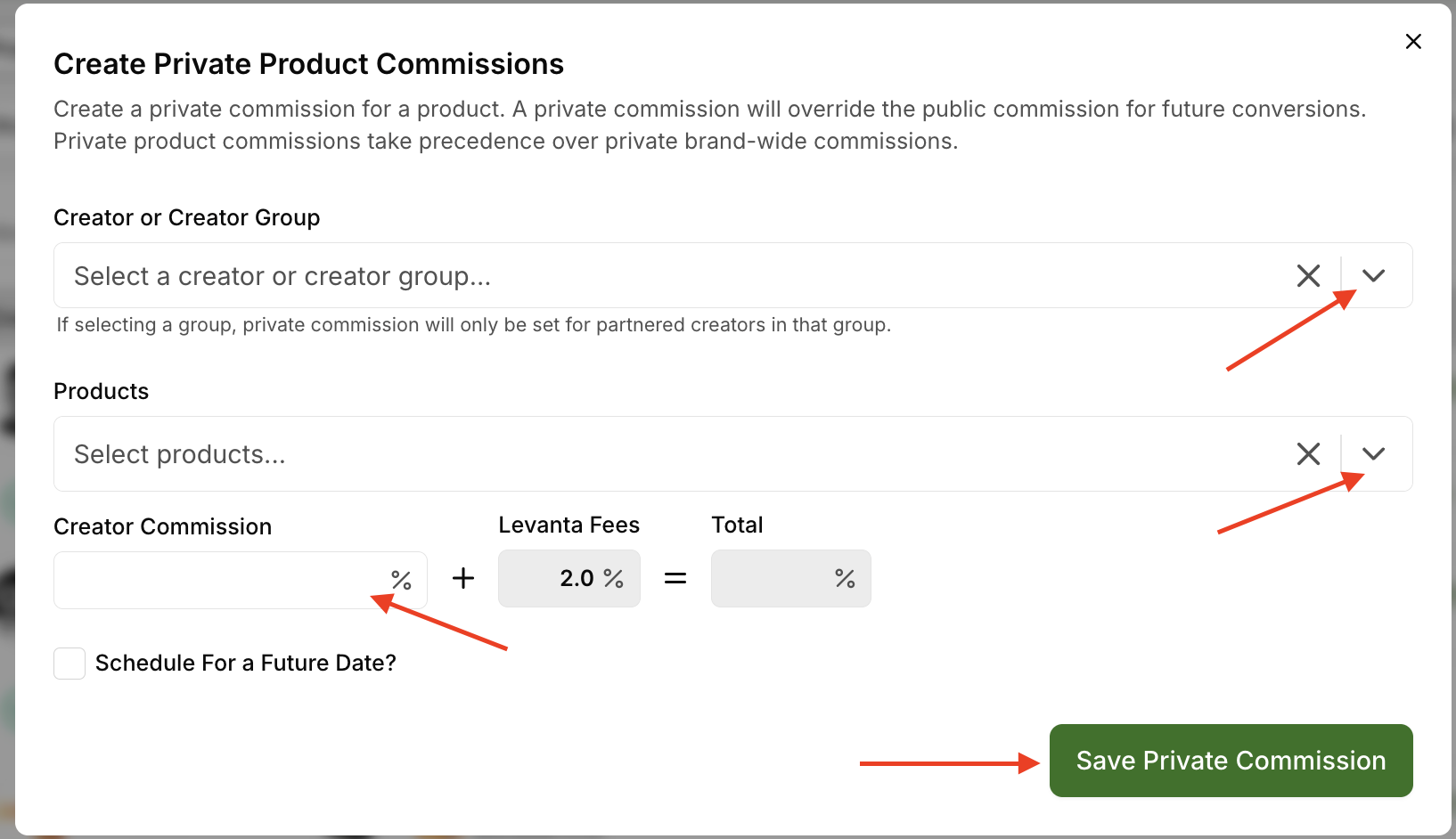
To offer a custom commission rate:
Go to Creators → Private Commissions, then click New Private Product Commission.
Select the Creator or Creator Group, Products, and Creator Commission rate.
If you want this commission to take effect on a specific date, check Schedule For a Future Date — you'll be prompted to enter the date you prefer.
Click Save Private Commission.
Note: A private commission overrides the public commission for future conversions. Private product commissions always take precedence over private brand-wide commissions.
Note: This change will not affect previous commissions — it will only apply to future conversions.
Private Brand-Wide Commissions ✦ NEW
Brand-Wide Private Commissions let you set a single commission rate across your entire brand catalog for a specific creator or creator group — without having to update each product individually.
How to set it up:
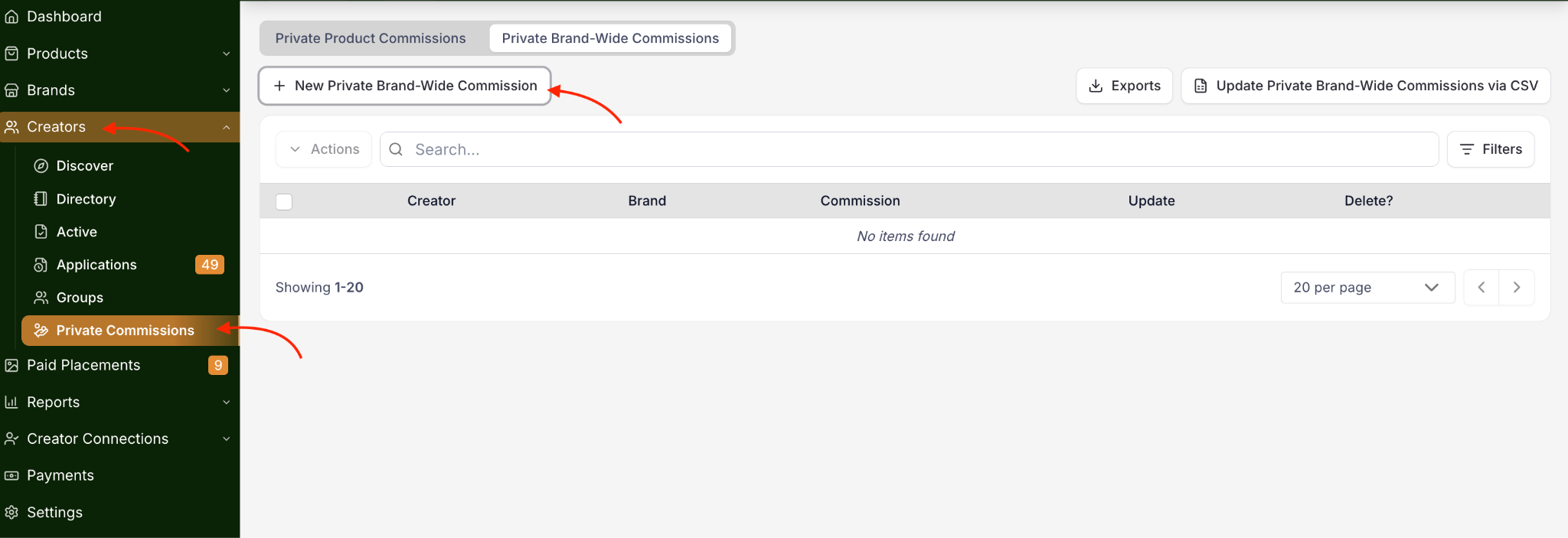
Go to Creators → Private Commissions in the left navigation.
Click the Private Brand-Wide Commissions tab.
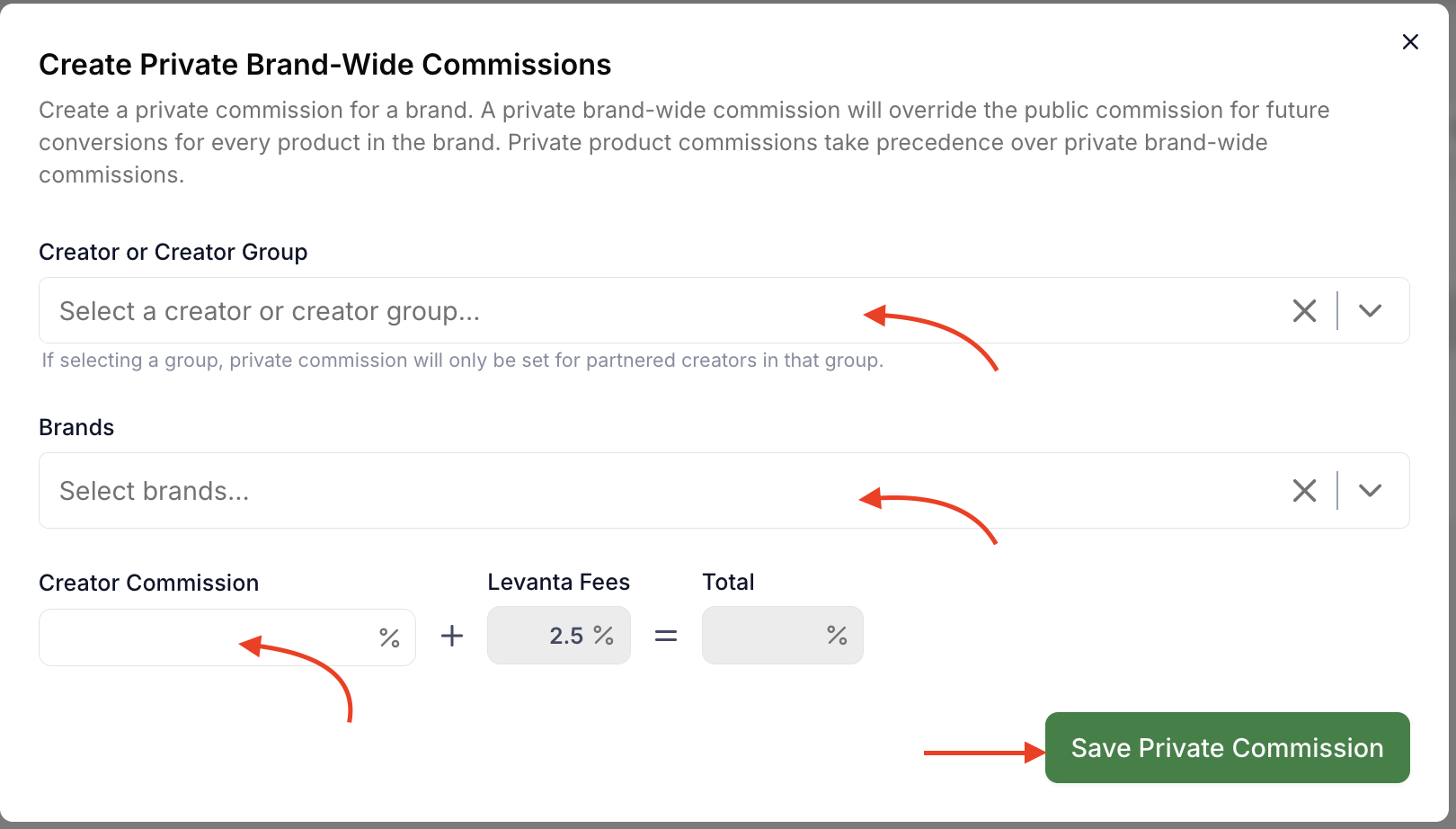
Click + New Private Brand-Wide Commission.
In the modal, select a Creator or Creator Group.
Select the Brand you want to apply the rate to.
Enter the Creator Commission percentage. Levanta's 2.5% fee and the total will be calculated automatically.
Click Save Private Commission.
Best for:
Card-Linked Offer (CLO) creators — CLO programs require a single commission rate applied catalog-wide. When a shopper activates a cash back or points-back offer in their banking app, it applies to the entire merchant catalog, making brand-wide commissions essential for this creator type.
Brands who want to quickly set a competitive rate for a creator across all products without updating each SKU individually
4. Scheduling Commission Changes
Scheduling Commission changes gives you the flexibility to update creator commissions ahead of time. This functionality can be used to set temporary public or private commission rates by combining time windows for future commission adjustments.
Schedule for an individual product:
Open the product detail page.
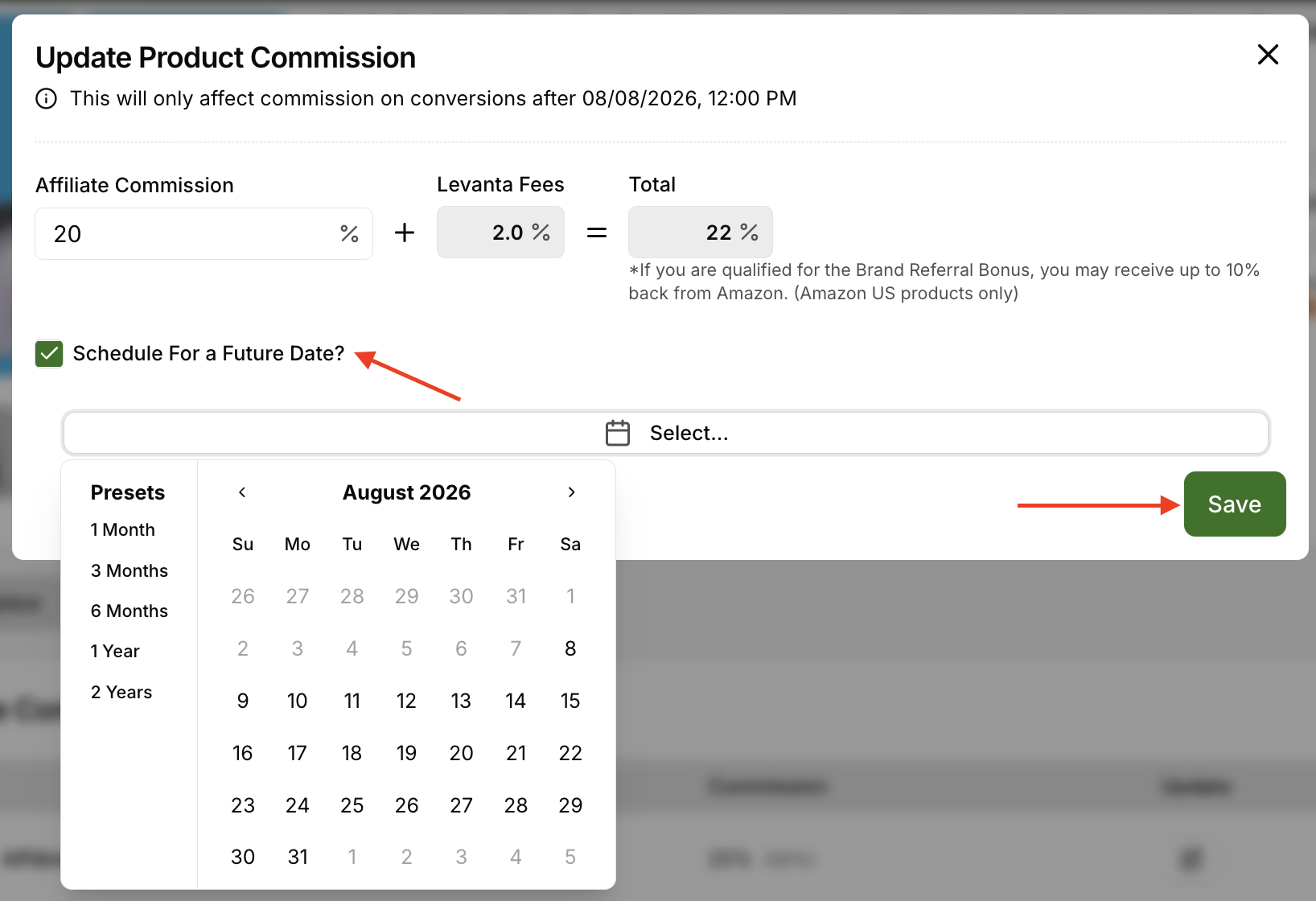
Click the pencil icon to edit the current commission rate and it will open a new window
Check the box labeled "Schedule For a Future Date?"
Set your desired commission rate and the date for it to take effect.
All scheduled updates are processed in Eastern Standard Time.
Schedule for multiple products:
Go to the Products page.
Select the products you’d like to update.
Click Actions, then choose either Set Public Commission or Set Private Commission.
Enter the future commission rate and schedule the date.
View scheduled changes:
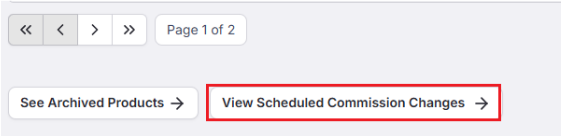
You can view all your scheduled commission changes by navigating to the very bottom of the Your Products view and clicking on “View Scheduled Commission Changes”.
Questions or Need Help?
Our team is here to support you! Reach out to your dedicated CSM or email us at cs@levanta.io